
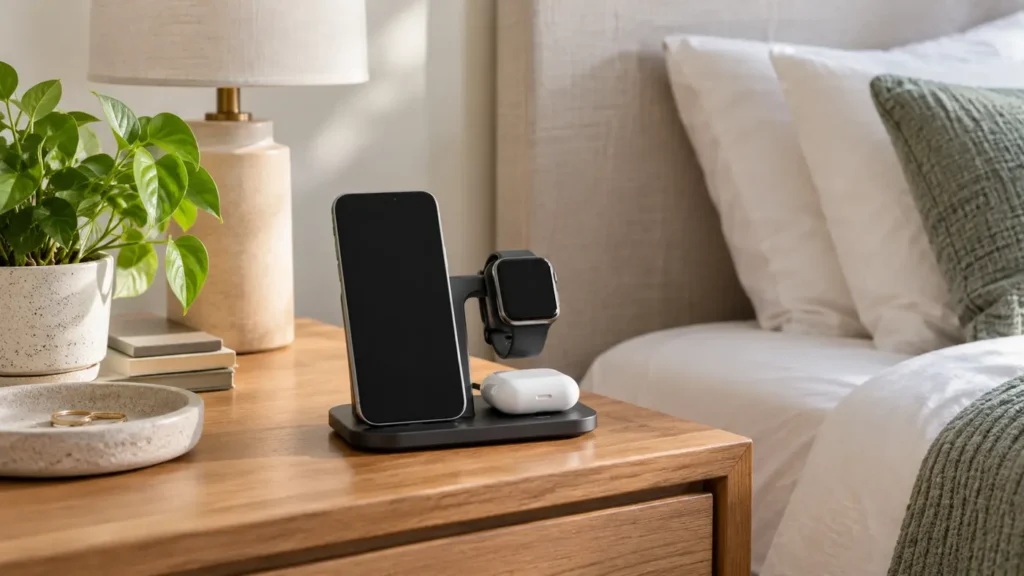
Best Bedside Charging Station: What to Look For
Disclosure: This post contains affiliate links. If you buy through one of our links, we may earn a commission at no extra cost to you. Use certified chargers and cables that match your devices, and follow the manufacturer’s electrical and heat-safety instructions.
A bedside charging station can replace a tangle of cables with one predictable place for a phone, watch and earbuds. The useful ones do more than look tidy: they align devices reliably, supply the correct power and let you pick up a phone without dragging the entire stand across the nightstand.
This guide covers wireless stands, three-in-one docks, cable organizers and the compatibility details that matter before you buy.
Quick verdict
Choose a weighted charging stand with clearly stated phone, watch and earbud compatibility, a certified power adapter included, non-slip feet and easy alignment in the dark. If you change devices often, a cable organizer or modular stand may last longer than a tightly integrated three-in-one dock.
Charging station types
| Type | Best for | Advantages | Tradeoffs |
|---|---|---|---|
| Three-in-one wireless dock | Matching phone, watch and earbud ecosystem | Cleanest setup and one power cord | Compatibility can be narrow |
| Magnetic phone stand | Phone-first charging and bedside viewing | Easy alignment and upright screen | Requires compatible phone or case |
| Multi-port wired charger | Mixed device households | Flexible cables and faster charging options | More visible wires |
| Cable-management tray | Renters and frequently changing devices | Uses existing chargers and is easy to update | Less polished than an integrated dock |
Compatibility comes first
A station can physically hold a device and still charge it slowly or not at all. Check the exact phone model, watch generation, earbud case and protective case thickness. Watch chargers are especially ecosystem-specific, and some docks require you to install your original watch charging puck.
Magnetic alignment depends on both the phone and case. A thick wallet case, metal plate or misaligned magnetic ring can weaken the connection and increase heat. If you plan to upgrade soon, choose a modular design with replaceable cables or charging modules.
Included power adapter and real output
Some docks include only the stand and cable. Without a suitable wall adapter, the station may divide limited power among devices and charge more slowly than expected. Read what input the dock requires and whether the recommended adapter is included.
Large total-wattage numbers can be misleading because power is shared across ports. Check the maximum for each charging position when all devices are connected. Overnight charging does not require the absolute fastest speed, but it should be stable and compatible.
Wireless or wired at the bedside?
Wireless charging makes placement easy and reduces connector wear. An upright stand also keeps a clock or alarm visible. Wired charging is more efficient, can be faster and works with a wider range of devices.
If heat, energy use or maximum charging speed matters most, a well-managed wired setup may be the better choice. If convenience and reducing nightly cable fumbling matter most, wireless alignment wins.
Nightstand-friendly design
- Weighted base: stays down when you lift the phone.
- Non-slip feet: protects furniture and prevents sliding.
- No bright status light: or a light that turns off automatically.
- Small footprint: leaves room for a lamp, glasses and water.
- Case-friendly spacing: prevents the camera bump or watch band from interfering.
- Accessible controls: does not block phone buttons or alarm gestures.
Heat and safe placement
Charging creates heat, and wireless charging can feel warmer than a cable. Keep the dock on a hard, open surface instead of under bedding, papers or clothing. Remove anything that the phone or charger maker says can interfere, and stop using equipment that is damaged, discoloured, unusually hot or making noise.
Do not balance a dock on a narrow shelf where a phone can fall. Route the power cord along the back of the nightstand and leave enough slack that moving the table does not pull the plug.
Case and camera-bump problems
Modern phones can have thick camera sections that prevent the back from sitting flat. Look for a raised charging pad or adjustable support. Folded stands are convenient for travel, but the hinge must stay firm under the phone’s weight.
Cases with cards, magnets not intended for charging or metal kickstands may need to be removed. Confirm compatibility instead of assuming “case-friendly” covers every case.
When a simple cable organizer is better
A cable organizer costs less, works with mixed devices and lets you replace one charger at a time. It is often the best choice for couples using different phone brands or for anyone expecting to upgrade watches.
Use short, high-quality cables and label them if several connectors look similar. A small weighted cable holder keeps ends from falling behind the table without locking you into one dock.
Common buying mistakes
- Assuming every watch uses the same wireless standard
- Buying a dock without checking whether the adapter is included
- Ignoring charging speed when all positions are occupied
- Using a thick or metal-backed case that prevents alignment
- Accepting a bright status light beside the bed
- Choosing a lightweight stand that lifts with the phone
- Covering the charger with bedding or clothing
Frequently asked questions
Is overnight wireless charging safe?
Use compatible, undamaged equipment from reputable sources and follow device instructions. Modern devices manage charging, but placement, heat and charger quality still matter.
Will a three-in-one charger work with any phone and watch?
No. Phone standards overlap more often than watch standards. Check exact model compatibility for every position.
Do I need a magnetic case?
For a magnetic stand, a compatible case usually gives the most reliable hold and alignment. Ordinary thick cases may weaken the connection.
Why is my phone charging slowly?
The wall adapter may be undersized, power may be shared, the device may be misaligned, or heat may be limiting speed. Check the approved setup.
Is wired charging better?
It is generally more efficient and flexible. Wireless charging is mainly about placement convenience and reducing cable handling.
Shop bedside charging stations
Compare exact compatibility, per-device output, included adapter, case fit, light behaviour, base weight and cord routing.
Shop Amazon USA
Shop Amazon Canada
Who should buy it—and who should skip it
Buy it if: several devices charge beside the bed and you want fewer loose adapters and cables on the nightstand.
Skip it if: one charger already covers your needs or the station would crowd a small bedside surface.
Best value
A compact certified charging station with enough ports for the devices you actually use is the best value. Fewer good ports beat a crowded unit full of connectors you do not need.
When the upgrade is worth it
Pay more for higher-power USB-C charging, a well-designed wireless pad, and replaceable cables when your devices can use those features. Do not pay extra for excessive port count alone.
Final answer
A weighted, dark, case-compatible charging stand is the best bedside choice for people with matching devices. Mixed-device homes are often better served by a quality multi-port charger and tidy cable holder. Buy for exact compatibility and included power—not for the number of charging symbols printed on the box.
For broader cable control, see why every home needs a charging station. For a calmer setup, pair it with our white noise machine guide.