
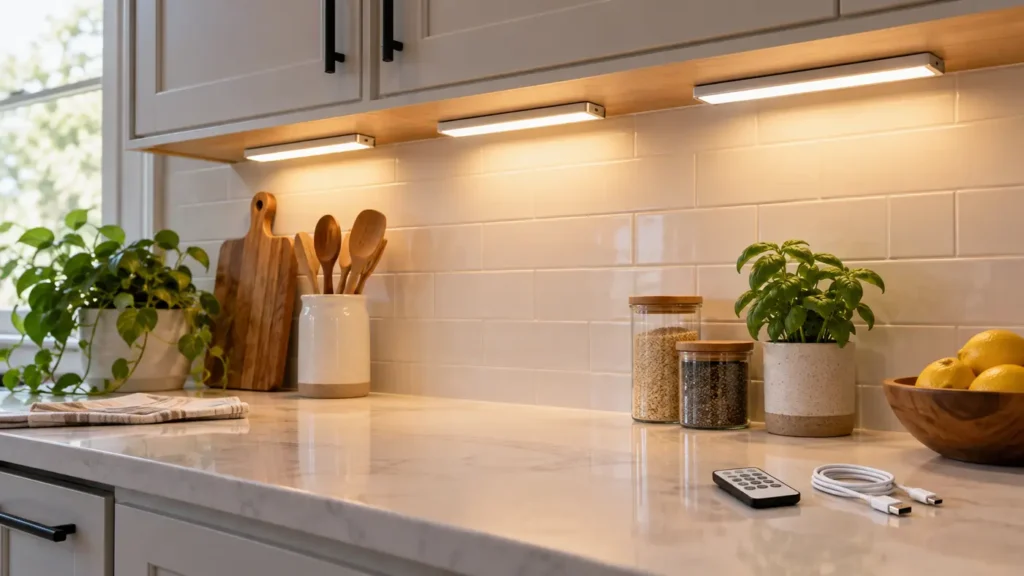
Best Under-Cabinet Lighting for Renters
Disclosure: This post contains affiliate links. If you buy through one of our links, we may earn a commission at no extra cost to you. Follow electrical and mounting instructions, keep lights away from heat and water, and test adhesive in a hidden area before installation.
Under-cabinet lighting can make a rental kitchen easier to use without opening walls or changing fixtures. Rechargeable bars, plug-in strips and puck lights each solve a different problem, but adhesive quality and removal matter as much as brightness.
A good renter setup illuminates the work surface evenly, hides the light source from normal view and can be removed without damaging the cabinet finish.
Quick verdict
Choose slim rechargeable or plug-in light bars with magnetic mounts, adjustable brightness, warm-to-neutral colour and a manual override for the motion sensor. Magnetic adhesive plates let you remove the light for charging while leaving a low-profile mount in place.
Renter-friendly lighting types
| Choice | Best for | Advantage | Watch for |
|---|---|---|---|
| Rechargeable bar | No nearby outlet | Clean installation and easy removal | Needs regular charging |
| Plug-in LED strip | Long counters and daily use | Continuous power and even light | Visible cord routing |
| Puck lights | Small zones and display shelves | Flexible placement | Can create bright spots and shadows |
| Battery bars | Occasional use | Simple and inexpensive | Battery waste and lower output |
Measure the work area
Measure cabinet length, depth and the distance to outlets. One long bar often gives more even light than several pucks. Mount toward the front edge so light reaches the counter instead of washing only the backsplash.
Brightness and dimming
Look for stated lumen output rather than vague terms such as super bright. Dimming helps switch between food preparation and evening ambience. More brightness is not useful when glare reflects from polished counters.
Colour temperature and quality
Warm light feels cosy; neutral white is often better for food preparation. Adjustable colour temperature offers flexibility. A higher colour-rendering rating helps food and surfaces look more natural.
Motion sensors
Motion activation is handy for late-night use but can be irritating during cooking if the light times out. Choose a model with always-on, off and sensor modes. Check whether the sensor can see movement from the counter position.
Mounting without damage
Clean the surface as directed and test adhesive on a hidden area. Painted, waxed or delicate finishes may lift. Magnetic plates simplify charging, while removable strips can reduce damage when used correctly.
Charging and cords
For rechargeable bars, check runtime at the brightness you will use and whether they operate while charging. For plug-in lights, route low-voltage cords neatly without pinching them in doors or placing them near heat.
Installation plan
- Test the light temporarily with painter’s tape.
- Check glare while standing and sitting.
- Confirm sensor coverage and cabinet-door clearance.
- Clean and dry the approved mounting spot.
- Apply the mount and observe the specified cure time.
- Save spare adhesive for moving day.
Common buying mistakes
- Mounting at the back edge where light misses the counter
- Buying pucks that create harsh spots
- Ignoring charging frequency
- Choosing a sensor with no manual-on mode
- Applying adhesive to a fragile finish without testing
- Routing cords near a toaster, range or sink
Frequently asked questions
Are rechargeable lights bright enough?
Many are suitable for task lighting on a short counter, but compare lumens and expect shorter runtime at full brightness.
Where should the bar be mounted?
Usually near the front underside of the cabinet, hidden from view but aimed across the work surface.
Will adhesive damage cabinets?
It can. Test first, follow removal directions and avoid fragile, peeling or uncured finishes.
Do motion sensors work during the day?
Some have ambient-light sensors and stay off in bright rooms. Check whether that behaviour is adjustable.
Are plug-in lights renter-friendly?
Yes when cords can be routed safely and mounts removed cleanly. They avoid charging and suit daily use.
Shop renter-friendly under-cabinet lights
Compare mounting strips, lumen output, colour temperature, charging, sensor behaviour, controls and replacement adhesive.
Shop Amazon USA Shop Amazon Canada
Who should buy it—and who should skip it
Buy it if: your kitchen needs more task light and you want a renter-friendly setup that can be removed later.
Skip it if: the mounting surface cannot safely take adhesive, the light would sit close to heat or water, or you need permanent hardwired lighting.
Best value
Rechargeable magnetic light bars are the best value when outlets are inconvenient and the lights run for short periods. A plug-in strip is the better value for long daily use when an outlet is nearby.
When the upgrade is worth it
Pay more for smoother dimming, better colour consistency, replaceable mounting hardware, and reliable motion controls. Do not pay extra for app features if simple manual controls fit the job.
Final answer
For most renters, magnetic rechargeable light bars offer the cleanest balance of easy installation and removal. Choose manual control alongside the sensor, mount near the cabinet’s front edge and keep brightness adjustable. A plug-in strip is better when an outlet is close and the lights run for hours every day.
Improve the rest of the room with our small-kitchen habits guide and relaxing lighting ideas.