
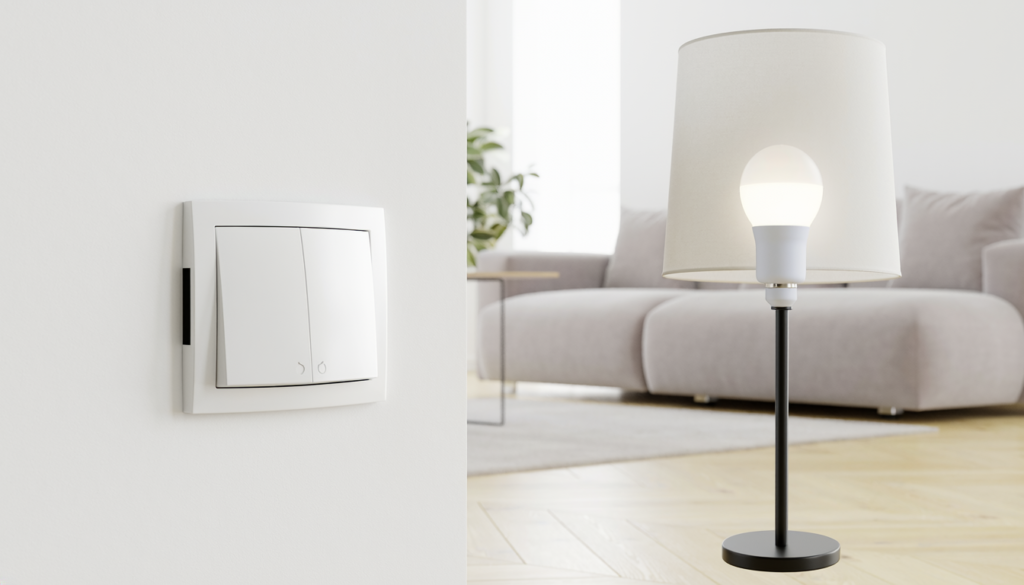
Smart Light Switch vs Smart Bulb
Disclosure: As an Amazon Associate, My Indoor Space may earn from qualifying purchases made through links in this guide, at no extra cost to you.
A smart bulb controls the lamp itself. A smart switch controls the electrical circuit. That difference affects installation, reliability, household habits, and whether someone can accidentally disable the smart features with an ordinary wall switch.
Quick verdict
Choose a smart switch for permanent, whole-room control when the wiring is compatible and installation is allowed. Choose smart bulbs for renters, lamps, colour-changing light, and quick installation. For many homes, switches handle main fixtures while bulbs add colour or flexibility in selected lamps.
Who each option is for
Smart switches suit homeowners, approved installations, ceiling fixtures with ordinary dimmable bulbs, and shared rooms where everyone expects the wall control to work normally.
Smart bulbs suit renters, table and floor lamps, colour scenes, and fixtures where wiring changes are not practical. They work best when the controlling wall switch remains on.
Side-by-side comparison
| Factor | Smart switch | Smart bulb |
|---|---|---|
| Installation | Electrical wiring required | Screws into compatible socket |
| Renter-friendly | Usually needs permission | Easy to remove |
| Wall control | Natural for everyone | Wall switch must stay powered |
| Colour options | Depends on installed bulbs | Widely available |
| Multi-bulb fixture | One switch controls all | Each bulb adds cost |
| Power-off behaviour | Smart features usually remain ready | No control when switch is off |
Best value: smart switch for a multi-bulb room
One compatible switch can control several ordinary bulbs, making it the value winner for a living room, kitchen, or hallway fixture. Household members can still use the wall normally without reaching for an app.
Compatibility is critical. Check line, load, neutral, ground, box depth, bulb load, dimming type, and single-pole or multi-way wiring. Use a qualified electrician when required or whenever you are uncertain.
Upgrade worth it: smart bulbs with a hub
A coordinated bulb system with a hub is worth the upgrade for colour scenes, room grouping, accessories, and more dependable local control. Wireless buttons can preserve physical control without cutting power to the bulbs.
The upgrade makes most sense in entertainment spaces and lamps. Filling a large multi-bulb ceiling fixture with premium colour bulbs becomes expensive quickly.
Wiring and neutral requirements
Many smart switches require a neutral wire, though some models are designed for compatible no-neutral installations. Never assume wire colour proves function, and do not install a device outside its rated wiring configuration.
Older switch boxes may be shallow or tightly packed. The smart device must fit without crushing conductors or exceeding box capacity. Building codes and landlord rules apply.
Dimmers and bulb compatibility
A smart dimmer needs compatible dimmable bulbs and a load within its stated range. Mixing bulb types can cause flicker, buzzing, limited dimming, or failure to turn fully off.
Do not put ordinary smart bulbs on a traditional wall dimmer unless both manufacturers expressly support that arrangement. Smart bulbs normally expect constant full power.
Wi-Fi, hubs, and local control
Wi-Fi products are easy to start but add devices to the network. Hub-based systems add initial cost yet can provide strong device coordination and continue some automations locally when internet service fails.
Check update support, account security, multi-factor authentication, and what happens if the manufacturer ends cloud service. Basic physical control should remain understandable.
Household usability
The best smart home works for people who never open the app. Switches win here because the familiar control remains on the wall. Bulb systems improve when paired with a labelled wireless button or remote.
Place automations around real routines—arrival, bedtime, or a dim evening scene—rather than creating dozens of commands nobody remembers.
Common buying mistakes
- Buying a switch before checking neutral and box depth.
- Installing smart bulbs where people routinely turn off the wall switch.
- Pairing smart bulbs with an incompatible dimmer.
- Buying several colour bulbs when one switch would control the room.
- Ignoring app support, account security, and update history.
- Making lighting impossible to use without a phone.
Frequently asked questions
Can renters use a smart switch?
Only with required permission and safe installation. Smart bulbs and plug-in lamps are more reversible.
Do smart bulbs work when the switch is off?
No. They need continuous power for app, voice, schedule, and automation control.
Do smart switches work without internet?
Physical switching normally remains, and some local automations may work. Remote access and cloud-dependent features vary by system.
Which is better for colour lighting?
Smart bulbs. The switch controls power, while the bulb produces the selectable colours.
Final winner
A smart switch is the overall winner for main room lighting because it keeps familiar wall control, handles multiple bulbs, and avoids accidental power loss to the smart system. Smart bulbs win for renters, lamps, colour effects, and rooms where wiring changes are off the table.
Start with simpler automation in our smart plugs for beginners guide, and add low-level lighting with our hallway motion-sensor night light guide.