Smart Home

Useful smart-home devices, connected living tips and practical technology.

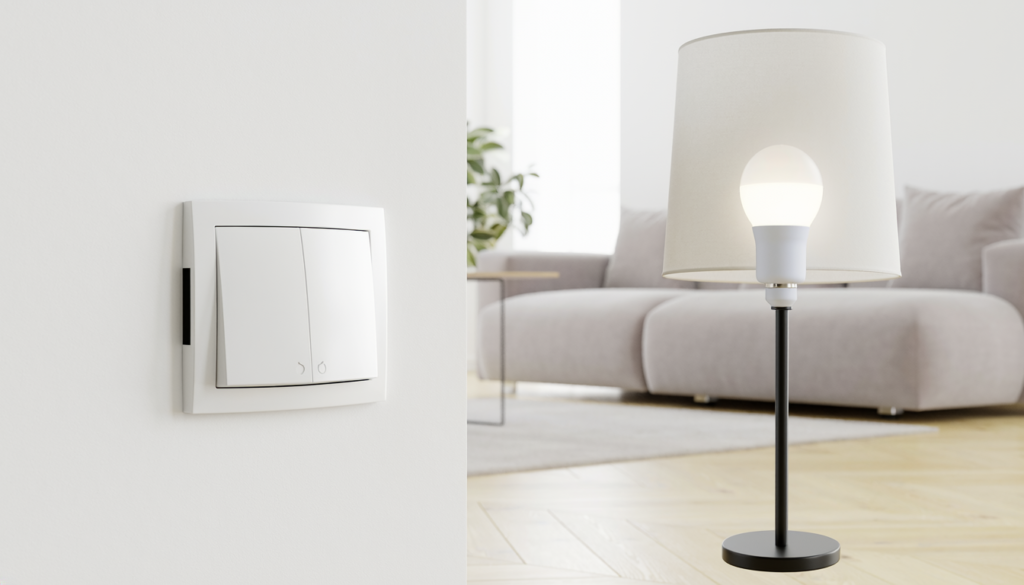
Smart wall light switch and smart bulb shown in a modern apartment
Smart Home

Smart Light Switch vs Smart Bulb

Disclosure: As an Amazon Associate, My Indoor Space may earn from qualifying purchases made through links in this guide, at no extra cost to you.

A smart bulb controls the lamp itself. A smart switch controls the electrical circuit. That difference affects installation, reliability, household habits, and whether someone can accidentally disable the smart features with an ordinary wall switch.

Quick verdict

Choose a smart switch for permanent, whole-room control when the wiring is compatible and installation is allowed. Choose smart bulbs for renters, lamps, colour-changing light, and quick installation. For many homes, switches handle main fixtures while bulbs add colour or flexibility in selected lamps.

Who each option is for

Smart switches suit homeowners, approved installations, ceiling fixtures with ordinary dimmable bulbs, and shared rooms where everyone expects the wall control to work normally.

Smart bulbs suit renters, table and floor lamps, colour scenes, and fixtures where wiring changes are not practical. They work best when the controlling wall switch remains on.

Side-by-side comparison

Factor Smart switch Smart bulb
Installation Electrical wiring required Screws into compatible socket
Renter-friendly Usually needs permission Easy to remove
Wall control Natural for everyone Wall switch must stay powered
Colour options Depends on installed bulbs Widely available
Multi-bulb fixture One switch controls all Each bulb adds cost
Power-off behaviour Smart features usually remain ready No control when switch is off

Best value: smart switch for a multi-bulb room

One compatible switch can control several ordinary bulbs, making it the value winner for a living room, kitchen, or hallway fixture. Household members can still use the wall normally without reaching for an app.

Compatibility is critical. Check line, load, neutral, ground, box depth, bulb load, dimming type, and single-pole or multi-way wiring. Use a qualified electrician when required or whenever you are uncertain.

Upgrade worth it: smart bulbs with a hub

A coordinated bulb system with a hub is worth the upgrade for colour scenes, room grouping, accessories, and more dependable local control. Wireless buttons can preserve physical control without cutting power to the bulbs.

The upgrade makes most sense in entertainment spaces and lamps. Filling a large multi-bulb ceiling fixture with premium colour bulbs becomes expensive quickly.

Wiring and neutral requirements

Many smart switches require a neutral wire, though some models are designed for compatible no-neutral installations. Never assume wire colour proves function, and do not install a device outside its rated wiring configuration.

Older switch boxes may be shallow or tightly packed. The smart device must fit without crushing conductors or exceeding box capacity. Building codes and landlord rules apply.

Dimmers and bulb compatibility

A smart dimmer needs compatible dimmable bulbs and a load within its stated range. Mixing bulb types can cause flicker, buzzing, limited dimming, or failure to turn fully off.

Do not put ordinary smart bulbs on a traditional wall dimmer unless both manufacturers expressly support that arrangement. Smart bulbs normally expect constant full power.

Wi-Fi, hubs, and local control

Wi-Fi products are easy to start but add devices to the network. Hub-based systems add initial cost yet can provide strong device coordination and continue some automations locally when internet service fails.

Check update support, account security, multi-factor authentication, and what happens if the manufacturer ends cloud service. Basic physical control should remain understandable.

Household usability

The best smart home works for people who never open the app. Switches win here because the familiar control remains on the wall. Bulb systems improve when paired with a labelled wireless button or remote.

Place automations around real routines—arrival, bedtime, or a dim evening scene—rather than creating dozens of commands nobody remembers.

Common buying mistakes

  • Buying a switch before checking neutral and box depth.
  • Installing smart bulbs where people routinely turn off the wall switch.
  • Pairing smart bulbs with an incompatible dimmer.
  • Buying several colour bulbs when one switch would control the room.
  • Ignoring app support, account security, and update history.
  • Making lighting impossible to use without a phone.

Frequently asked questions

Can renters use a smart switch?

Only with required permission and safe installation. Smart bulbs and plug-in lamps are more reversible.

Do smart bulbs work when the switch is off?

No. They need continuous power for app, voice, schedule, and automation control.

Do smart switches work without internet?

Physical switching normally remains, and some local automations may work. Remote access and cloud-dependent features vary by system.

Which is better for colour lighting?

Smart bulbs. The switch controls power, while the bulb produces the selectable colours.

Final winner

A smart switch is the overall winner for main room lighting because it keeps familiar wall control, handles multiple bulbs, and avoids accidental power loss to the smart system. Smart bulbs win for renters, lamps, colour effects, and rooms where wiring changes are off the table.

Start with simpler automation in our smart plugs for beginners guide, and add low-level lighting with our hallway motion-sensor night light guide.

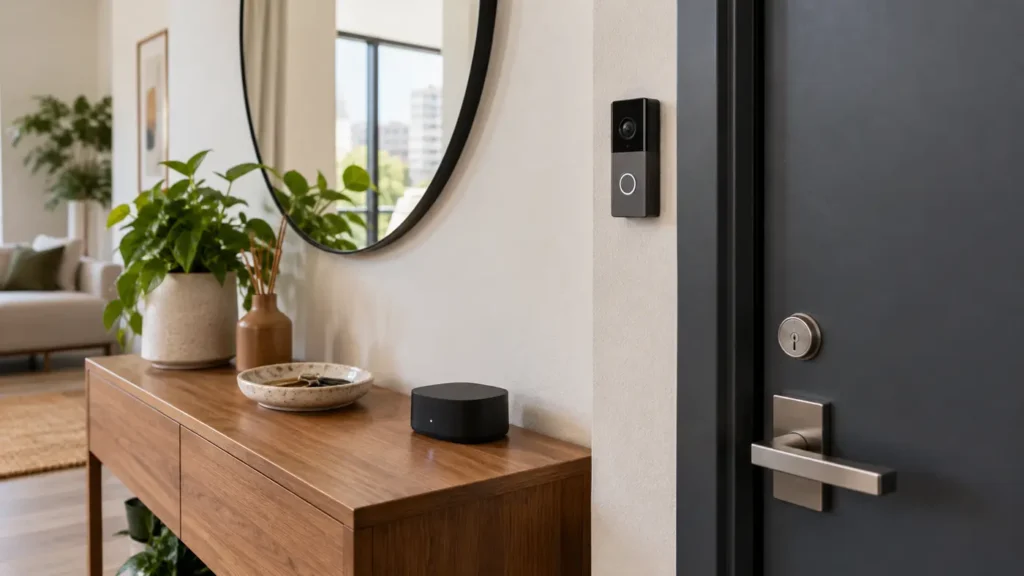
Video doorbell beside a modern front door with a local storage hub
Smart Home

Best Smart Lock for Renters

Disclosure: As an Amazon Associate, My Indoor Space may earn from qualifying purchases made through links in this guide, at no extra cost to you.

Renters can add keyless convenience without replacing the outside lock, but compatibility and permission come first. Retrofit smart locks usually turn the existing deadbolt from inside while leaving the original exterior keyway visible.

Quick verdict

For most renters, choose an interior retrofit lock that works with the existing single-cylinder deadbolt, preserves keyed entry, warns clearly before batteries die, and can be removed without marks. Confirm landlord approval and exact deadbolt compatibility before buying.

Who it is for—and who should skip it

A retrofit lock suits a renter who has an ordinary deadbolt, wants temporary codes or phone-based access, and must keep the original exterior hardware. It can be useful for trusted family, pet care, or deliveries when managed carefully.

Skip it if the lease forbids lock changes, the door uses a mortise lock, interconnected handle, multipoint mechanism, rim lock, or an incompatible thumbturn. A sticking or misaligned deadbolt needs repair before automation.

Compare renter-friendly options

Option What changes Main trade-off
Interior retrofit lock Replaces or covers inside thumbturn Compatibility varies by deadbolt
Removable thumbturn adapter Fits over existing interior hardware Can be bulkier
Smart lockbox Stores a physical key Visible and must be authorized
Full replacement lock Changes interior and exterior hardware Usually less renter-friendly

Best value: Bluetooth retrofit lock

A Bluetooth retrofit model offers phone unlocking, activity records, and virtual access without requiring a separate hub. Keeping remote internet access off can also reduce complexity.

Look for reliable auto-unlock settings you can disable, manual operation from inside, and a clear method for granting time-limited access. The physical key should continue to work from outside.

Upgrade worth it: keypad plus bridge

A separate keypad is worth the cost when household members do not want to depend on phones. Individual codes are easier to revoke than shared physical keys, provided the keypad can be mounted with permission.

A Wi-Fi bridge adds remote status and control. It also adds another account, device, and network dependency, so pay for it only if remote access solves a real need.

Check deadbolt compatibility carefully

Remove the interior cover only as instructed and compare your deadbolt brand, tailpiece, thumbturn shape, backset, door thickness, and clearance with the manufacturer’s compatibility guide. Do not rely on appearance alone.

The deadbolt should turn smoothly by hand with the door open and closed. A motorized lock is not a fix for sagging hinges, weather stripping pressure, or a misaligned strike plate.

Security and privacy questions

  • Does the maker explain encryption and account protection?
  • Can you require multi-factor authentication?
  • How long does the company provide security updates?
  • Can lost phones and old users be removed quickly?
  • What functions remain when internet service fails?
  • Is event history stored locally, in the cloud, or both?

Battery life and lockout planning

Battery estimates vary with weather, door alignment, connection type, and frequency of use. Choose clear low-battery warnings and use the recommended battery chemistry.

Keep a physical key accessible rather than locked inside the apartment. Know the manual override and emergency power procedure before you need it.

Renter-safe installation

Get written approval if required. Photograph the original hardware, label every screw and adapter, and store all parts together. Protect the door finish and avoid drilling unless explicitly authorized.

After installation, test manual unlocking, app access, guest codes, the physical key, and operation with the door closed. Restore the original lock when moving unless the landlord agrees otherwise.

Common buying mistakes

  • Buying before checking the exact deadbolt model.
  • Automating a bolt that already sticks.
  • Assuming “no drill” means no landlord permission.
  • Relying on a phone without carrying backup access.
  • Leaving old guest codes active.

Frequently asked questions

Can a landlord still use the original key?

With a compatible interior retrofit lock, the exterior cylinder remains in place, so the original key normally continues to work. Confirm with the specific model.

Does a smart lock work without Wi-Fi?

Many models support local Bluetooth, keypad, key, or manual access without Wi-Fi. Remote control usually requires a bridge or built-in Wi-Fi.

What happens when the batteries die?

Backup entry depends on the model. Preserved keyed access is one of the strongest reasons to choose a renter-friendly retrofit design.

Are smart locks more secure?

They add access controls and logs but also introduce software, accounts, and batteries. Physical door strength, correct installation, updates, and account security all matter.

Final winner

The best smart lock for most renters is an approved interior retrofit model that preserves the exterior key, fits the exact deadbolt, works locally without internet, and provides strong battery warnings. Add a keypad only when code access will be used regularly.

Build a practical entry system with our no-subscription video doorbell guide and indoor security camera guide.

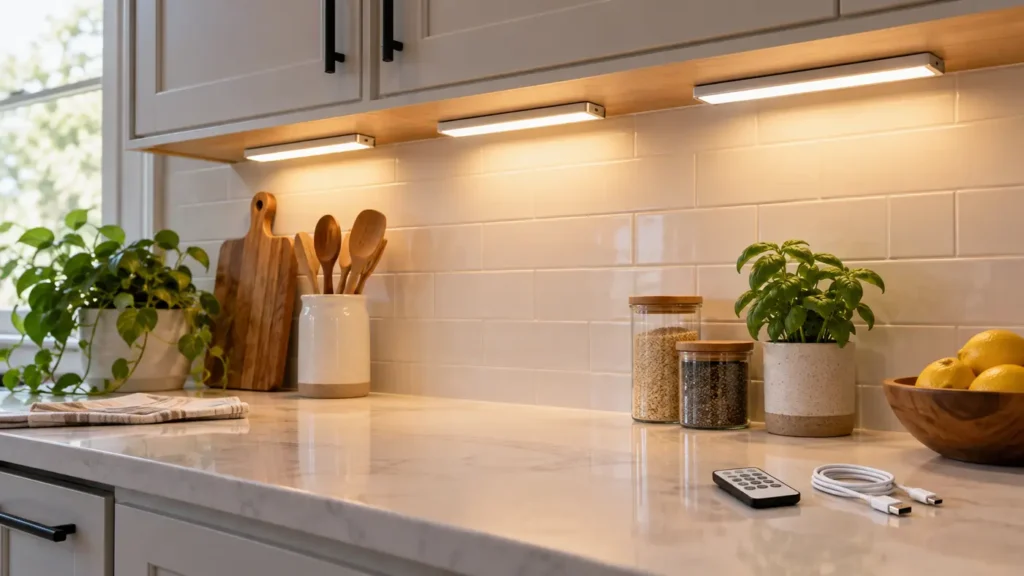
Adhesive under-cabinet lights illuminating a clean kitchen counter
Smart Home

Best Hallway Motion-Sensor Night Light

Disclosure: As an Amazon Associate, My Indoor Space may earn from qualifying purchases made through links in this guide, at no extra cost to you.

A hallway night light should reveal the floor and doorway without blasting sleepy eyes or staying on all night. Motion sensing is useful when the detection zone, brightness, colour, and shutoff delay match the space.

Quick verdict

For most hallways, choose a warm, dimmable plug-in light with dusk sensing, a motion range that reaches the normal walking path, and a short automatic shutoff. Rechargeable magnetic lights are better where outlets are missing, but they need regular charging.

Who it is for—and who should skip it

Motion night lights suit hallways, stair approaches, bathrooms, and routes between bedrooms and kitchens. They are especially helpful where a main ceiling light feels too bright at night.

Skip a motion-only model in a location where pets, curtains, heating vents, or movement in another room will trigger it constantly. A manual low-level light may be calmer in that situation.

Plug-in vs rechargeable vs battery

Power type Best for Main trade-off
Plug-in Daily hallway use Occupies an outlet
Rechargeable Outlet-free placement Requires charging routine
Replaceable battery Low-use locations Ongoing battery cost
Hardwired Permanent renovation Installation cost and commitment

Best value: warm dimmable plug-in light

A plug-in model offers consistent power and little maintenance. Look for brightness adjustment so the same light can work in a narrow hallway or larger landing. An offset plug or compact housing should leave the second receptacle usable.

Dusk sensing prevents daytime activation. Some models offer an always-on low mode plus brighter motion mode, but a simple off-auto-on switch is easier to understand.

Upgrade worth it: rechargeable magnetic light bar

A magnetic light bar is worth the upgrade when outlets are poorly located. The bar lifts off its mount for charging, while a thin adhesive or screw-mounted plate stays in place.

Choose a model with a clear battery indicator and a replaceable mounting adhesive option. Confirm that the light can be removed without damaging the wall if you rent.

Choose warm light and modest brightness

Warm white light generally feels less harsh at night than cool blue-white light. The goal is visibility, not daytime illumination. A downward-facing diffuser helps keep light on the floor and out of bedrooms.

Very dim output may fail to show clutter or a floor transition, while excessive brightness creates glare. Adjustable output is more dependable than choosing by lumen claims alone.

Detection range and angle

A wide sensor can see someone approaching from the side, but it may also detect movement inside a nearby room. A long forward range is useful in a straight corridor. Consider the actual path before choosing a sensor specification.

Place the light where the body enters the sensor zone before reaching an obstacle or stair. Test the position at night rather than assuming daytime placement will work.

Shutoff delay and repeat triggering

A delay of several seconds after movement stops is usually enough for a short hallway. Longer delays reduce on-off cycling but use more energy and may spill light into bedrooms.

The light should retrigger smoothly while movement continues. Models that go dark before they can sense motion again create an annoying gap.

Safe placement

  • Keep the light clear of rugs, doors, and vacuum paths.
  • Do not cover ventilation openings on plug-in units.
  • Use indoor-rated products indoors and follow electrical ratings.
  • Avoid placing adhesive lights where falling could cause injury.
  • Do not rely on a small night light as the only illumination for hazardous stairs.

Common buying mistakes

  • Choosing cool, bright light that wakes the household.
  • Blocking the second outlet with an oversized body.
  • Ignoring pets and cross-traffic in the sensor zone.
  • Mounting rechargeable lights where removal is awkward.
  • Using adhesive on dirty, textured, or fragile paint.

Frequently asked questions

What colour temperature is best at night?

A warm tone is generally more comfortable and less visually harsh. Personal preference and the surrounding finishes also matter.

Will pets trigger the light?

Many motion sensors will detect pets. Higher placement, a narrower angle, or a different location may reduce unnecessary triggers.

How high should I mount it?

Low placement can illuminate the floor well, while higher placement may improve detection. Follow the model’s sensor guidance and test before permanent mounting.

Are rechargeable lights cheaper?

They avoid disposable batteries but cost more upfront and need charging. Plug-in models are usually simplest for frequent use near an outlet.

Final winner

The best motion-sensor night light for most hallways is a compact warm-white plug-in model with adjustable brightness, dusk sensing, a useful side-to-side detection angle, and a short retriggerable delay. It delivers dependable light without charging or excessive glare.

For other simple automations, see our smart plugs for beginners and renter-friendly under-cabinet lighting guide.

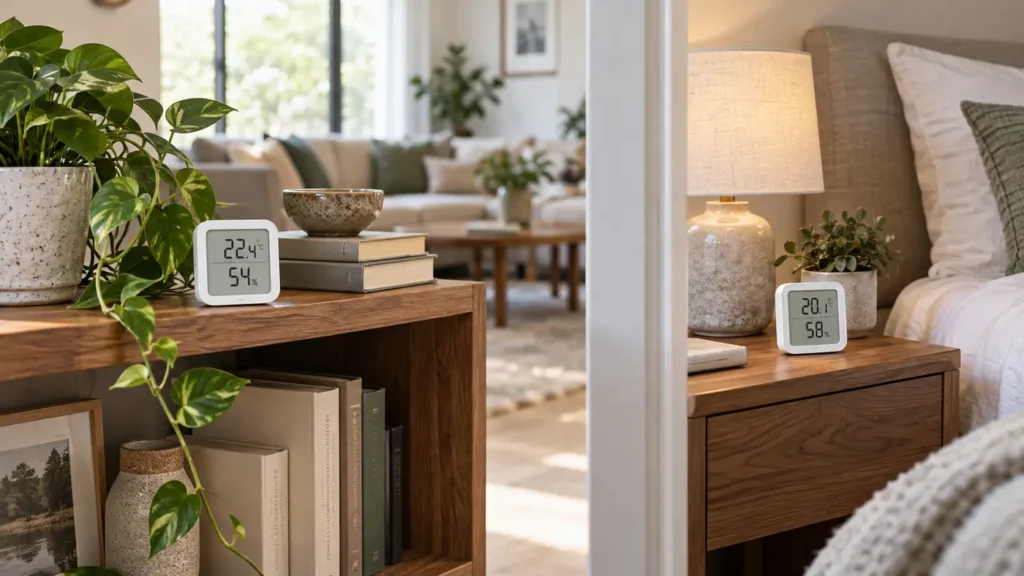
Digital humidity monitors in a living room and bedroom
Smart Home

Best Humidity Monitor for Home: What to Look For

Disclosure: As an Amazon Associate, My Indoor Space may earn from qualifying purchases made through links in this guide, at no extra cost to you.

A humidity monitor, often called a hygrometer, helps you see whether indoor air is trending dry, comfortable, or damp. It can guide decisions about ventilation, humidifiers, and dehumidifiers, but the reading is only useful when the sensor is reasonably accurate and placed correctly.

Simple display models are inexpensive and easy to move. Connected models add history, alerts, and remote viewing. Choose based on whether you need a quick room check or long-term trends rather than assuming the most connected device is the most accurate.

Quick verdict

For most homes, choose a monitor that states humidity accuracy, displays temperature and relative humidity clearly, and refreshes often enough to show meaningful changes. Add Bluetooth or Wi-Fi logging when you need alerts or want to compare rooms and seasons.

What to compare first

Feature Why it matters Practical target
Humidity accuracy Determines confidence in readings Published tolerance around ±2–5% RH
Display Makes daily checks easy Large numbers and min/max
Logging Shows trends over time App history or onboard memory
Placement Prevents distorted readings Away from vents, windows, and moisture sources

Understand accuracy and resolution

A display that changes in one-percent steps is not necessarily accurate to one percent. Look for a stated tolerance, such as a number of percentage points of relative humidity within a defined temperature range.

Consumer monitors can disagree. If several sensors are used, place them together for a day and note consistent offsets before assigning them to rooms. For critical applications, use calibrated equipment designed for that purpose.

Choose a display you will actually read

Large humidity and temperature numbers are more useful than a crowded screen. Minimum and maximum records can reveal overnight or daytime swings without requiring an app.

Comfort icons are convenient but simplify a complex topic. Treat them as prompts, not medical or building diagnostics. Your climate, season, building materials, and household activities all affect an appropriate range.

Decide between standalone, Bluetooth, and Wi-Fi

A standalone monitor is private, inexpensive, and reliable for quick checks. Bluetooth adds phone-based history within local range. Wi-Fi can provide remote alerts, multi-room dashboards, and longer cloud records.

Connected features introduce accounts, permissions, batteries, and possible subscription or support changes. Check how data is exported and what remains available without internet access.

Place the monitor correctly

Put the sensor where room air circulates naturally, usually several feet from the floor. Keep it away from supply vents, radiators, direct sun, open windows, exterior walls, humidifier mist, bathrooms, and cooking steam unless those are the specific conditions being measured.

After moving a monitor, allow time for the reading to settle. A reading beside a humidifier or dehumidifier represents the appliance’s immediate airflow, not the whole room.

Use trends instead of chasing every change

Relative humidity changes as temperature changes, so short-term movement is normal. Look for patterns lasting hours or days, such as a bedroom that becomes damp overnight or a basement that rises after rain.

Use the monitor to evaluate an intervention over time. If running a dehumidifier changes only the area near the machine, improve placement, airflow, or capacity rather than reacting to a single instant reading.

Consider power and alert behavior

Button-cell or AAA-powered displays can run for months, but connected sensors may need more frequent batteries. Check whether low-battery warnings are obvious and whether history is preserved during replacement.

For alerts, look for adjustable thresholds and notification delays. Repeated alerts for brief harmless spikes can become noise, while a sustained-high setting may be more useful.

Know what a monitor cannot tell you

A humidity monitor does not identify mold, prove that a room is safe, diagnose illness, or locate a hidden leak. Persistent condensation, musty odors, water damage, or symptoms require investigation beyond a consumer display.

If humidity stays high despite ventilation or dehumidification, address moisture sources and seek qualified building or health advice where appropriate.

Common buying mistakes

  • Assuming display resolution is the same as sensor accuracy.
  • Placing the monitor beside a vent, sunny window, humidifier, or dehumidifier.
  • Reacting to single short-term readings instead of sustained trends.
  • Buying a connected model without checking app, privacy, or export support.
  • Using a humidity reading as proof that mold or health risks are absent.

Frequently asked questions

What indoor humidity level should I aim for?

Many homes are commonly kept in a moderate range, but the right target depends on climate, season, building conditions, and condensation risk. Use local professional guidance when moisture problems persist.

Why do two hygrometers show different readings?

Consumer sensors have accuracy tolerances and may respond at different speeds. Place them side by side for a full day to compare consistent offsets.

Where should I put a bedroom humidity monitor?

Place it in open room air away from windows, exterior walls, vents, direct sun, and a humidifier’s mist. A bedside table can work if it meets those conditions.

Do I need Wi-Fi?

No. Wi-Fi is helpful for remote alerts and long-term records. A clear standalone display is sufficient for routine spot checks.

How often should a humidity monitor update?

Frequent updates help show room changes, but accuracy and stable placement matter more than second-by-second movement. Check the stated refresh interval and allow settling time after relocation.

Who should buy it—and who should skip it

Buy one if: you are troubleshooting dry air, condensation, a dehumidifier, humidifier, plants, or storage conditions and want an objective humidity reading.

Skip it if: you do not need ongoing humidity information and already have a reliable sensor built into another device.

Best value

A simple digital hygrometer with a clear display, min/max memory, and reasonable accuracy is the best value for most rooms.

When the upgrade is worth it

Pay more for calibrated accuracy, remote sensors, or app history when you need to compare rooms or track trends. Extra smart features are unnecessary for a single quick reading.

Final answer

The best home humidity monitor provides believable readings in a format you will use. Prioritize stated accuracy, readable numbers, appropriate placement, and trend data that matches your needs. Treat the sensor as an early-warning and decision tool, then investigate persistent moisture or dryness at the source.

Next, use the readings with our dehumidifier sizing guide and humidifier buying guide.

Smart power strip organizing devices and cables in a home office
Smart Home

Best Smart Power Strip for a Home Office

Disclosure: As an Amazon Associate, My Indoor Space may earn from qualifying purchases made through links in this guide, at no extra cost to you.

A smart power strip can schedule lamps, cut standby power, and control selected office devices without crawling under a desk. The useful part is not the word smart; it is having independently controlled outlets, reliable local buttons, and electrical protection appropriate for the equipment connected.

Power strips are not universal solutions. High-draw appliances, space heaters, and equipment that a manufacturer says must connect directly to a wall outlet do not belong on an ordinary smart strip. Start with the electrical limits, then compare app features.

Quick verdict

Choose a certified strip whose amperage, voltage, and total wattage match your circuit and connected equipment. Look for individually controlled outlets, always-on sockets for devices that should not be switched off, a physical power button, clear surge information, and an app that supports the automations you will actually use.

What to compare first

Feature Why it matters Practical target
Electrical rating Sets the safe total load Match voltage, amps, and watts
Outlet control Determines useful automation Individual control plus manual buttons
Surge protection Helps manage transient spikes Published joule rating and status light
Connectivity Affects reliability Compatible Wi-Fi and current app support

Start with electrical safety

Read the strip’s maximum current and wattage, then total the loads of every connected device. A power strip increases outlet count; it does not increase the capacity of the branch circuit. Stop using any strip that becomes hot, discolored, cracked, or loose.

Choose a product certified by a recognized testing organization for your market and follow its placement instructions. Do not daisy-chain power strips, run them under rugs, or use indoor models in damp locations.

Decide which outlets need smart control

Individually controlled AC outlets provide the most flexibility. You might schedule a desk lamp while leaving a computer, router, or network storage device on an always-on outlet. Group control is simpler but may shut down equipment unintentionally.

USB ports are convenient for charging, yet they may not be switchable separately. Check output standards and power-sharing behavior if you plan to charge a laptop, tablet, or several devices at once.

Check Wi-Fi and platform compatibility

Many smart strips use 2.4 GHz Wi-Fi rather than 5 GHz. Confirm compatibility with your router, phone operating system, and preferred voice or automation platform before purchase.

Cloud-dependent features may stop working during an internet outage or after the manufacturer ends support. Physical buttons provide an important fallback. If local control matters, look for products that explicitly support it rather than assuming.

Use schedules and energy features thoughtfully

Schedules can turn task lighting or accessories off after work hours. Countdown timers are useful for devices that should run briefly. Energy monitoring can help identify standby consumption, although measurements may be estimates rather than laboratory-grade readings.

Avoid automating a computer, external drive, printer during an active job, or any device that requires a controlled shutdown. A smart strip should support safe routines, not abruptly remove power from sensitive electronics.

Understand surge protection claims

A surge-protected model should publish a joule rating and show whether protection is still active. The rating helps compare capacity, but no plug-in strip can protect against every event, especially a direct lightning strike.

Surge components wear over time. Replace the strip after a major surge or when the protection indicator goes out, following the manufacturer’s guidance. Important data still needs backups.

Plan the physical layout

Check plug spacing for bulky adapters, cord length, plug orientation, and mounting slots. A flat wall plug may help behind furniture, while widely spaced outlets keep adapters from blocking neighbors.

Mount the strip where air can circulate and where its status lights and buttons remain visible. Keep cords supported so their weight does not pull plugs partly out of the sockets.

Review privacy and account requirements

Smart strips may require an account, location permission for setup, or integration with a voice assistant. Review the app’s permissions, update history, and account security options before connecting it to your home network.

Use a unique password, enable multi-factor authentication when available, and install firmware updates. Retire a device if the app is abandoned or known security support ends.

Common buying mistakes

  • Choosing by outlet count without checking the total electrical rating.
  • Connecting heaters or other high-draw appliances against manufacturer guidance.
  • Daisy-chaining the strip or covering it with rugs or furniture.
  • Scheduling equipment that needs a proper software shutdown.
  • Assuming surge protection remains effective forever.

Frequently asked questions

Can I plug a computer into a smart power strip?

Usually, if the electrical ratings permit it, but avoid automations that cut power before the computer shuts down normally. An uninterruptible power supply may be more appropriate for outage protection.

Does a smart power strip work without Wi-Fi?

Physical buttons should still operate on many models, but schedules and app controls vary. Check whether automations are stored locally or depend on the cloud.

Can I connect a space heater?

Do not connect one unless both the heater and strip manufacturers explicitly allow it. Many space heaters should plug directly into a wall outlet because of their sustained high load.

What does a joule rating mean?

It is one measure of how much surge energy the protection components can absorb over time. Compare it alongside certification, status indicators, and warranty terms.

Are USB ports on a smart strip individually controlled?

Sometimes, but often all USB ports act as one group or remain always on. Read the outlet-control diagram in the specifications.

Who should buy it—and who should skip it

Buy it if: your desk has several low-power devices and you want one controllable strip for schedules, voice control, or shutting down standby loads.

Skip it if: a standard surge protector already meets your needs or the equipment should not be switched remotely.

Best value

A certified strip with individually controlled outlets, usable USB charging, and a physical power button is the best value for most home offices.

When the upgrade is worth it

Pay more for better energy monitoring, stronger platform support, and reliable local controls when you will use them. More outlets are not an upgrade if the strip becomes crowded or unsafe.

Final answer

The best home-office smart power strip is first a correctly rated, certified electrical device and second an automation accessory. Select the right outlet layout, keep essential equipment off unsafe schedules, and retain manual control. Good cable placement and sensible automations will matter more than a long list of app features.

Compare this with our smart plugs for beginners guide and charging station buying guide.

Video doorbell beside a modern front door with a local storage hub
Smart Home

Best Video Doorbell Without a Subscription

Disclosure: This post contains affiliate links. If you buy through one of our links, we may earn a commission at no extra cost to you. Respect local privacy and recording laws. Position the camera to monitor your entrance without unnecessarily capturing neighbours’ private areas.

A video doorbell without a required subscription can show visitors, record motion locally and send alerts without adding a monthly bill. Upfront cost may be higher when a local hub is included, but ongoing ownership can be easier to predict.

The biggest differences are storage location, installation, included detection and what happens when power or internet fails.

Quick verdict

Choose a doorbell with encrypted local storage, person detection included, a tall field of view, two-factor authentication and a clear firmware-support policy. Wired power is best when compatible wiring exists; battery power is easier for renters but needs regular charging.

Power and storage choices

Choice Best for Advantage Watch for
Wired plus local hub Permanent home installation Continuous power and central storage Compatibility and installation work
Battery plus in-device card Renters and simple setup No doorbell wiring required Charging and removable storage
Battery plus local hub Flexible multi-camera system Recordings stay inside home Higher upfront cost
Optional cloud plus local People wanting backup choice Flexible storage options Some features may still be paid

Check no-fee features

Confirm that live view, motion clips, playback, clip export and meaningful alerts all work without payment. A product page may advertise advanced recognition that belongs to a trial plan rather than the base camera.

Wired installation

Existing low-voltage doorbell wiring can provide continuous power, but transformer voltage and chime compatibility must match. If electrical details are uncertain, use a qualified installer. Some wired models still contain a small battery.

Battery installation

Battery doorbells are renter-friendly when mounting is permitted. Check realistic battery life in cold weather and high-traffic settings. Frequent live viewing and motion events shorten intervals between charges.

Field of view

A tall or head-to-toe view helps show packages near the threshold. A wide lens covers the approach but may include more neighbouring property than necessary. Adjustable privacy zones are useful.

Local storage security

A hub inside the home protects recordings if the doorbell is removed. In-device storage is simpler but travels with the unit. Check encryption, export and maximum supported capacity.

Alerts and response time

Person detection and activity zones reduce useless alerts. Notification speed depends on Wi-Fi, internet and phone settings. A strong signal at the door is essential; test the location before final mounting.

Weather and mounting

Use a model rated for the local temperature and exposure. Angle wedges can improve the view on a side wall. Mount securely without blocking unit doors, address numbers or shared walkways.

Common buying mistakes

  • Believing a free trial means the feature remains free
  • Ignoring transformer and chime compatibility
  • Mounting before checking Wi-Fi signal
  • Choosing a wide view that captures unnecessary private areas
  • Underestimating cold-weather battery drain
  • Failing to secure the account with two-factor authentication

Frequently asked questions

Will it work with my old chime?

Only if the doorbell and existing transformer/chime are compatible. Check the exact requirements.

Can renters install one?

A battery model with an approved non-destructive mount may work, but obtain required landlord permission.

Does local storage work without internet?

Some systems continue recording locally, but alerts and remote view usually stop. Confirm offline behaviour.

How much storage do I need?

It depends on resolution and motion traffic. Look for clear estimates and automatic overwrite controls.

Can a doorbell replace a security system?

No. It monitors one entrance and should be treated as one layer, not complete protection.

Shop video doorbells without subscriptions

Compare local storage, included alerts, wiring requirements, chime compatibility, field of view, weather rating and security support.

Shop Amazon USA Shop Amazon Canada

Who should buy it—and who should skip it

Buy it if: you want visitor alerts and local recording without a required monthly plan, and you can install the camera without violating lease or privacy rules.

Skip it if: your Wi-Fi at the door is unreliable, you cannot mount or power the unit safely, or you need professional monitored security rather than a doorbell camera.

Best value

A model with useful person alerts and local storage included in the purchase price is the best value. Wired power is usually the strongest long-term choice where compatible wiring already exists.

When the upgrade is worth it

Pay more for a local hub, better field of view, stronger detection, and longer software support when those features remain usable without a subscription. Extra cloud features are not an upgrade if avoiding fees is the goal.

Final answer

A local-storage video doorbell is the strongest value when person alerts, playback and export remain free. Choose wired power for dependable permanent use or battery power for flexible installation, then prioritize field of view, Wi-Fi strength, privacy zones and security updates.

For inside the home, compare our indoor camera guide.

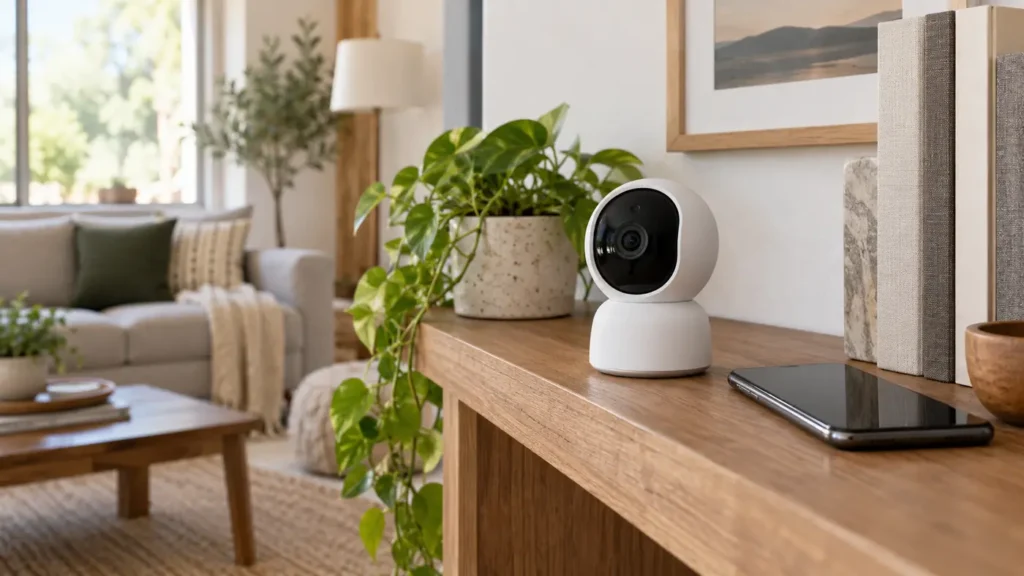
Compact indoor security camera on a living room shelf
Smart Home

Best Indoor Security Camera Without a Subscription

Disclosure: This post contains affiliate links. If you buy through one of our links, we may earn a commission at no extra cost to you. Camera use is subject to privacy and recording laws. Inform household members and visitors as required, and never place cameras in private areas.

An indoor security camera without a required subscription can provide live viewing, motion alerts and local recordings without another monthly bill. The important phrase is required subscription: some cameras work locally but reserve advanced detection, longer history or cloud backup for paid plans.

A good no-fee camera makes local storage clear, gives you physical or visible privacy controls and continues basic recording when the internet is unavailable.

Quick verdict

Choose a camera with encrypted local storage, clear person or motion alerts included, a physical privacy shutter or hardware off switch, two-factor account security and a documented update policy. Decide whether you prefer a microSD card in the camera or a separate local hub.

Local storage options

Choice Best for Advantage Watch for
microSD in camera Simple single-camera setup Low cost and easy expansion Card can be taken with camera
Local hub Several cameras Recordings remain elsewhere in home Higher upfront cost
Network recorder Advanced multi-camera systems Large capacity and continuous recording More setup and networking
Cloud optional Remote backup choice Off-site copy if desired Fees and privacy tradeoffs

What works without payment

Read the feature list carefully. Confirm live view, motion recording, alert delivery, playback and clip export all work without a plan. Facial recognition, package detection or extended cloud history may still require payment.

Privacy controls

A physical shutter provides visible reassurance, while a hardware power switch makes status easier to understand. Software privacy modes are useful but depend on the app and account. Place the camera only where everyone reasonably expects monitoring.

Local storage capacity

Recording length depends on resolution, motion frequency and card size. Use the supported card type and endurance rating. Enable automatic overwrite only if you understand that older clips will be replaced.

Image quality and field of view

Resolution matters less than useful detail in the actual room. A very wide lens sees more but can make faces smaller. Pan-and-tilt cameras cover a broad space but need sensible home positions and may miss movement while pointed elsewhere.

Alerts and detection

Good alerts identify useful events without reporting every light change. Adjustable zones and sensitivity reduce nuisance notifications. Person detection processed locally is valuable when included without a plan.

Network and account security

Use a unique password, two-factor authentication and automatic firmware updates. Put smart-home devices on a separate guest or IoT network when your router supports it. Review shared-user access and remove accounts that no longer need viewing rights.

Power and outage behaviour

Plug-in cameras offer dependable operation but stop during a power failure unless backed up. Battery cameras are easier to place but require charging and may record only event clips. Check what happens when internet service drops.

Common buying mistakes

  • Assuming local storage includes every advertised feature
  • Placing a camera in a bedroom, bathroom or other private area
  • Using a weak reused password
  • Ignoring who can access shared accounts
  • Choosing extreme resolution without checking night performance
  • Forgetting that an in-camera card can be removed

Frequently asked questions

Can a local camera work without internet?

Some can record locally during an outage, but remote viewing and alerts usually need internet. Confirm the model’s offline behaviour.

Is microSD storage secure?

It can be convenient, but encryption, card location and export controls vary. A stolen camera may take the card with it.

Do I need 4K?

Not necessarily. Lighting, lens quality, compression and subject distance often matter more.

Can I point it out a window?

Reflections and infrared lights can ruin night images, and privacy rules still apply. Outdoor-rated placement is usually better.

How often should I update it?

Enable automatic updates when available and replace products that no longer receive security support.

Shop indoor security cameras

Compare local storage method, privacy controls, alert types, field of view, night vision, power and software-support policy.

Shop Amazon USA Shop Amazon Canada

Who should buy it—and who should skip it

Buy it if: you want local indoor monitoring without a required monthly fee and are comfortable managing storage, account security, and privacy settings.

Skip it if: household privacy concerns outweigh the benefit, you need professional monitoring, or you do not want to maintain local storage.

Best value

A single camera with microSD storage, useful free alerts, and strong privacy controls is the best value for one room. A hub becomes better value when several cameras share the same local storage system.

When the upgrade is worth it

Pay more for a local hub, better night imaging, hardware privacy controls, and a longer update policy when you will use several cameras or keep the system for years. Resolution alone is not a reason to spend more.

Final answer

The best no-subscription indoor camera combines included local recording, useful free alerts and strong privacy controls. A microSD model suits one room; a local hub is better for several cameras. Security updates and account protection matter as much as image resolution.

Build the rest of the setup with our smart plug guide and charging station guide.

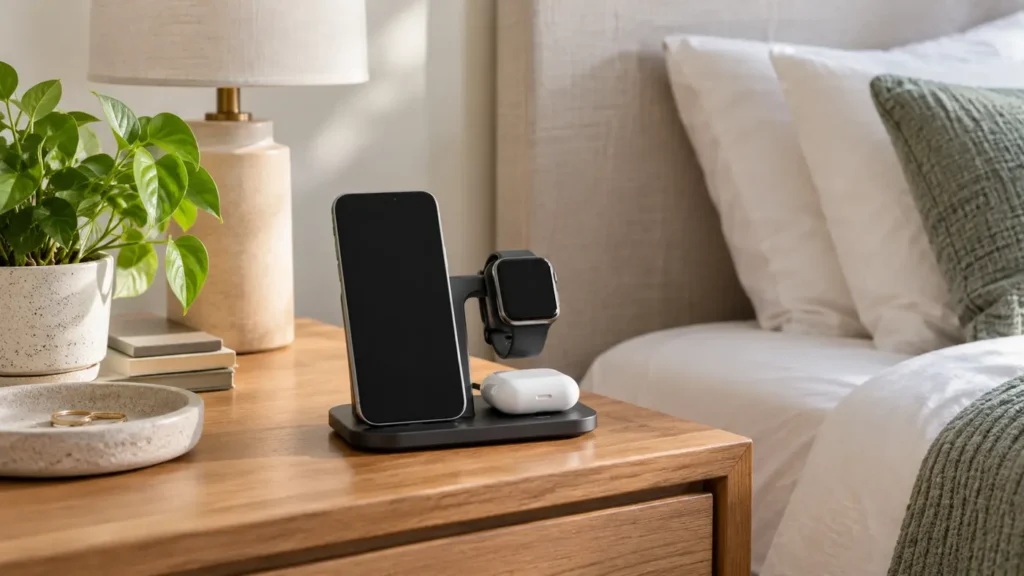
Bedside charging station holding a phone, smartwatch and wireless earbuds
Smart Home

Best Bedside Charging Station: What to Look For

Disclosure: This post contains affiliate links. If you buy through one of our links, we may earn a commission at no extra cost to you. Use certified chargers and cables that match your devices, and follow the manufacturer’s electrical and heat-safety instructions.

A bedside charging station can replace a tangle of cables with one predictable place for a phone, watch and earbuds. The useful ones do more than look tidy: they align devices reliably, supply the correct power and let you pick up a phone without dragging the entire stand across the nightstand.

This guide covers wireless stands, three-in-one docks, cable organizers and the compatibility details that matter before you buy.

Quick verdict

Choose a weighted charging stand with clearly stated phone, watch and earbud compatibility, a certified power adapter included, non-slip feet and easy alignment in the dark. If you change devices often, a cable organizer or modular stand may last longer than a tightly integrated three-in-one dock.

Charging station types

Type Best for Advantages Tradeoffs
Three-in-one wireless dock Matching phone, watch and earbud ecosystem Cleanest setup and one power cord Compatibility can be narrow
Magnetic phone stand Phone-first charging and bedside viewing Easy alignment and upright screen Requires compatible phone or case
Multi-port wired charger Mixed device households Flexible cables and faster charging options More visible wires
Cable-management tray Renters and frequently changing devices Uses existing chargers and is easy to update Less polished than an integrated dock

Compatibility comes first

A station can physically hold a device and still charge it slowly or not at all. Check the exact phone model, watch generation, earbud case and protective case thickness. Watch chargers are especially ecosystem-specific, and some docks require you to install your original watch charging puck.

Magnetic alignment depends on both the phone and case. A thick wallet case, metal plate or misaligned magnetic ring can weaken the connection and increase heat. If you plan to upgrade soon, choose a modular design with replaceable cables or charging modules.

Included power adapter and real output

Some docks include only the stand and cable. Without a suitable wall adapter, the station may divide limited power among devices and charge more slowly than expected. Read what input the dock requires and whether the recommended adapter is included.

Large total-wattage numbers can be misleading because power is shared across ports. Check the maximum for each charging position when all devices are connected. Overnight charging does not require the absolute fastest speed, but it should be stable and compatible.

Wireless or wired at the bedside?

Wireless charging makes placement easy and reduces connector wear. An upright stand also keeps a clock or alarm visible. Wired charging is more efficient, can be faster and works with a wider range of devices.

If heat, energy use or maximum charging speed matters most, a well-managed wired setup may be the better choice. If convenience and reducing nightly cable fumbling matter most, wireless alignment wins.

Nightstand-friendly design

  • Weighted base: stays down when you lift the phone.
  • Non-slip feet: protects furniture and prevents sliding.
  • No bright status light: or a light that turns off automatically.
  • Small footprint: leaves room for a lamp, glasses and water.
  • Case-friendly spacing: prevents the camera bump or watch band from interfering.
  • Accessible controls: does not block phone buttons or alarm gestures.

Heat and safe placement

Charging creates heat, and wireless charging can feel warmer than a cable. Keep the dock on a hard, open surface instead of under bedding, papers or clothing. Remove anything that the phone or charger maker says can interfere, and stop using equipment that is damaged, discoloured, unusually hot or making noise.

Do not balance a dock on a narrow shelf where a phone can fall. Route the power cord along the back of the nightstand and leave enough slack that moving the table does not pull the plug.

Case and camera-bump problems

Modern phones can have thick camera sections that prevent the back from sitting flat. Look for a raised charging pad or adjustable support. Folded stands are convenient for travel, but the hinge must stay firm under the phone’s weight.

Cases with cards, magnets not intended for charging or metal kickstands may need to be removed. Confirm compatibility instead of assuming “case-friendly” covers every case.

When a simple cable organizer is better

A cable organizer costs less, works with mixed devices and lets you replace one charger at a time. It is often the best choice for couples using different phone brands or for anyone expecting to upgrade watches.

Use short, high-quality cables and label them if several connectors look similar. A small weighted cable holder keeps ends from falling behind the table without locking you into one dock.

Common buying mistakes

  • Assuming every watch uses the same wireless standard
  • Buying a dock without checking whether the adapter is included
  • Ignoring charging speed when all positions are occupied
  • Using a thick or metal-backed case that prevents alignment
  • Accepting a bright status light beside the bed
  • Choosing a lightweight stand that lifts with the phone
  • Covering the charger with bedding or clothing

Frequently asked questions

Is overnight wireless charging safe?

Use compatible, undamaged equipment from reputable sources and follow device instructions. Modern devices manage charging, but placement, heat and charger quality still matter.

Will a three-in-one charger work with any phone and watch?

No. Phone standards overlap more often than watch standards. Check exact model compatibility for every position.

Do I need a magnetic case?

For a magnetic stand, a compatible case usually gives the most reliable hold and alignment. Ordinary thick cases may weaken the connection.

Why is my phone charging slowly?

The wall adapter may be undersized, power may be shared, the device may be misaligned, or heat may be limiting speed. Check the approved setup.

Is wired charging better?

It is generally more efficient and flexible. Wireless charging is mainly about placement convenience and reducing cable handling.

Shop bedside charging stations

Compare exact compatibility, per-device output, included adapter, case fit, light behaviour, base weight and cord routing.

Shop Amazon USA
Shop Amazon Canada

Who should buy it—and who should skip it

Buy it if: several devices charge beside the bed and you want fewer loose adapters and cables on the nightstand.

Skip it if: one charger already covers your needs or the station would crowd a small bedside surface.

Best value

A compact certified charging station with enough ports for the devices you actually use is the best value. Fewer good ports beat a crowded unit full of connectors you do not need.

When the upgrade is worth it

Pay more for higher-power USB-C charging, a well-designed wireless pad, and replaceable cables when your devices can use those features. Do not pay extra for excessive port count alone.

Final answer

A weighted, dark, case-compatible charging stand is the best bedside choice for people with matching devices. Mixed-device homes are often better served by a quality multi-port charger and tidy cable holder. Buy for exact compatibility and included power—not for the number of charging symbols printed on the box.

For broader cable control, see why every home needs a charging station. For a calmer setup, pair it with our white noise machine guide.

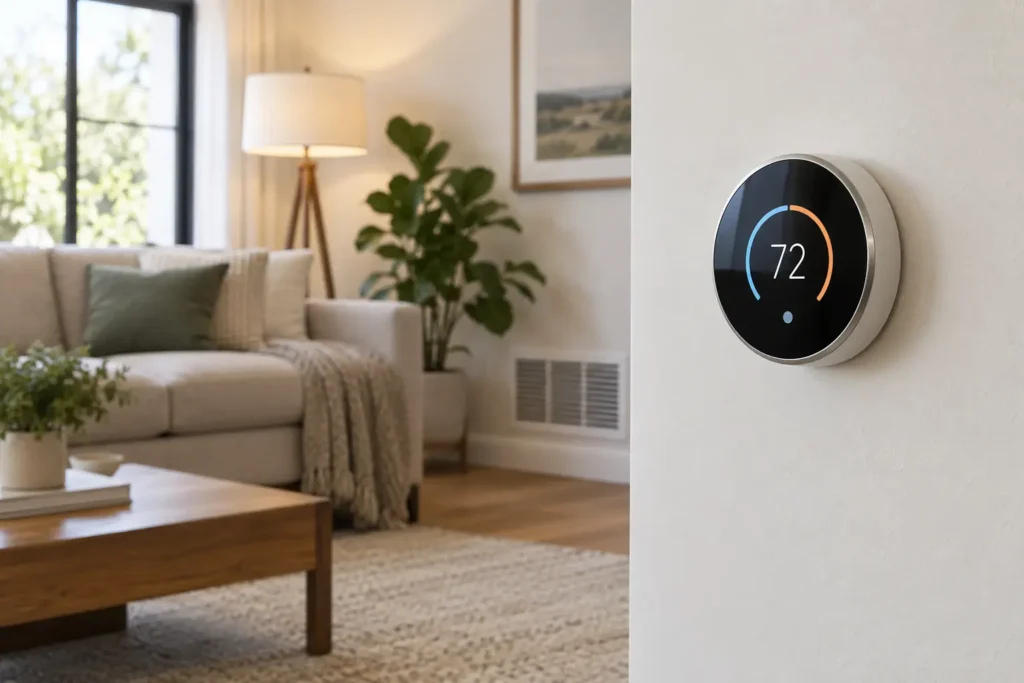
Generic smart thermostat mounted in a comfortable modern living room
Smart Home

Will a Smart Thermostat Work in My Home?

Disclosure: This post contains affiliate links. If you buy through one of our links, we may earn a commission at no extra cost to you. Thermostat wiring controls heating and cooling equipment; when system type, voltage, or wiring is uncertain, use a qualified HVAC or electrical professional.

A smart thermostat can add scheduling, remote control, energy reports, and convenient temperature adjustments. But compatibility is not as simple as matching wire colors. Before buying, you need to identify the HVAC equipment, control voltage, number of heating and cooling stages, available wires, and whether the existing thermostat uses proprietary communication.

This guide walks through those checks without asking you to guess. The safest rule is simple: use the prospective thermostat manufacturer’s current compatibility checker with your exact equipment and wiring, then confirm any ambiguous result with a professional.

Quick verdict

Most popular smart thermostats are designed for conventional low-voltage 24-volt HVAC systems, including many furnaces, central air conditioners, boilers, and heat pumps. Compatibility becomes less certain with electric baseboard heating, high-voltage thermostats, proprietary communicating systems, multi-stage equipment, millivolt heaters, and heat pumps with auxiliary or emergency heat.

A C-wire is common and often preferred because it supplies continuous power, but some models can work without one or include an approved power accessory. Never assume an unused wire is connected at the HVAC control board.

Compatibility checklist

Check What you need to know Why it matters
System type Furnace, boiler, heat pump, central AC, baseboard, fan coil Thermostats support different equipment families.
Control voltage Low voltage, line voltage, or millivolt Using the wrong thermostat can damage equipment or create a hazard.
Stages Single-stage, two-stage, variable, auxiliary heat The thermostat needs enough compatible terminals and logic.
Wire terminals Letters on the old thermostat base Terminal labels are more useful than wire colors.
Power C-wire, supported power extender, or approved alternative Smart features need reliable continuous power.
Communication Standard on/off terminals or proprietary data bus Communicating systems may require their matching controller.
Network Supported Wi-Fi band and phone platform Remote features depend on network and app compatibility.

Step 1: identify the system, not just the thermostat

Find the model numbers on the indoor and outdoor HVAC equipment, then check the manuals or manufacturer documentation. A home may have a gas furnace with central air, an air-source heat pump with electric auxiliary heat, a boiler with radiators, or separate systems for different zones. Two thermostats in the same home may control entirely different equipment.

If you rent or live in a condo, ask the property manager or building maintenance team before changing controls. Shared fan-coil systems, building automation, and landlord-owned equipment may not accept a retail smart thermostat.

Step 2: distinguish low voltage from line voltage

Many central HVAC thermostats use small-gauge low-voltage wires and terminals labeled with letters such as R, C, W, Y, and G. Electric baseboard and some wall heaters often use a line-voltage thermostat with thicker wires and wire connectors inside an electrical box.

Do not remove or probe a thermostat if you are unsure of the voltage. Turn off the correct power source before any inspection directed by the manufacturer. A typical low-voltage smart thermostat must never be connected to a line-voltage circuit. Use a thermostat specifically rated for your heating voltage and load, or hire a qualified professional.

Step 3: photograph terminal labels before disconnecting anything

If the manufacturer’s instructions say it is safe to remove the faceplate, take a clear photo of the existing wiring while every wire is still connected. Record the terminal letters printed on the base. Wire colors are conventions, not proof of function; an installer may have used a different color or repurposed a conductor.

Look for labels such as:

  • R, Rc, Rh: power from the HVAC transformer
  • C: common return used for continuous thermostat power
  • W or W1/W2: heating calls or stages
  • Y or Y1/Y2: compressor or cooling stages
  • G: indoor fan
  • O/B: heat-pump reversing valve
  • AUX or E: auxiliary or emergency heat

These are common conventions, not a universal wiring plan. Follow the equipment and thermostat documentation for your exact system.

Do you need a C-wire?

Smart thermostats need power for the display, Wi-Fi radio, sensors, and processor. A dedicated C-wire usually provides the most straightforward power path. If a wire is connected to C at the old thermostat, that is a good sign—but still verify the complete system against the compatibility tool.

If there is no C-wire, possible solutions include:

  • Using an extra conductor already in the wall cable and connecting it correctly at both ends
  • Installing the manufacturer’s approved power-extender or C-wire adapter
  • Running a new thermostat cable
  • Selecting a model explicitly compatible with your system without a C-wire

“Power stealing” designs draw small amounts of current through control circuits. Whether that works reliably depends on the thermostat and equipment. Symptoms of a poor match can include reboots, Wi-Fi dropouts, relay chatter, unexpected cycling, or depleted batteries. Do not improvise with an unapproved transformer or jumper.

Heat-pump compatibility needs extra attention

A heat pump can have a reversing valve, one or more compressor stages, and auxiliary or emergency heat. The thermostat must support the exact configuration and be set up correctly. A mistake can trigger expensive backup heat too often, run the system inefficiently, or prevent proper heating and cooling.

ENERGY STAR notes that certified smart thermostats may work with common systems, but equipment compatibility still varies—particularly for variable-speed and specialized heat-pump setups. Review the current guidance and certified products at ENERGY STAR, then use the thermostat maker’s system checker.

What about variable-speed and communicating HVAC?

Some premium HVAC systems use proprietary digital communication between the thermostat and equipment. Instead of several conventional call wires, the control may exchange detailed operating data over a small number of terminals. Replacing it with a conventional smart thermostat may remove modulation, diagnostics, humidity control, or efficiency features—even if an adapter is possible.

If the current controller has unusual terminal labels, a brand-specific interface, or advanced equipment menus, contact the HVAC manufacturer or an authorized technician before purchasing.

Zoned systems, boilers, and accessories

Zoned HVAC

The thermostat may connect to a zone-control panel rather than directly to the furnace or air handler. Compatibility depends on the panel, transformer capacity, dampers, and number of zones. Check each zone separately.

Boilers and hydronic heat

Many low-voltage boiler systems can work with smart thermostats, but millivolt controls, zone valves, circulators, and multiple transformers complicate the picture. A C-wire may not be present at the wall.

Humidifiers, dehumidifiers, and ventilators

Only some smart thermostats directly control whole-home accessories. Count the accessory terminals and verify supported wiring. A thermostat that handles temperature perfectly may still require separate controls for humidity or ventilation.

Smart features worth comparing

  • Flexible scheduling: useful if your routine is predictable.
  • Remote room sensors: can prioritize occupied rooms or average temperatures.
  • Heat-pump controls: important for auxiliary heat thresholds and balance settings.
  • Local controls: the thermostat should remain usable when internet service is down.
  • Energy reports: helpful when they explain runtime and schedule changes clearly.
  • Geofencing and occupancy: useful only if every household member’s privacy and routine fit the feature.
  • Smart-home integration: verify your preferred platform and region before buying.

Privacy and long-term support

A connected thermostat can collect temperature, occupancy, equipment runtime, location-related, and account data. Read the current privacy policy, learn which features require cloud service, enable multi-factor authentication when available, and use a unique password.

Also look beyond the purchase date. Check the maker’s software-support record, whether basic scheduling works without a subscription, how account deletion works, and whether the thermostat retains essential manual control if a cloud service changes.

DIY installation or professional help?

A straightforward low-voltage, single-stage replacement may be within reach for an experienced homeowner who follows the product and HVAC instructions precisely. Professional installation is the better choice when:

  • Voltage is uncertain or the existing thermostat controls electric baseboard heat
  • There are multiple transformers, jumpers, splices, or unlabeled wires
  • The system is communicating, variable-speed, dual-fuel, or multi-stage
  • A heat pump uses auxiliary or emergency heat
  • A new cable or control-board connection is required
  • The equipment is under warranty and installation terms matter
  • You simply do not feel confident identifying the circuit

Before-you-buy workflow

  1. Record indoor and outdoor equipment model numbers.
  2. Identify the existing thermostat make and model.
  3. Turn off power as directed before inspecting any wiring.
  4. Photograph terminal labels and connected wires.
  5. Run the exact information through the prospective manufacturer’s compatibility checker.
  6. Confirm C-wire or approved power-accessory requirements.
  7. Check Wi-Fi, phone, voice-assistant, and regional service compatibility.
  8. Review rebates only after confirming the exact eligible model and installation rules.
  9. Hire a qualified professional if any result is ambiguous.

Frequently asked questions

Can any smart thermostat replace any old thermostat?

No. Voltage, HVAC type, stages, power, accessories, and communication method all have to match.

Can I tell what a wire does by its color?

No. Use the labeled terminal where the wire is connected and the equipment documentation. Colors are helpful clues, not definitive identification.

Will a smart thermostat work without Wi-Fi?

Most retain basic local temperature control, but remote access, weather data, reports, and some automations may stop. Confirm offline behavior for the exact model.

Can a smart thermostat control electric baseboard heaters?

Only a model specifically rated for that line-voltage application and electrical load. Standard 24-volt smart thermostats are generally not direct replacements.

Will a smart thermostat lower my energy bill?

It can help by making schedules and setbacks easier, but savings depend on climate, equipment, insulation, household behavior, and the settings you use. Compatibility and correct configuration come first.

Shop smart thermostats

Do not order until you have run your HVAC and wiring information through the exact model’s current compatibility checker. Then compare support for stages, heat pumps, sensors, privacy controls, and approved power accessories.

Shop Amazon USA
Shop Amazon Canada

Who should buy it—and who should skip it

Buy one if: your HVAC system is compatible and scheduling, remote control, or energy-use visibility would improve how you heat and cool the home.

Skip it if: your wiring or equipment is unsupported, the landlord does not permit changes, or a simple programmable thermostat already meets your needs.

Best value

A mainstream model that supports your exact HVAC wiring without extra adapters is the best value. Compatibility matters more than the longest feature list.

When the upgrade is worth it

Pay more for remote sensors, better occupancy logic, local utility integration, or stronger smart-home compatibility when you will use those features. Premium displays alone are not a reason to upgrade.

Final answer

A smart thermostat will likely work if your home has a compatible 24-volt conventional HVAC system, the model supports every heating and cooling stage, and it has an approved power solution. But do not buy from wire colors or a C-wire check alone. Confirm the equipment type, voltage, terminals, stages, and manufacturer compatibility result. For line-voltage, communicating, dual-fuel, variable-speed, or uncertain systems, get professional confirmation first.

After setup, pair a sensible schedule with the comfort-first ideas in My Home Feels Warmer—and It Has Nothing to Do with the Thermostat.

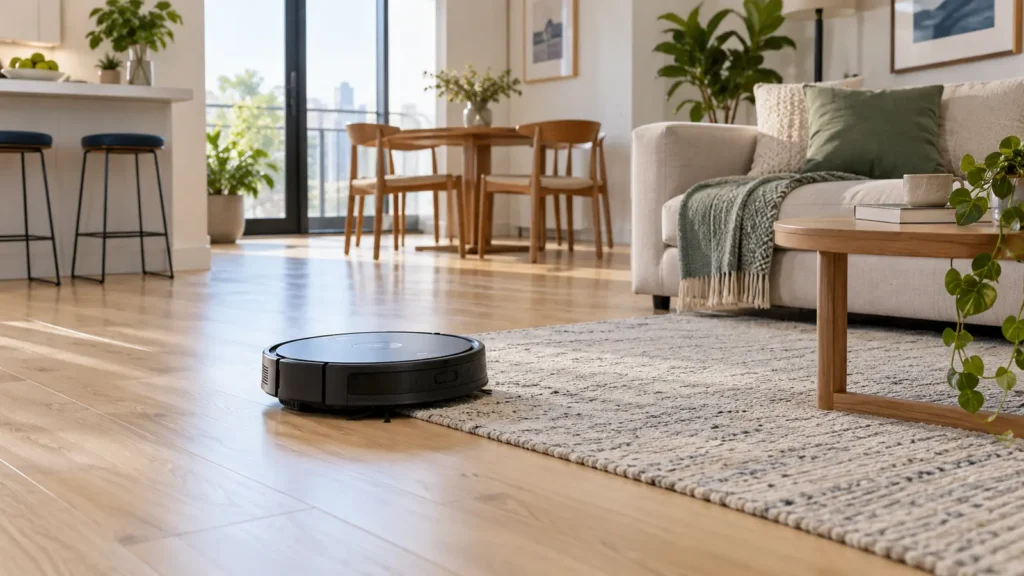
Unbranded robot vacuum moving from wood flooring onto a low-pile rug in a small apartment
Laundry & Cleaning, Smart Home

Robot Vacuum for a Small Apartment: What Actually Matters Before You Buy

Disclosure: This article contains affiliate links. If you buy through them, My Indoor Space may earn a commission at no extra cost to you.

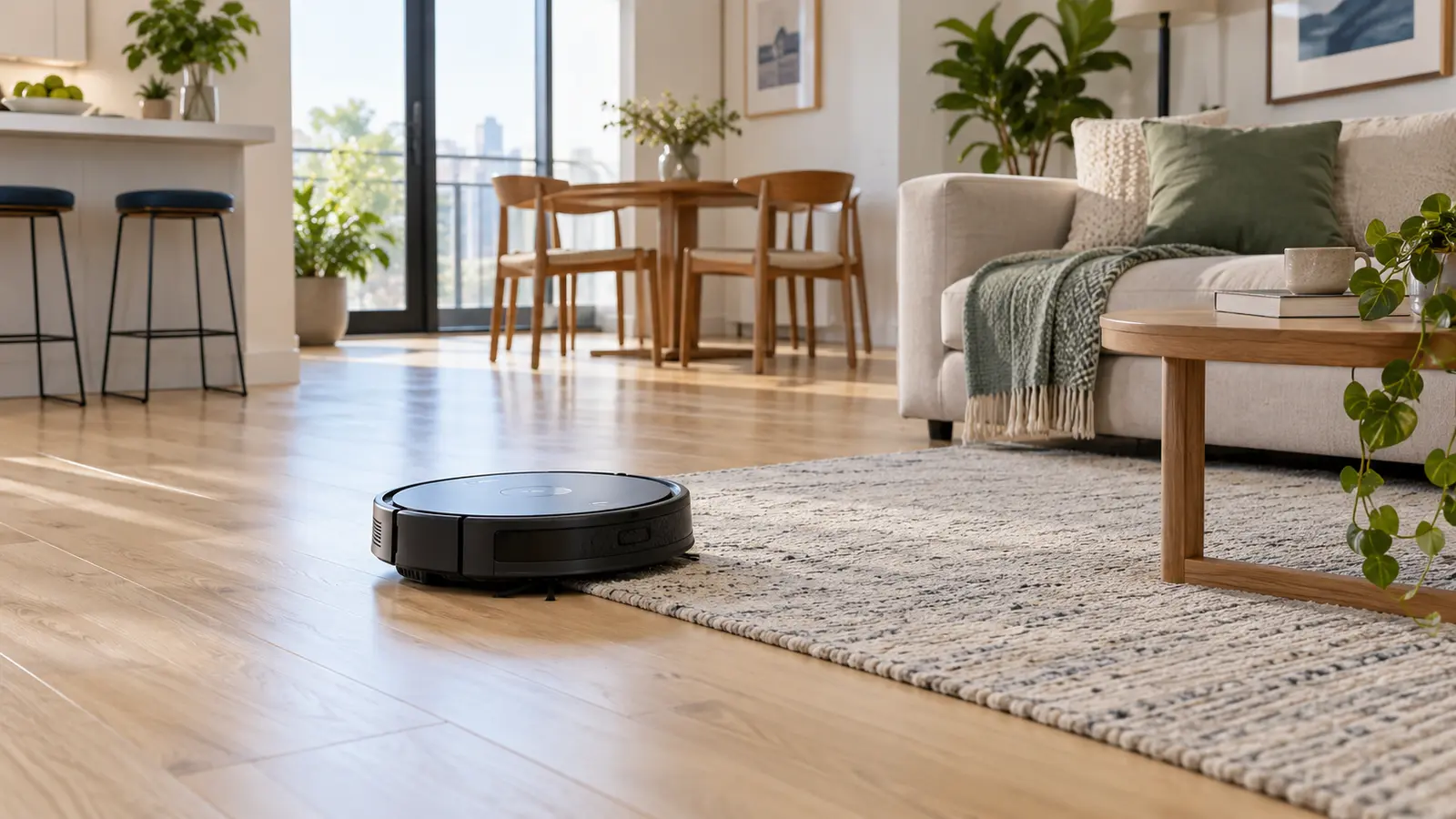
Unbranded robot vacuum moving from wood flooring onto a low-pile rug in a small apartment

A robot vacuum can be especially useful in a small apartment because dust, crumbs and pet hair become noticeable quickly. The right model keeps open floors under control without taking up much storage space. The wrong one gets trapped, misses edges or creates more work than it saves.

Quick Verdict

For most apartments, navigation quality, compact size, replacement-part cost and reliable everyday pickup matter more than the longest feature list. Buy for your actual flooring and furniture—not the largest advertised coverage area.

Who a Robot Vacuum Is Best For

  • People who want light daily maintenance between deeper cleanings.
  • Homes where crumbs, dust or pet hair appear quickly.
  • Open layouts with clear paths beneath tables and chairs.
  • Anyone who finds frequent manual vacuuming tiring or easy to postpone.

Who May Want to Skip It

  • Rooms with many loose cords, tassels, small toys or lightweight objects on the floor.
  • Very thick rugs or tall transitions the vacuum cannot cross.
  • Furniture with clearance just low enough to trap the machine.
  • Anyone expecting a robot to replace occasional edge, stair and upholstery cleaning.

Seven Features That Actually Matter

1. Reliable Navigation

Basic bump-and-turn robots can work in a simple room, but mapping models usually clean more methodically. In an apartment filled with chair legs and narrow passages, dependable navigation prevents repeated collisions and wasted time.

2. Height and Furniture Clearance

Measure the lowest sofa, bed frame and cabinet the robot may enter. A small difference in height determines whether it cleans underneath or repeatedly wedges itself in place.

3. Performance on Your Floors

Hard-floor homes need good edge cleaning and a brush system that collects fine dust without scattering crumbs. Mixed-floor homes need smooth transitions and enough pickup for low-pile rugs. Thick carpet demands more power and may reduce battery life.

4. Pet-Hair Handling

If pets live in the home, check how easily hair can be removed from the main roller and side brush. A brush that takes thirty seconds to clean is far better than one that requires tools and patience every few days.

5. Noise

In a compact apartment, the vacuum is rarely far away. Look for adjustable power levels and schedule it when the sound will not interrupt sleep, calls or television.

6. Bin and Dock Size

A self-emptying dock is convenient, but it costs more and occupies valuable floor space. A small manually emptied dock may be the better fit when storage and open wall space are limited.

7. Replacement Parts

Before buying, check the price and availability of filters, rollers, side brushes and bags. An inexpensive vacuum becomes poor value when basic maintenance parts are hard to find.

Robot Vacuum and Mop Combos

A combination model can wipe light dust from sealed hard floors, but it is not the same as scrubbing. Look for controllable water flow, washable pads and no-mop zones if rugs share the room. Never use cleaning liquids unless the manufacturer specifically allows them.

Prepare the Apartment First

  1. Lift charging cables and blind cords off the floor.
  2. Remove socks, pet toys and small objects.
  3. Tuck rug tassels underneath or create a no-go zone.
  4. Leave enough open space around the charging dock.
  5. Run the first cleaning while you are home so you can identify trouble spots.

Best Value vs. Worthwhile Upgrade

Best value: a dependable vacuum-only model with systematic navigation, app scheduling and easy-to-buy replacement parts.

Upgrade worth considering: object avoidance, room-specific maps or a self-emptying dock when pets, frequent debris or physical limitations make daily bin emptying inconvenient.

Availability and prices change. Confirm current product details, electrical certification and warranty information on the retailer’s page before purchasing.

Final Answer

Choose the smallest dependable model that navigates your layout well, handles your flooring and has affordable replacement parts. In a small apartment, reliable daily cleaning beats oversized docks and features you will rarely use. Pair it with a simple 10-minute evening reset to keep the whole space easier to manage.

Scroll to Top