Smart Home

Useful smart-home devices, connected living tips and practical technology.

Portable external solid-state drive
Smart Home

USB Flash Drive vs Portable SSD: Which Fits Home File Transfers?

Disclosure: As an Amazon Associate, My Indoor Space earns from qualifying purchases through links in this article, at no extra cost to you.

Quick verdict

Choose a suitable flash drive for occasional documents and small transfers where compactness and low cost matter. Pay for a portable SSD when frequent large transfers or working files justify it and your computer supports the connection. A faster advertised read speed does not guarantee the same write speed or real-world transfer time.

Research-based buying guide. Information checked October 16, 2026 (Winnipeg). We have not tested these products hands-on; source findings and our buying judgments are identified separately.

SanDisk Ultra Flair flash drives

Samsung T7 Shield SSDs
Portable external solid-state drive
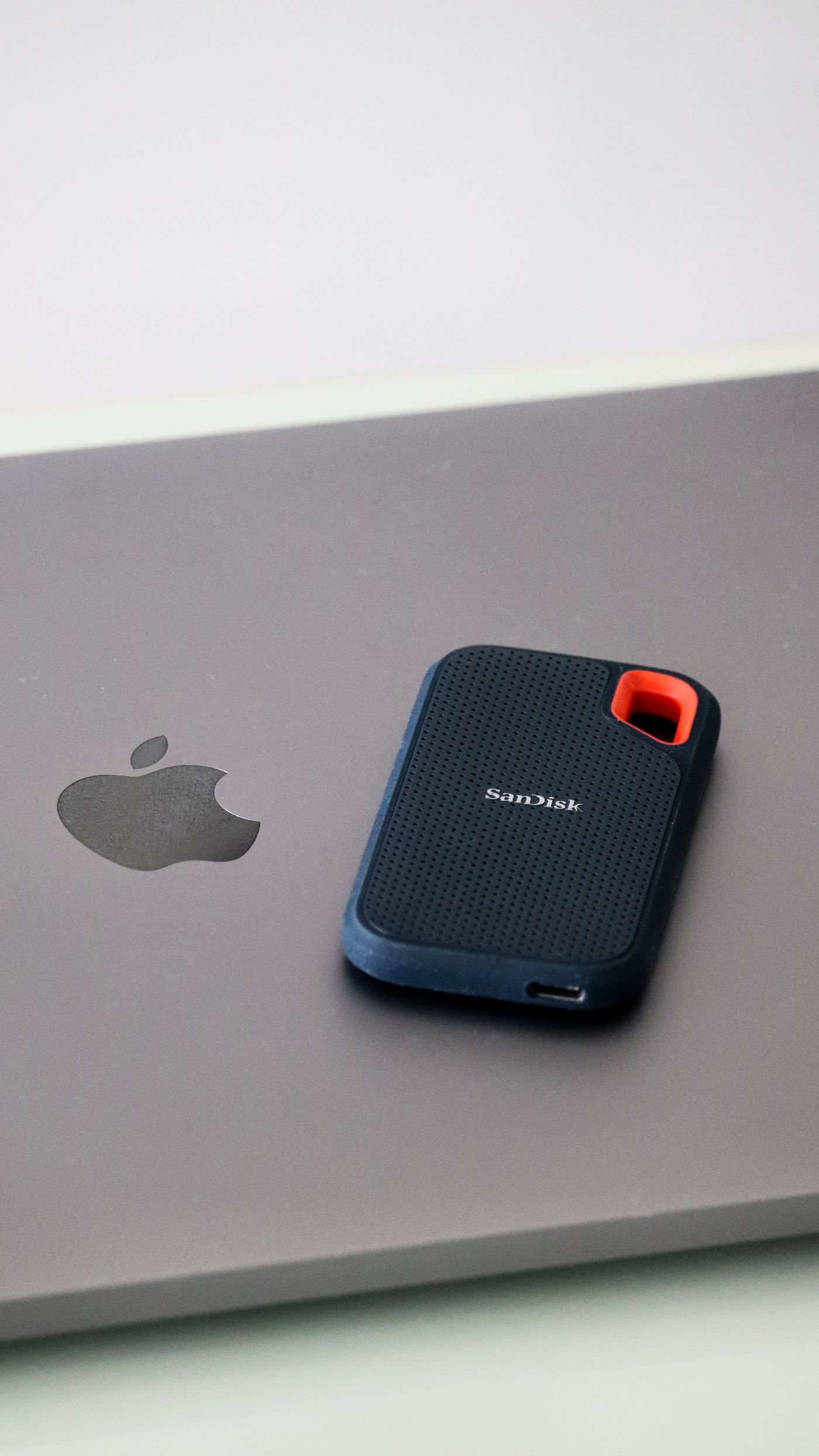
Illustrative portable SSD; not the Samsung T7 Shield or SanDisk Ultra Flair compared here. Photo: Pexels.

Both products store files outside the computer, but they are not automatically equivalent because their capacities overlap. Compare the size and frequency of your transfers, the receiving device and the connection path before paying for a faster drive.

Compare the claims correctly

Question SanDisk Ultra Flair example Samsung T7 Shield example
Connection style USB-A plug USB-C drive connection and appropriate cable
Published read claim Up to 150 MB/s Up to 1,050 MB/s
Published write claim used here Do not infer it from read speed Up to 1,000 MB/s under stated conditions

When a flash drive is enough

For a few documents or an occasional small handoff, a compact flash drive can be practical and inexpensive. Check the capacity variant and receiving device’s USB port. Ultra Flair’s USB-A connector will not directly fit a USB-C-only port without a suitable adapter or hub.

Choose the storage you need with reasonable room for growth rather than the cheapest capacity shown in the search result. Marketplace titles can combine several sizes, and the selected variant is what determines the actual offer.

When the SSD earns its cost

The cited T7 Shield uses a 10 Gbps USB 3.2 Gen 2 interface. Samsung conditions its maximum performance on the host, cable and supported operating mode. That can suit repeated photo or video transfers and larger working folders when the rest of the system can keep up.

A USB-C-shaped port does not prove a particular transfer rate. Check the computer and any hub or cable in the route. A slower connection or source disk can limit the benefit of the faster external drive.

Do not turn read claims into write promises

Reading from a drive and writing to it are different operations. Lots of small files can also behave differently from one large file. We have not benchmarked either device or compared sustained writes, so the advertised numbers are specifications rather than predicted completion times for your folder.

If moving large projects is the main reason for buying, look for testing of the exact capacity and generation as well as the official specification. A result for a similarly named drive may not describe the product in your basket.

Who should buy or skip?

Choose the flash drive for modest occasional transfers and an appropriate port. Choose the SSD for a repeated larger-file workflow that justifies the premium. Keep an existing drive if it already performs the task acceptably.

Include a separate backup plan in the total purchase: a drive holding the only copy of important photos is still the only copy. Paying for speed or a rugged casing does not remove the need for another independent copy of files you want to keep.

Compare listings in your country

These buttons open matching Amazon search results, rather than a guaranteed in-stock offer. Confirm the exact model, seller, included parts, delivered price and return terms. Prices and availability can differ between the United States and Canada.

SanDisk Ultra Flair flash drives

Samsung T7 Shield SSDs

Related guides on My Indoor Space

Sources and research

Chargers connected to a power strip on a table
Smart Home

Power Strip vs Surge Protector: What Does Your Home Desk Need?

Disclosure: As an Amazon Associate, My Indoor Space earns from qualifying purchases through links in this article, at no extra cost to you.

Quick verdict

Choose a basic strip only when outlet expansion is the intended job and it suits the connected equipment’s instructions. Pay for a verified surge-protection model when that protection is what you need for desk electronics. A reset switch, USB port or smart app does not establish surge protection by itself.

Research-based buying guide. Information checked October 16, 2026 (Winnipeg). We have not tested these products hands-on; source findings and our buying judgments are identified separately.

Basic power strips

Desk surge protectors

Chargers connected to a power strip on a table
Illustrative connections; surge protection, ratings and approved loading are not established. Photo: Pexels.

Similar-looking outlet bars can have different functions. A basic strip distributes power to more plugs; a surge protector adds specified suppression of voltage surges. Read the product label and documentation before choosing from the number of sockets or the color of the switch.

Compare the feature you need

Question Basic strip without surge protection Surge protector
Main job Provide additional outlets Provide outlets plus stated surge protection
What to verify Electrical rating and intended equipment Those checks plus protection specifications
Power-outage backup Not provided by an ordinary strip Not provided by surge protection alone

When a simple strip is enough

If expansion is the actual requirement, a suitable basic strip may cover it. Check the connected devices’ instructions, the strip’s load rating and the power connection required. More sockets do not increase the amount of power available from the circuit.

Plan for the real plugs. A large power adapter can block an adjacent socket, leaving fewer usable positions than the package count suggests. Outlet spacing, cord length and a reachable switch may be more useful than several extra sockets you cannot access.

When surge protection earns the upgrade

Eaton distinguishes power distribution from protection against voltage spikes. For computers and related electronics, confirm that the selected model actually states surge protection and provides the relevant specifications and certification for the market where it will be used.

A circuit-breaker reset button is a different feature. Likewise, a smart power strip or USB charging station may or may not include the protection you want. Check each function explicitly instead of treating an app or an illuminated switch as evidence.

Understand the indicator labels

Belkin’s support guidance distinguishes a protection indicator from other status lights and notes that behavior varies by model. Read the actual manual. A device can still supply power after its surge-protection function is exhausted, so merely seeing a connected lamp working does not prove protection remains.

Check replacement guidance and any equipment-coverage terms before assigning value to a large warranty figure. Coverage has conditions; it is not a guarantee that every loss will be reimbursed.

Who should buy or skip?

Buy the basic strip for suitable outlet expansion, or a verified protector for the protection feature. If you need the computer to keep running during an outage, compare an appropriately specified UPS as a separate category.

Follow the selected product’s installation instructions and supported loads. We have not tested surge performance. Keep a suitable working device when its documented functions still meet the need; spend on a feature that solves your setup rather than on an unexplained “premium” label.

Compare listings in your country

These buttons open matching Amazon search results, rather than a guaranteed in-stock offer. Confirm the exact model, seller, included parts, delivered price and return terms. Prices and availability can differ between the United States and Canada.

Basic power strips

Desk surge protectors

Related guides on My Indoor Space

Sources and research

Framed pictures displayed on a shelf
Smart Home

Aura Carver vs Skylight Frame: What Works Without a Subscription?

Disclosure: As an Amazon Associate, My Indoor Space earns from qualifying purchases through links in this article, at no extra cost to you.

Quick verdict

Choose Aura Carver when included photo/video features and app-based setup suit you. Choose Skylight when basic photo sharing and its touchscreen workflow are enough; check Frame Plus before expecting videos or premium remote features. Both offer basic photo use without a mandatory subscription, but their included features differ.

Research-based buying guide. Information checked October 16, 2026 (Winnipeg). We have not tested these products hands-on; source findings and our buying judgments are identified separately.

Aura Carver frame

Skylight 10-inch Frame

Framed pictures displayed on a shelf
Illustrative frame display; neither digital frame is shown. Photo: Pexels.

A digital frame’s purchase price is only one part of the decision. Check what the recipient can enjoy without a paid plan, what the person adding photos needs to do and whether the home network supports the frame. A gift should fit the recipient’s routine as well as yours.

Compare the ongoing requirements

Question Aura Carver Skylight Frame
Basic photo use No subscription fee No subscription required
Videos Included supported clips Frame Plus required
Setup approach Aura app required Touchscreen Wi-Fi setup; app/email photo sharing
Offline expectation Aura specifies ongoing Wi-Fi Existing photos can be viewed offline

When Carver is worth choosing

The cited Carver is a 10.1-inch landscape frame with a 1280-by-800 display. Aura includes unlimited cloud photo storage and supported videos without a subscription. It can suit a family that wants those features included rather than managing an optional annual plan.

Check the network before ordering. Aura’s requirements specify mains power, the app and a suitable Wi-Fi connection; Carver uses the 2.4 GHz network described in its instructions. It should not be bought as an entirely offline USB-photo display.

When Skylight is enough

Skylight’s basic photo-sharing workflow can be sufficient if the goal is showing still photos sent by email or app. Its cited page says existing photos remain viewable without Wi-Fi, although receiving new photos needs a connection.

Do not confuse that with every feature working offline or free. Skylight identifies videos, captions, albums and premium remote functions among Frame Plus features. Check the current feature list for the exact product rather than assuming a promotional trial is permanent access.

Put the subscription into the total

The Canadian Plus page checked listed C$49 per year. At that unchanged rate, three years would add C$147 to the frame purchase. That is an illustration of the recurring cost, not a promise that future pricing will stay fixed.

If basic still photos are enough, there is no reason to add a plan solely because it appears beside the checkout offer. If video and remote management matter, compare the complete cost instead of only the hardware discount.

Who should buy or skip?

Choose Carver for the included supported features and acceptable app/network routine; choose Skylight for its basic touchscreen photo workflow when that covers the need. Check who will control contributor access and cloud accounts. We have not tested display quality, setup reliability or service longevity. Keep printed photos or an existing display if they already provide the experience you want.

Compare listings in your country

These buttons open matching Amazon search results, rather than a guaranteed in-stock offer. Confirm the exact model, seller, included parts, delivered price and return terms. Prices and availability can differ between the United States and Canada.

Aura Carver frame

Skylight 10-inch Frame

Related guides on My Indoor Space

Sources and research

Living room with a sofa, plant and daylight from a window
Smart Home

Levoit Core Mini-P vs Core 300S-P: Which Size Is Worth It?

Disclosure: As an Amazon Associate, My Indoor Space earns from qualifying purchases through links in this article, at no extra cost to you.

Quick verdict

Choose the Core 300S-P when its substantially higher published clean-air delivery suits the room you need to serve. Consider Mini-P only for a much smaller intended space and compact placement. Compare room sizes at the same air-change rate; a large one-change-per-hour headline is not the same specification as frequent circulation.

Research-based buying guide. Information checked October 16, 2026. We have not tested these products hands-on; published specifications and our buying judgments are identified separately.

Levoit Core Mini-P purifier

Levoit Core 300S-P purifier

Living room with a sofa, plant and daylight from a window
Illustrative room layout; no Levoit purifier or measured coverage result is shown. Photo: Pexels.

The main upgrade is airflow capability, not merely an app. These two sizes occupy different roles. A small purifier can look attractive beside a bed, but the useful comparison starts with the room and the manufacturer’s published delivery figures.

Use the same air-change rate

US-page specification Core Mini-P Core 300S-P
Published CADR 34 CFM 141 CFM
Area at 4.8 air changes/hour 53 square feet 219 square feet
Area at 1 air change/hour 254 square feet 1,051 square feet
Listed rated power 7 W 23 W

Why headline coverage can mislead

Air changes per hour describe how often an equivalent room-air volume is processed under the stated sizing basis. The same purifier can therefore be advertised for a much larger area at one change than at 4.8 changes. Comparing the large headline for one unit with the smaller matched-rate figure for another creates the wrong impression.

Use floor area, ceiling height and the selected product’s instructions to assess the space. An open door or connected room can change the job you expect it to do. Published figures are not proof of identical performance in your actual layout.

When the 300S-P earns the upgrade

Its published CADR is about four times Mini-P’s. That makes delivery capacity the first reason to consider the larger unit for an ordinary room. Its VeSync app scheduling and controls are additional conveniences, not substitutes for correct sizing.

Allow the required clearance for intake and outlet. The manufacturer lists the larger model at 8.7 by 8.7 by 14.2 inches. Check where it will operate rather than hiding it behind furniture to preserve a clean-looking room.

When Mini-P is enough, or neither fits

Mini-P can be considered when its much smaller matched-rate coverage meets your intended task and the compact body matters. Do not buy it expecting the same delivery as the 300S-P because both use cylindrical filters. If the required space exceeds either model’s suitable specification, compare a more capable unit.

Include filters in the price

Mini-P and 300S-P use different filter families. Match the complete model when pricing a replacement; the manufacturer’s 300-series filter page specifically identifies 300-P/300S-P compatibility. Include an appropriate replacement supply and follow the care schedule.

We have not tested filtration, noise or sensor accuracy. Choose using verified specifications and the actual room need, and keep a suitable working purifier if it already meets that need. A purifier purchase should not be justified by an unverified promise to resolve a health condition or every indoor-air problem.

Compare listings in your country

These buttons open matching Amazon search results, rather than a guaranteed in-stock offer. Confirm the exact model, seller, included parts, delivered price and return terms. Prices and availability can differ between the United States and Canada.

Levoit Core Mini-P purifier

Levoit Core 300S-P purifier

Related guides on My Indoor Space

Sources and research

Green cylindrical batteries in a close view
Smart Home

Eneloop vs Eneloop Pro AA: Is the Higher-Capacity Upgrade Worth It?

Disclosure: As an Amazon Associate, My Indoor Space earns from qualifying purchases through links in this article, at no extra cost to you.

Quick verdict

Choose standard eneloop for a general reusable AA routine when its capacity is sufficient. Consider eneloop pro when longer use between charges matters enough to justify the price and recharge-life trade-off. First confirm that the device accepts the specified NiMH rechargeable cells.

Research-based buying guide. Information checked October 16, 2026. We have not tested these products hands-on; published specifications and our buying judgments are identified separately.

eneloop AA batteries

eneloop pro AA batteries

Green cylindrical batteries in a close view
Illustrative batteries; these are not verified eneloop cells or capacity-test results. Photo: Pexels.

Higher capacity means a battery can offer more stored charge under the specified conditions. It does not mean it is the best value for every remote, mouse or frequently used device. Compare the time between charges with how often you expect to recharge the cells.

The buying differences

Priority Standard eneloop Eneloop pro
General direction Everyday reusable-cell routine Higher per-charge capacity
Recharge-life claims Higher cycle claim in Panasonic’s comparison Lower cycle claim; read the same test basis
Compatibility Check device and charger instructions Check device and charger instructions

When standard eneloop is enough

If swapping or recharging occasionally is not a problem, the standard cell can be a sensible default. Panasonic’s capacity figures vary by region and product generation, so read the minimum rating on the actual package rather than copying the largest number from another market.

Think about the household workflow. A charged spare set can remove the inconvenience of waiting for a device to recharge. For a modest load, that arrangement may be more useful than paying for maximum capacity in a single set. Include the price of the needed number of cells, not just one pack.

When pro earns the extra cost

Pro can be attractive when a suitable device uses enough power that charging interruptions are frequent. Panasonic’s Canadian page identifies higher-capacity NiMH cells and qualifies its runtime examples by equipment and operating conditions. Those examples are not a promise for an unlisted device.

The gain is not necessarily proportional to the purchase-price difference. Compare how often you actually run out during a task. A premium battery that spends most of its life in a lightly used device may offer little practical advantage.

Read cycle claims on the same basis

Panasonic publishes different recharge figures under different IEC test methods and explains that conditions affect results. Compare claims using the same stated method. A headline cycle number is not a guarantee that a particular household will complete exactly that many useful charges.

Capacity, storage retention and recharge life describe different things. Do not substitute one for another when comparing packages. Buy current, correctly identified stock from a seller with clear product details rather than relying on a generic photograph of white or black cells.

Device and charger compatibility come first

Panasonic identifies eneloop as approximately 1.2 V NiMH technology. Some devices specify particular battery types or have limitations for rechargeables, so read the device manual before changing its power source. Physical AA size alone does not establish electrical suitability.

Use a charger approved for the cells and follow its instructions. Do not assume a charger intended for another chemistry is interchangeable. Check whether a bundle includes the charger you need and whether its mains supply suits your country.

The value decision

Choose standard when it comfortably covers the job. Pay for pro when fewer swaps during a repeated task justify the added cost. Keep suitable rechargeable cells that still perform the required work; replacing them for a different wrapper is not an upgrade by itself.

Compare listings in your country

These buttons open matching Amazon search results, rather than a guaranteed in-stock offer. Confirm the exact model, seller, included parts, delivered price and return terms. Prices and availability can differ between the United States and Canada.

eneloop AA batteries

eneloop pro AA batteries

Related guides on My Indoor Space

Sources and research

Printer on a cabinet in an office
Smart Home

Brother HL-L2460DW vs DCP-L2640DW: Print Only or All-in-One?

Disclosure: As an Amazon Associate, My Indoor Space earns from qualifying purchases through links in this article, at no extra cost to you.

Quick verdict

Choose HL-L2460DW if you mainly need black-and-white printing and already have a satisfactory way to scan. Choose DCP-L2640DW when regular copying and document scanning justify the larger all-in-one. Both are monochrome laser printers, so neither is the answer for color prints.

Research-based buying guide. Information checked October 16, 2026. We have not tested these products hands-on; published specifications and our buying judgments are identified separately.

Brother HL-L2460DW printers

Brother DCP-L2640DW printers

Printer on a cabinet in an office
Illustrative printer; neither compared Brother model is identified. Photo: Pexels.

A multifunction printer is good value when the scanner will actually be used. For occasional printing, the extra hardware can occupy space without changing the job. These Brother models provide a clear example of choosing the function first and comparing consumables afterward.

Compare the main jobs

Need HL-L2460DW DCP-L2640DW
Black-and-white printing Yes Yes
Copying and document scanning Not a built-in function Built-in multifunction capability
Automatic two-sided printing Supported Supported
Best reason to choose Printing is the whole task Recurring scan and copy work

When print-only is enough

If most output is labels on paper, letters, forms or reading copies, a print-only device can be the simpler purchase. Check the paper types and sizes allowed for the intended job; a household laser printer is not automatically suitable for every adhesive sheet or specialty material.

A phone’s document-capture feature may be enough for an occasional short form. Assess that honestly before buying a scanner you will rarely open. If you already have a separate scanner that works well, duplicating it in a new printer may add little practical value.

When DCP-L2640DW earns the upgrade

For repeated copying and scanning, having those functions at the desk can simplify the routine. Check the flatbed and document-feeding capabilities against the types of originals you handle. Loose sheets, bound pages and fragile items can need different handling.

Automatic duplex printing is not the same as automatic two-sided scanning. Confirm the scan workflow if two-sided originals are common. A printer listing can prominently advertise duplex while referring only to how it prints paper, so read the function-specific specifications.

Include access space and network setup

Measure the machine with the paper path, trays and scanner lid usable, not just its closed body. Allow access for loading and consumable replacement. An all-in-one that barely fits under a shelf can be inconvenient when you need to lift the lid.

Brother’s Canadian pages describe USB and network connection options. Match the setup to your home equipment and computer permissions. For a shared household printer, decide whether it will join the network or connect directly to one computer; those arrangements affect how other devices can reach it.

Compare the ownership cost

Look up the correct toner and drum supplies, their stated yields and the starter contents of the exact package. Yield figures use defined test conditions and do not predict every person’s page count. A low purchase price can be offset by replacement-supply costs or a bundle you do not need.

A consumable subscription offer is a separate decision from choosing the hardware. Read its current terms and compare it with buying supplies normally. Do not assume an advertised delivery service is necessary simply because it appears beside the printer.

Our buying judgment

Buy HL-L2460DW for a clear print-only need. Pay for DCP-L2640DW when scanning and copying remove recurring work. Skip both if color output is essential, and keep an existing printer if it already covers the actual workload without an expensive or inconvenient maintenance routine.

Compare listings in your country

These buttons open matching Amazon search results, rather than a guaranteed in-stock offer. Confirm the exact model, seller, included parts, delivered price and return terms. Prices and availability can differ between the United States and Canada.

Brother HL-L2460DW printers

Brother DCP-L2640DW printers

Related guides on My Indoor Space

Sources and research

Computer and speakers arranged on a desk
Smart Home

Creative Pebble V3 vs Logitech Z207: Which Desk Speakers Fit?

Disclosure: As an Amazon Associate, My Indoor Space earns from qualifying purchases through links in this article, at no extra cost to you.

Quick verdict

Choose Pebble V3 when USB audio and a compact desk arrangement suit the computer. Choose Z207 when its Bluetooth switching and accessible headphone connection match your routine. Both require power even when playing wirelessly; neither should be treated as a portable battery speaker.

Research-based buying guide. Information checked October 16, 2026. We have not tested these products hands-on; published specifications and our buying judgments are identified separately.

Creative Pebble V3 speakers

Logitech Z207 speakers

Computer and speakers arranged on a desk
Illustrative audio setup; neither compared speaker model is identified. Photo: Pexels.

For a home computer, the easiest speaker setup is the one that accepts your audio source without extra adapters and fits around the display. Pebble V3 and Z207 both offer Bluetooth, but their wired connections and power arrangements deserve a closer look.

Compare the connections

Question Pebble V3 Z207
USB computer audio Supported USB audio input Use its documented Bluetooth or analog inputs
Bluetooth Supported; still needs USB power Supported, including switching between paired sources
Headphone use Plan around your computer’s output Check its accessible headphone socket

When Pebble V3 is the better fit

Creative describes USB-C as providing both audio and power for Pebble V3. That can be convenient on a compatible computer because a separate analog audio cable is not required for that mode. Check the operating-system and USB requirements, plus any included adapter, against the actual laptop.

Power still matters. Creative specifies an appropriate USB power supply and explains that Bluetooth operation does not remove that requirement. A low-power socket or an unsuitable adapter can make the setup different from the listing’s preferred conditions. Do not assume every USB port supplies the same usable power.

When Z207 makes sense

Logitech describes Z207 switching between connected Bluetooth sources and providing conventional audio connections. That can suit a desk where both a computer and phone supply sound. Verify how the controls behave with your sources rather than assuming automatic switching will always choose the device you want.

A convenient headphone socket can matter more than a small claimed power difference if you regularly move between speakers and private listening. Check where the control speaker will sit and whether the cable layout reaches it. Keep access to the volume control clear.

Measure the pair, not one speaker

Allow room for both speakers beside the display, with their required connecting cable and the route to power. Check the supplied cable lengths before placing the computer under a desk or on the opposite side. A small cabinet does not necessarily mean a flexible cable arrangement.

Also compare the listening position. A desktop pair is normally used close to the listener, and placement can affect the result. Avoid buying either as a substitute for a larger room system solely because a product description calls the sound room-filling.

What we can and cannot rank

The manufacturer specifications establish the connections and controls. We have not measured output, bass extension, distortion or Bluetooth delay. Those details matter for music, games and video, so use suitable return terms if the sound itself is the deciding factor.

Where is the best value?

Choose Pebble V3 when its USB workflow removes cable or port inconvenience. Choose Z207 when source switching and headphone access solve a daily need. Keep working speakers if their inputs already fit your equipment. A Bluetooth label alone is not an upgrade over a reliable wired setup you enjoy.

Compare listings in your country

These buttons open matching Amazon search results, rather than a guaranteed in-stock offer. Confirm the exact model, seller, included parts, delivered price and return terms. Prices and availability can differ between the United States and Canada.

Creative Pebble V3 speakers

Logitech Z207 speakers

Related guides on My Indoor Space

Sources and research

Network switch with Ethernet ports and indicators
Smart Home

Ethernet Switch vs Wi-Fi Extender: Which Fixes a Home-Office Connection?

Disclosure: As an Amazon Associate, My Indoor Space earns from qualifying purchases through links in this article, at no extra cost to you.

Quick verdict

Buy a switch when you already have a working Ethernet connection and need more wired ports. Buy an extender when the problem is wireless reach and its placement can provide a useful link. A basic Ethernet switch does not broadcast Wi-Fi or create an internet connection on its own.

Research-based buying guide. Information checked October 16, 2026. We have not tested these products hands-on; published specifications and our buying judgments are identified separately.

Gigabit Ethernet switches

Wi-Fi extenders

Network switch with Ethernet ports and indicators
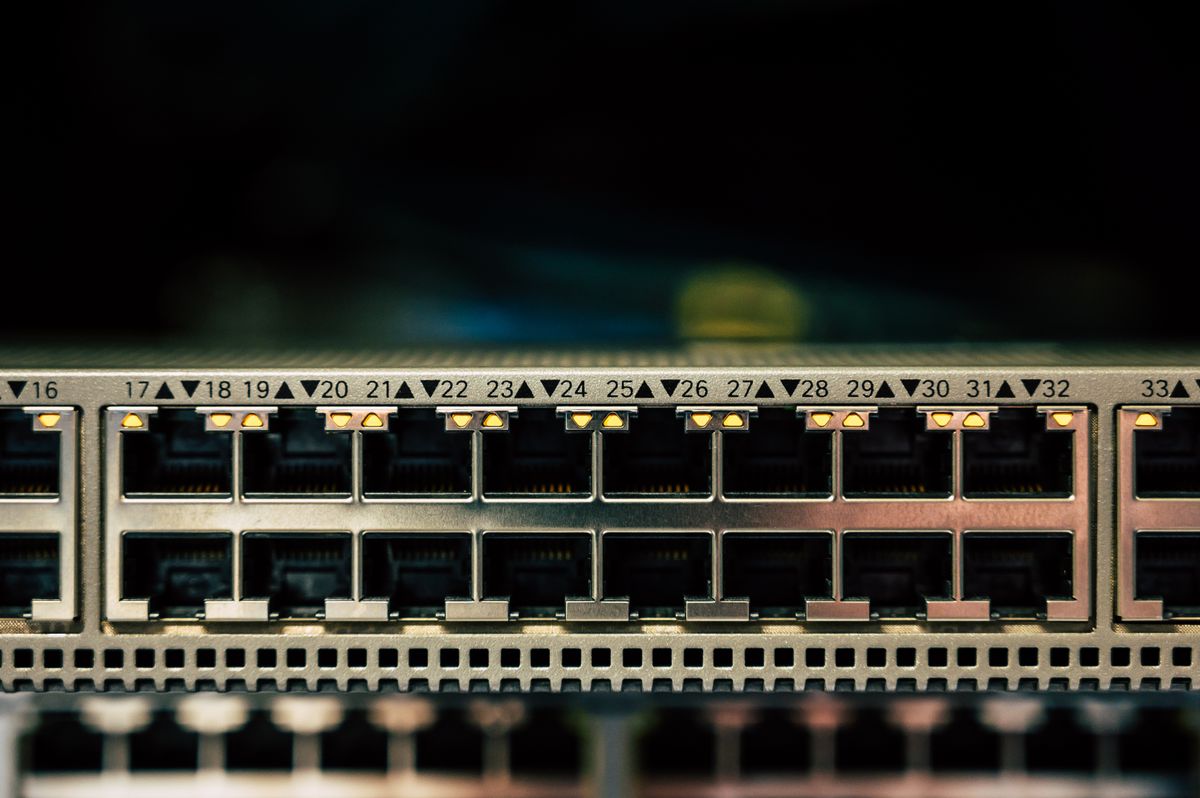
Illustrative switch; not a verified NETGEAR GS305 model. Photo: Pexels.

The useful buying question is where the connection stops working. If one Ethernet cable reaches the desk but several devices need it, a switch may solve the problem. If a laptop cannot get a useful wireless signal in the room, adding a basic switch will not change that.

Choose by the missing connection

Situation Useful starting point What it needs
One wired outlet, several devices Ethernet switch Working upstream network cable and power
Weak wireless reach Suitable extender or access-point plan A workable link to the existing network
Slow internet everywhere Diagnose service and router first Tests before buying accessories

When a small switch is enough

NETGEAR’s GS305 is an example of a five-port Gigabit unmanaged switch. One port normally connects upstream to the router or network outlet, leaving the others for local devices. Include that upstream connection in the count rather than expecting all five ports to add five new destinations.

An unmanaged design can suit a straightforward home desk without the configuration features of a managed switch. It still requires an appropriate network arrangement. Do not assume the box provides routing, a modem or Power over Ethernet unless those functions are explicitly specified.

When an extender makes more sense

An extender can serve devices that need wireless coverage beyond the existing router’s useful area. Place it where it can still connect adequately to the source network. A socket at the farthest dead spot may be convenient physically but poor for the wireless link.

Some extenders, including the documented RE315, support access-point operation using a wired connection. That is a different setup from repeating Wi-Fi. Confirm the intended mode and port limitations before buying; an Ethernet socket does not guarantee that all networking products perform the same job.

Plan the cable route before ordering

For a stationary desktop, printer or console, a suitable wired route may avoid a coverage accessory altogether. Check the available ports on both ends and whether an adapter is needed for the computer. A laptop without Ethernet cannot use the cable directly merely because a switch has spare ports.

Keep the route practical around doors and walkways, and check the building’s rules before making permanent changes. The complete cost includes the necessary cables and adapters. A cheap switch can be poor value if you have no permitted or convenient path back to the network.

How much performance should you expect?

A switch’s rated link speed is not a promise of your internet speed. The service, upstream equipment and other links can remain the bottleneck. An extender similarly cannot remove every interference or distance problem. Compare the same device near the router and at the desk to identify what is changing.

The value decision

Choose the basic switch when port count is the real gap. Choose an appropriate coverage solution when wireless reach is the gap. Keep the equipment you own if a usable direct connection or a better position already solves the job.

Compare listings in your country

These buttons open matching Amazon search results, rather than a guaranteed in-stock offer. Confirm the exact model, seller, included parts, delivered price and return terms. Prices and availability can differ between the United States and Canada.

Gigabit Ethernet switches

Wi-Fi extenders

Related guides on My Indoor Space

Sources and research

Ethernet cable connected to networking equipment
Smart Home

TP-Link RE315 vs Deco X20: Extender or Mesh for Your Home?

Disclosure: As an Amazon Associate, My Indoor Space earns from qualifying purchases through links in this article, at no extra cost to you.

Quick verdict

Consider RE315 for a modest coverage gap while keeping your existing router. Consider a suitable Deco X20 kit when you need a coordinated multi-unit network and can place its units well. Diagnose the weak spot first: neither purchase can make a slow internet service faster than its connection allows.

Research-based buying guide. Information checked October 16, 2026. We have not tested these products hands-on; published specifications and our buying judgments are identified separately.

TP-Link RE315 extenders

Deco X20 systems

Ethernet cable connected to networking equipment
Illustrative network photo; no RE315 or Deco X20 is identified. Photo: Pexels.

A single weak room and an unreliable whole-home network are different buying problems. An extender can be a modest addition to what you own. A mesh kit is a broader change with more hardware to place and configure. Avoid buying the larger system before identifying which problem you have.

Compare the intended jobs

Decision RE315 Deco X20 kit
Typical purpose Extend an existing wireless setup Build a coordinated multi-unit network
Technology class AC1200 extender AX1800 Wi-Fi 6 system
Installation choice Check extender or supported AP use Router or access-point mode

When RE315 is enough

If the current router works well nearby and one room is the problem, a suitable extender may be enough. Placement matters: it needs an adequate link to the existing network, not merely a socket in the dead area. Test possible positions between the router and the weak room.

Check the exact hardware version, region and supported integration with the router. An extender marketed with mesh features should not be assumed to join every mesh family. Confirm compatibility in TP-Link’s documentation rather than expecting a RE-series extender to become another Deco unit.

When Deco X20 earns its cost

A Deco kit can suit a broader coverage problem where several units have useful locations. Compare the number of units in the package, power-socket access and the path between them. A larger advertised coverage area is not a guarantee through your walls and floors.

Deco X20 supports router and access-point modes. Decide how it will work with an existing internet-provider gateway before setup. TP-Link documents differences between the modes, so a feature available when Deco routes the network may not work identically when it only provides wireless access.

Wired connections can change the plan

TP-Link supports Ethernet backhaul for suitable Deco arrangements. An existing cable route can make a multi-unit plan more attractive, but it should follow the documented network layout. Check where the main unit connects and how satellite units may be wired in the chosen operating mode.

Also inspect port speeds if you expect to connect a computer through the equipment. A wireless speed class on the box is not a promise of the speed through an Ethernet socket, or the internet speed at the far end. Compare actual hardware specifications rather than adding the advertised wireless bands together.

What should you buy first?

First compare a speed test near the router with one in the problem room using the same device. If performance is poor everywhere, investigate the service or router before adding coverage hardware. Choose RE315 for a verified small gap; choose Deco when the wider layout justifies the system. Keep the existing network if better router placement solves the issue.

Compare listings in your country

These buttons open matching Amazon search results, rather than a guaranteed in-stock offer. Confirm the exact model, seller, included parts, delivered price and return terms. Prices and availability can differ between the United States and Canada.

TP-Link RE315 extenders

Deco X20 systems

Related guides on My Indoor Space

Sources and research

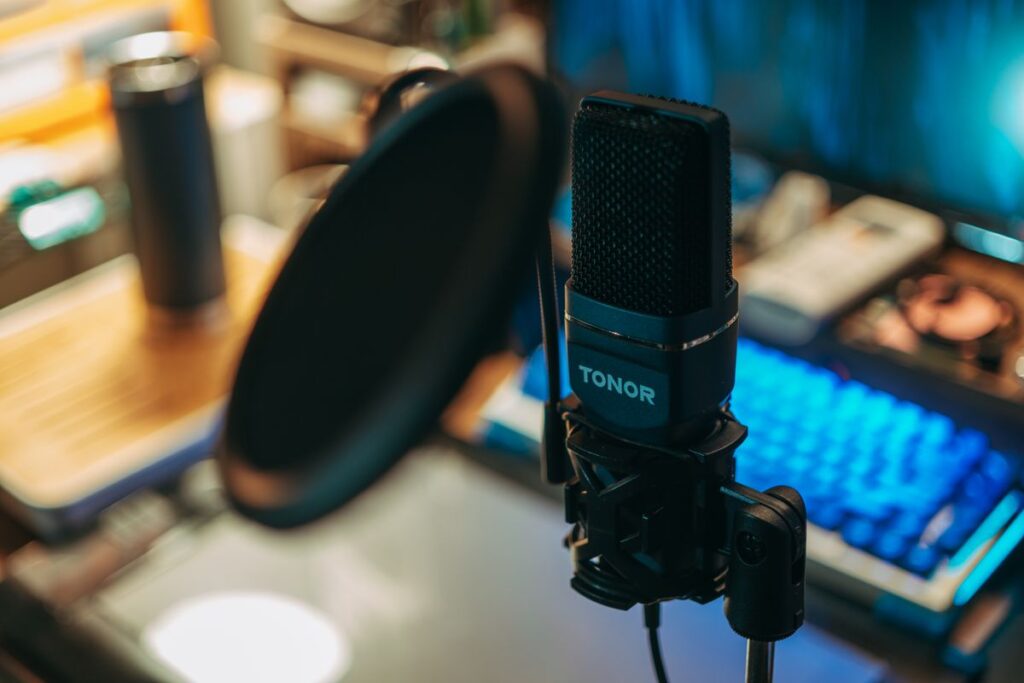
Microphone mounted in a recording setup
Smart Home

Microphone Boom Arm vs Desktop Stand: Is the Upgrade Worth It?

Disclosure: As an Amazon Associate, My Indoor Space earns from qualifying purchases through links in this article, at no extra cost to you.

Quick verdict

Keep or buy a desktop stand when it puts the microphone where you need it without blocking the work. Choose a boom arm when frequent repositioning or recovering desk space justifies the cost. Check the microphone load and desk-mount requirements before buying an arm.

Research-based buying guide. Information checked October 16, 2026. We have not tested these products hands-on; published specifications and our buying judgments are identified separately.

microphone boom arms

desktop microphone stands

Microphone mounted in a recording setup
Illustrative microphone setup; stand compatibility is not established by the photo. Photo: Pexels.

A support upgrade is worthwhile when it improves the microphone’s position, not merely the appearance of the desk. A heavy base can be perfectly useful, while a poorly matched arm can sag, obstruct the display or attach awkwardly to the desktop. Start with the position your microphone actually needs.

Compare the working space

Priority Desktop stand Boom arm
Frequent movement Reposition the base or height adjustment Suitable arms move the mic through an arc
Desk surface Base occupies usable space Mount needs a compatible edge or fixing
Compatibility Thread, height and stability Thread, load range, reach and desk mount

When the desktop stand is enough

A suitable weighted stand can be the simplest solution when the microphone stays in one place. RØDE’s DS1 is one example of this category. Compare the adjustment range and base footprint with your keyboard and the position from which you speak.

A small tripod supplied with a microphone can also be enough, provided its height and placement work. Do not replace it only because a larger arm looks more professional. If you must lean forward to use the microphone, however, the support may be limiting the setup more than the microphone itself.

When an arm solves a repeated problem

An arm can bring the microphone into position for recording and move it aside afterward. That is useful if the same desk handles writing, video calls and other work. Check both the forward reach and the space needed behind or above the display as the arm moves.

RØDE’s PSA1+ illustrates a purpose-built studio arm with specific supported loads and mounting options. Do not assume its capabilities apply to a cheaper generic arm. Some arms need a minimum load as well as having a maximum; a very light microphone can be a poor match too.

Count the whole assembly

Include the microphone, shock mount, adapter and any accessories when checking support limits. Confirm the thread and whether an adapter is supplied. Similar-looking microphone mounts are not necessarily interchangeable, especially when the microphone uses a particular proprietary clamp.

Check desk thickness, underside clearance and surface construction against the mount’s instructions. A clamp that physically opens wide enough is not proof that the desktop can support the arrangement. Glass, hollow-core surfaces and decorative edges may need a different permitted solution.

Cables and vibration still matter

Leave the cable movement recommended by the equipment makers and avoid tension at the microphone connector. Built-in cable management is useful only if it accommodates the cable and moving joints properly. A support change does not guarantee that desk bumps or typing will become inaudible.

The value decision

Pay for an arm when better reach and quick repositioning will be used daily. Choose a stable desktop stand when the position is already convenient. Keep the support you own if it works; the most expensive arm will not repair a microphone technique or room-noise problem by itself.

Compare listings in your country

These buttons open matching Amazon search results, rather than a guaranteed in-stock offer. Confirm the exact model, seller, included parts, delivered price and return terms. Prices and availability can differ between the United States and Canada.

microphone boom arms

desktop microphone stands

Related guides on My Indoor Space

Sources and research

Scroll to Top