
Cozy Living

Armchair and lamp in a reading corner
Cozy Living

Is Umbra Stax Four-in-a-Row Worth It as a Living-Room Game?

As an Amazon Associate, My Indoor Space earns from qualifying purchases.

Quick verdict

Stax is worth considering when you want a familiar two-player game that also stays on display. Buy an inexpensive boxed four-in-a-row set when the game itself is the priority. Stax’s metal-plated appearance and weighted base explain the premium; they do not make the strategy deeper or guarantee you will play more often.

Research-based buying guide, researched October 18, 2026. We have not tested these products hands-on. Manufacturer specifications and attributed owner experiences inform the recommendations.

Armchair and lamp in a reading corner
Living-space context for a game kept on display; Stax is not pictured.

Who should buyβ€”and who should skip

Buy if: you already enjoy short two-player games and have a permanent spot for an attractive open display.

Skip if: you need travel storage, a game for a larger group at once, or loose playing pieces are inconvenient in your household.

Compare the practical differences

Option Best reason to choose it Main tradeoff
Umbra Stax A familiar game kept in view Display premium and loose pieces
Basic boxed four-in-a-row The same type of play for less Less decorative when left out
Compact travel set Packing and containment Smaller playing area

Pay for a display object you will actually use

Umbra describes a metal-plated finish, frosted playing pieces and a weighted metal base with a wire stopper. These are design and handling features. The buying question is whether you want this object in your living room between games.

If the set would return to a cupboard after every session, its display advantage largely disappears. A lower-cost set can deliver the familiar goal of making a line of four without using your decorating budget. A present for someone who already likes tabletop games is a stronger case than hoping a decorative object will create a new habit.

Reserve room for players, not just the frame

The manufacturer lists dimensions of approximately 32 Γ— 5 Γ— 26cm. That narrow base still needs a stable table and space on each side for players and spare pieces. It is not the same as a self-contained flat travel game.

Choose somewhere where a sleeve, a pet or a passing hand is unlikely to knock the setup. A weighted base is helpful by design but is not a guarantee against tipping. If you share a small table for meals, work and hobbies, easy boxed storage may matter more than a display-ready finish.

An adult display game still needs sensible storage

Loose counters and a removable retaining arrangement require a plan for keeping pieces together. Check the current package for the maker’s age guidance and any warnings, particularly if younger children visit. Do not infer suitability for every age from broad gift-marketing language.

Count pieces when the set arrives and check how you will store them when the game is not in use. Replacement-part availability matters more to a long-lived display game than a decorative photograph suggests. Ask the maker before assuming individual counters can be ordered later.

Read owner praise in context

Umbra’s own owner-story page highlights enthusiasm for the look and enjoyment of the game. That is useful evidence about why some buyers like it, but it is brand-selected feedback. It does not establish independent durability testing or a universal value judgment.

Canadian and U.S. brand pages checked also showed backorder messaging for the brass option. Availability can change, and a marketplace offer may be another finish or an imported unit. Paying a scarcity premium makes little sense if an inexpensive familiar game would meet the same need.

Buying in the United States or Canada

Compare finish, exact Stax model and delivery timing in each country. Check whether a backordered brand listing makes the marketplace price look artificially attractive. For gifting, reliable arrival and straightforward returns may matter more than a small difference in sticker price.

The buttons open country-specific Amazon searches. Check the exact model, seller, included parts, delivered cost and return policy in the results; a similar name does not establish that it is the same version. No fixed Amazon price or stock level is promised.

Questions before you order

Is Stax a chess set?
No. This Stax product is four-in-a-row; Umbra’s chess products belong to separate ranges.

Is the premium needed for the game rules?
No. The premium is mainly about the display design and materials.

Final buying decision

Choose Stax as both a game and a deliberate room accessory. Choose a basic boxed set when you mainly want to play. Avoid paying for display value that your home has nowhere to use.

Related guides

Sources and research

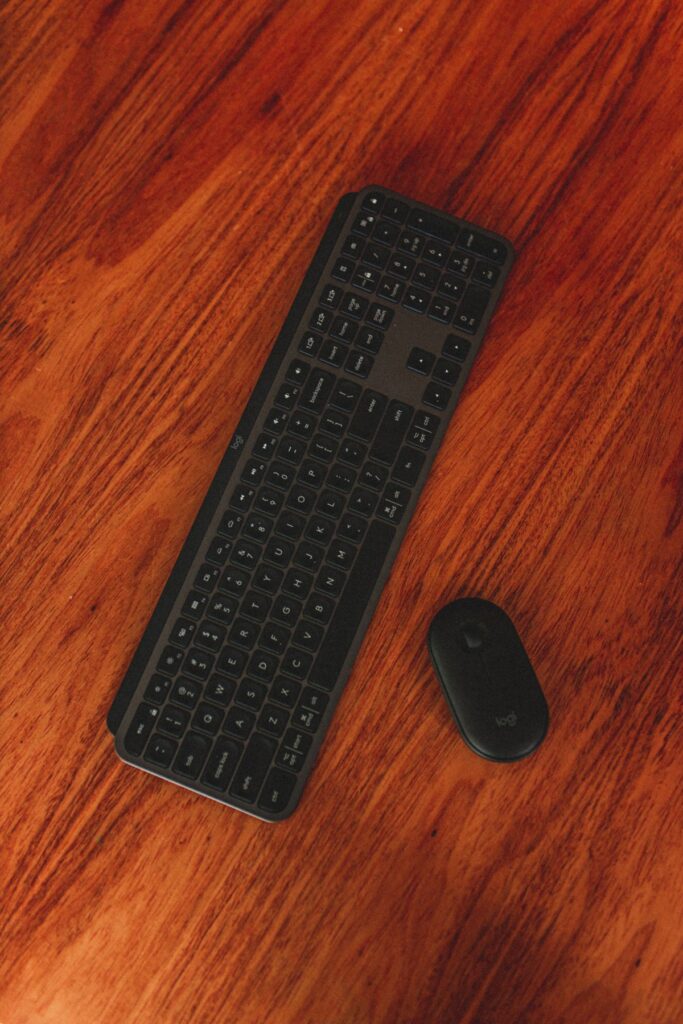
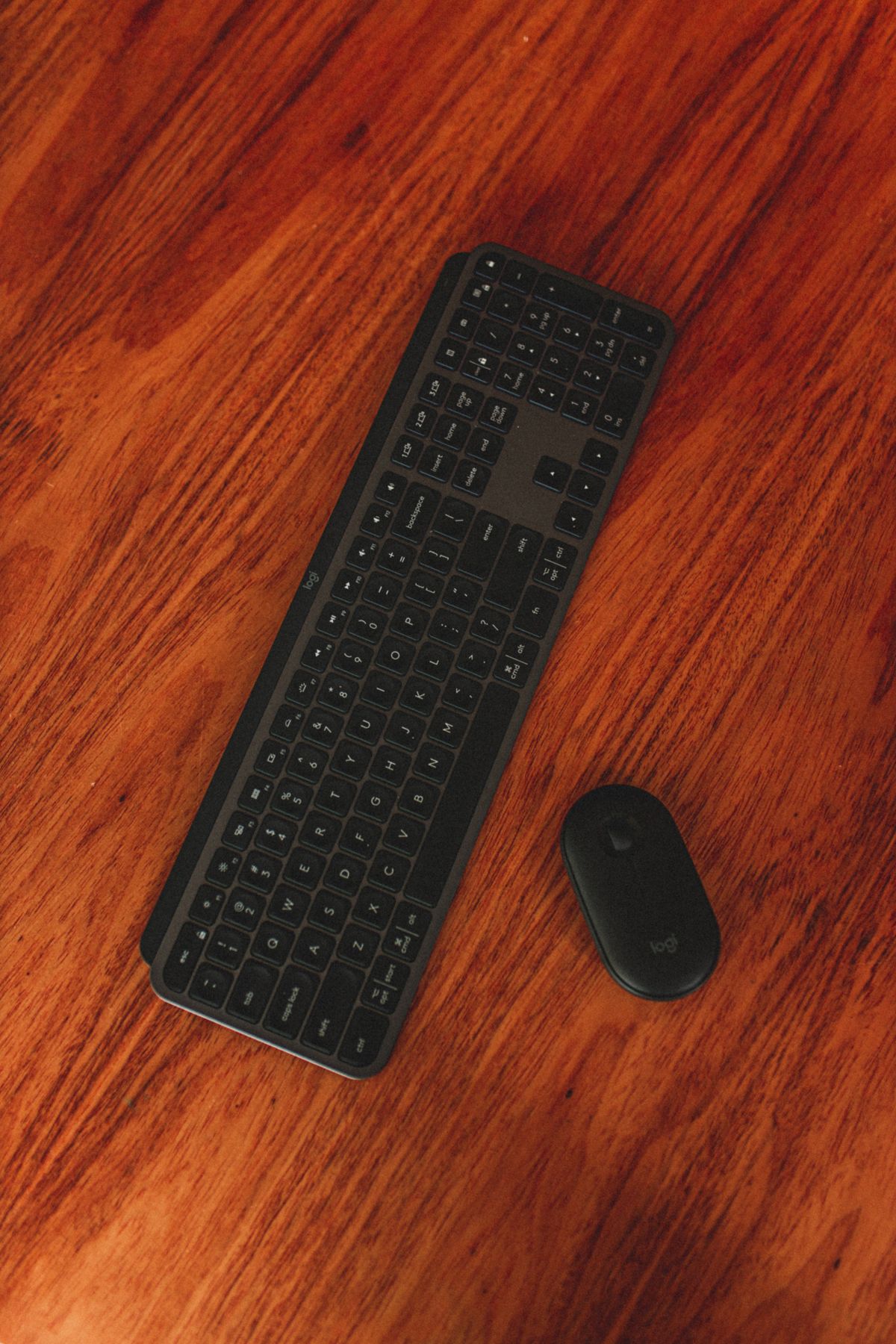
Wireless keyboard and mouse on a wooden desk
Cozy Living

Logitech Pebble Keys 2 K380s vs MX Keys Mini: Is the Upgrade Worth It?

Disclosure: As an Amazon Associate, My Indoor Space earns from qualifying purchases through links in this article, at no extra cost to you.

Quick verdict

Choose K380s for a compact, lower-cost everyday keyboard when basic typing is enough. Pay for MX Keys Mini if you want illuminated keys and prefer its more conventional key shape and feel. If you enter numbers all day, consider a keyboard with a number pad before buying either compact model.

Research-based buying guide. Product information checked October 16, 2026. We have not tested these products hands-on; recommendations distinguish published features from our buying judgments.

Logitech Pebble Keys 2 K380s

Logitech MX Keys Mini

Wireless keyboard and mouse on a wooden desk
Illustrative workspace photo; compared keyboard identities are not verified. Photo: Pexels.

Compact keyboards can free space beside a laptop and let you position the mouse closer. But a small layout is only an improvement if its keys and shortcuts suit your work. The K380s and MX Keys Mini both target that compact desk, with different priorities and price levels.

Which upgrade would you notice?

Priority Starting choice Why
Lower purchase cost K380s Simple compact typing proposition
Backlit keys MX Keys Mini Smart illumination is a listed feature
Frequent spreadsheet number entry Compare another layout Neither has a dedicated number pad
Preferred key feel Try both Shape and spacing are personal

Why K380s can be enough

Logitech describes Pebble Keys 2 as a slim keyboard with round, low-profile keys and shortcut functions. Choose it for a simple desk or portable setup when you do not need a premium illuminated surface.

Check that the listing is K380s rather than the older K380. Similar photos do not establish identical shortcut or software support. Choose the correct regional key layout and verify compatibility with the devices you want to pair.

What MX Keys Mini adds

Logitech highlights smart illumination that lights the keys as hands approach and adjusts to the environment. That can be a useful upgrade when you genuinely work in dim conditions. It may matter little on a well-lit desk where you rarely look at the keyboard.

The compact MX also offers customization through supported Logitech software. Decide whether you will use those functions and whether your operating system permits them. A feature accessible on one computer may not behave identically on a tablet or managed work machine.

What independent testing contributes

RTINGS compares these two directly, describing the MX as more premium-feeling and slightly larger, with more conventional rectangular keycaps and a somewhat better typing experience in its assessment. That is independent testing context, not our own hands-on finding.

Do not assume that every typist will prefer the same feel. A low-cost keyboard you type accurately on is better value than a premium model whose layout repeatedly interrupts you.

Check the keys you use most

Look at arrows, Delete, Home and End access, function-row behaviour and operating-system legends. A photographer, writer and spreadsheet user can have different shortcut needs. Compact layouts can put a frequent action behind a combination you dislike.

Type an ordinary paragraph and perform your common editing tasks during the return period. Switching between a laptop and external keyboard should feel predictable. Keep the receipt until you have used the setup for real work.

Desk fit and connection details

Place a paper outline of the keyboard beside the mouse. Check whether you can keep both comfortably within reach and still use the desk surface. The benefit of a compact keyboard is lost if you place it too far away or leave the mouse at an awkward angle.

Confirm Bluetooth and any receiver requirements for the exact package. Do not assume a USB receiver is supplied because another Logitech product included one. Charging connections and supported operating systems should also be checked before ordering.

When to skip both

Choose a full-size layout or separate keypad if regular numeric entry is central to your work. If you prefer tall mechanical switches, compare that category instead of expecting a slim office keyboard to feel the same.

Keep an existing comfortable keyboard if the only reason to change is a new model name. Backlighting is useful when you need it; it is not a requirement for effective typing.

Canadian value and final winner

Compare the same keyboard layout, condition and bundle in CAD or USD. A bargain imported layout can be frustrating if familiar symbols move. Check local returns and service terms before paying a premium.

K380s is the sensible value starting point. MX Keys Mini earns an upgrade for illumination and a feel you prefer enough to use daily. Decide by your actual typing and layout needs, not the assumption that more expensive keys necessarily improve your work.

Compare current listings in your country

These buttons open matching Amazon search listings rather than a guaranteed in-stock offer. Confirm the exact model, seller, included parts, delivered price and return terms. Offers can differ between the United States and Canada.

Logitech Pebble Keys 2 K380s

Logitech MX Keys Mini

Related guides on My Indoor Space

Sources and research

Hand using a white mouse beside a keyboard
Cozy Living

Logitech Lift vs MX Vertical: Choose by Hand Fit Before Price

Disclosure: As an Amazon Associate, My Indoor Space earns from qualifying purchases through links in this article, at no extra cost to you.

Quick verdict

Start with Lift for smaller to medium hands, including buyers who need its left-handed version. Consider MX Vertical for medium to larger right hands and its rechargeable design. Hand fit is the deciding feature; a more expensive mouse that makes you reach for buttons is a poor upgrade.

Research-based buying guide. Product information checked October 16, 2026. We have not tested these products hands-on; recommendations distinguish published features from our buying judgments.

Logitech Lift

Logitech MX Vertical

Hand using a white mouse beside a keyboard
Illustrative desk photo; neither compared vertical mouse is pictured. Photo: Pexels.

Vertical mice change the way your hand rests on the device, but two upright shapes can feel very different. Logitech positions Lift and MX Vertical for different hand sizes. That distinction is more useful than assuming the MX name means the better mouse for everyone.

The short buying comparison

Need Better starting choice Reason
Small to medium hand Lift Logitech’s stated fit group
Medium to large right hand MX Vertical Larger shape in the range
Left-handed version Lift Left Specific left-handed option
Rechargeable ownership MX Vertical USB-C charging is listed

Try the buttons before choosing

Rest your hand on the mouse without squeezing it. Check whether the main buttons, wheel and thumb controls are reachable while your fingers stay relaxed. Lift should not feel cramped; MX Vertical should not make a smaller hand stretch around the body.

A hand-size description is a useful starting point, not a personal fit guarantee. Return policies matter because shape preference can take longer to assess than a short shop demonstration.

What the upright angle does and does not establish

Both designs use Logitech’s approximately 57-degree upright approach. The company makes ergonomic claims, but this buying guide does not promise pain relief or treatment. We have not conducted a comfort study or tested the two with different users.

A mouse is one part of a desk arrangement. Reach distance, chair and desk height, pointer settings and opportunities to change position can all affect how a setup feels. Do not buy an expensive device expecting it to compensate for an awkward workstation automatically.

Why the left-handed model matters

Lift has a designated left-handed option. Do not assume the right-handed version becomes equally suitable when buttons are reassigned in software: its physical thumb rest and shape remain different.

Check the actual product variation before ordering. A retailer may combine several colours and handedness options on one page, and selecting a colour can change the available configuration. Confirm the cart summary rather than relying on the first product photo.

Charging and connection requirements

MX Vertical’s technical sheet lists USB-C charging, Bluetooth and a Logitech Unifying receiver. Verify the receiver included in your particular package and do not assume it shares a receiver with every other Logitech device.

For either mouse, check the computer’s Bluetooth support, USB ports and operating system. Optional customization software has its own requirements, and workplace-managed computers may restrict installation. Buy for the connection you can actually use.

Who should skip both?

Skip a vertical mouse if you have tried the shape and prefer another pointing method. Buyers needing specialized gaming controls, a particular scroll feature or an ambidextrous shared device should compare those requirements directly. β€œErgonomic” is not a substitute for a feature list.

If your present mouse fits well, moves predictably and meets your needs, there is no automatic reason to replace it. A new shape may require an adjustment period without providing a benefit you personally value.

Value for Canadian and U.S. buyers

Compare the exact model, handedness, receiver bundle and local warranty. A lower imported price may be poor value if returns cost more than the saving. Be cautious with business, Mac-specific or refurbished bundles carrying different contents or conditions.

During the return window, use the mouse for your usual work rather than only moving a pointer around a blank desktop. Check document selection, browser navigation and the controls you repeat most often.

Final winner

Lift is the starting choice for smaller hands and left-handed buyers; MX Vertical is the starting choice for a larger right hand and rechargeable operation. Choose comfortable reach and fit before paying for the more premium model name.

Compare current listings in your country

These buttons open matching Amazon search listings rather than a guaranteed in-stock offer. Confirm the exact model, seller, included parts, delivered price and return terms. Offers can differ between the United States and Canada.

Logitech Lift

Logitech MX Vertical

Related guides on My Indoor Space

Sources and research

Sewing machine in a bright indoor workspace
Cozy Living

Mechanical vs Computerized Sewing Machine for Beginners

Disclosure: As an Amazon Associate, My Indoor Space may earn from qualifying purchases through links in this guide, at no extra cost to you.

A first sewing machine can be a simple mechanical dial model or a computerized machine with stitch selection on a screen. Neither choice makes a crooked seam straight automatically. What matters for a beginner is how easily you thread it, control speed, change feet, and clear a mistake at the kitchen table.

Quick verdict

Computerized is the more forgiving start for varied projects when it has adjustable speed. The Brother CS7000X illustrates this: it includes speed control, a quick-set bobbin, automatic needle threader, a wide table, and 10 feet. Mechanical suits a learner who wants direct dial controls and mainly basic mending. Singer’s 4423 illustrates that approach, with 23 built-in stitches. This is a comparison based on manufacturer documentation, not our own sewing trials.

Features that matter at a first table

Question Computerized example Mechanical example
How are stitches chosen? Buttons and screen; more programmed choices Physical dials and basic marked choices
Can you slow it down? CS7000X has an adjustable speed control Check how the particular foot pedal responds
What is in the box? Brother lists 10 presser feet and a wide table Verify feet, bobbins, and cover on the exact 4423 listing
Will it sew heavy layers? Use the correct needle, fabric, and foot; test a scrap β€œHeavy duty” still needs suitable needles and sensible feeding

Do not buy on stitch count alone

The CS7000X has 70 built-in stitches, but a beginner can do a great deal with straight stitch, zigzag, a usable buttonhole, and the appropriate foot. More decorative stitches are valuable if you use them, not as a substitute for stable feeding and clear instructions. Brother also includes a free arm for cuffs and sleeves, helpful when mending narrow garments.

Test the thickest real project in mind

If you want to hem jeans, consider the folded seam at the side, not just a single denim layer. Ask the seller or maker about recommended needles, presser-foot clearance, and support for that fabric. Neither a β€œheavy duty” label nor a high stitch count guarantees effortless sewing through every bulky seam. Never force fabric under the needle by pulling it.

Apartment setup and storage

Allow room for fabric on both sides of the machine, an iron nearby, and a clear space to remove pins. A detachable wide table is useful for a larger piece but requires storage when not in use. If you share a table, check total weight with the hard cover and whether carrying it from a cupboard is comfortable.

Who buys and who skips

Choose computerized if a speed limiter and guided controls make learning easier or you plan to try quilting and varied garments. Skip a larger accessory set if you only repair the occasional seam. Choose mechanical if straightforward dials appeal and mending is the main job. Skip either machine until you know whether local classes, servicing, and replacement needles are available where you live.

Best value and upgrade

The value is a machine you can thread and maintain, with a useful straight stitch and the feet needed for your first three projects. The CS7000X earns its extra features when you use the speed control and wide table. A mechanical model can be the better use of money for simple repairs. Compare current US and Canadian listings, bundles, warranty terms, and service access.

Buying mistakes to avoid

  • Choosing by stitch count instead of threading, speed control, and the projects you actually plan to sew.
  • Assuming a heavy-duty label means every thick seam will feed easily.
  • Buying a bundle before checking which feet, bobbins, and cover are included in your country.
  • Forgetting the table space, storage space, and local service needed after purchase.

Questions beginners ask

Is a computerized machine easier for a beginner?

It can be, especially when adjustable speed helps you practise slowly. A mechanical machine may feel simpler if you prefer marked dials. Choose the controls you can understand and use comfortably rather than assuming either category teaches sewing for you.

Do I need dozens of decorative stitches?

For basic mending, start with a straight stitch, zigzag, and a suitable buttonhole. Extra stitches are useful when a planned project calls for them; they should not outweigh clear threading instructions and practical controls.

Can either machine handle jeans hems?

Check the exact machine manual and recommended needle for the fabric. The bulky folded seam is the important test, and a heavy-duty label is not a promise that every thickness will feed. Try a scrap with the same layers before working on the garment.

Final winner

For a beginner with several projects in mind, the Brother CS7000X-style computerized machine wins on learning controls. For mostly basic mending and a preference for dials, a mechanical Singer 4423-style machine is the more direct choice.

Related: indoor hobbies for small spaces and fabric shaver guide.

Research: Brother CS7000X specifications; Singer heavy-duty machine descriptions.

Bright organized laundry room with practical storage and warm details
Cozy Living, Laundry & Cleaning

How to Turn Your Laundry Room Into a More Pleasant Space

Disclosure: As an Amazon Associate, My Indoor Space may earn from qualifying purchases through links in this article, at no extra cost to you.

Laundry may never become your favorite chore, but your laundry room doesn’t have to feel cold, cluttered, or uninspiring. With a few simple upgrades, you can create a cleaner, brighter, and more enjoyable space that makes laundry day a little easier.

Here are a few ideas to get started.

Improve the Lighting

A bright laundry room feels larger and more welcoming. If your space has poor lighting, consider replacing old bulbs with bright LED lights or adding an attractive ceiling fixture.

Good lighting also makes it easier to sort clothes and spot stains.

Add Storage

Laundry supplies can quickly take over the room.

Install floating shelves, cabinets, or rolling storage carts to keep detergent, dryer sheets, stain removers, and cleaning products organized and within easy reach.

Create a Folding Area

Even a small countertop above front-loading machines or a folding table can make laundry much more convenient.

Having a dedicated space to fold clothes helps keep wrinkles to a minimum and makes the job feel more organized.

Make It Feel More Inviting

Add a few decorative touches to make the room feel less like a utility space.

Consider a washable runner rug, a small plant, framed wall art, or decorative storage baskets. These simple additions can make a surprising difference.

Stay Organized

Laundry rooms often become catch-all spaces.

Use labeled baskets or hampers to separate lights, darks, towels, and delicate items. Keeping everything organized makes laundry day faster and less stressful.

A few thoughtful improvements can completely change how your laundry room looks and feels.


πŸ›’ Buy on Amazon USA

Everything you need for a better laundry room:


Final Thoughts

Your laundry room works hard every week, so it deserves a little attention too. By improving the lighting, adding smart storage, and including a few decorative touches, you can turn an ordinary utility room into a space that’s cleaner, more organized, and much more enjoyable to use.


🍁 Buy on Amazon Canada

Everything you need for a better laundry room:

If the laundry area is tight, compare foldable drying racks for apartments before choosing one.

Organized home charging station for phones, tablets and everyday devices
Cozy Living, Smart Home

Why Every Home Needs a “Charging Station”

Disclosure: As an Amazon Associate, My Indoor Space may earn from qualifying purchases through links in this article, at no extra cost to you.

If your home is anything like most, charging cables seem to be everywhere. Phones, tablets, smartwatches, earbuds, and other devices often end up scattered across kitchen counters, coffee tables, and nightstands.

Creating a dedicated charging station keeps everything organized, reduces clutter, and ensures your devices are always ready when you need them.

Keep All Your Devices in One Place

Instead of searching the house for a missing charger, designate one location where everyone charges their devices. A small table, countertop, or shelf works perfectly.

Having one charging area makes daily routines much easier.

Organize Phones and Tablets

Charging stations with multiple slots keep phones and tablets standing upright while they charge. They also help prevent scratches and make it easy to grab the right device before heading out the door.

Give Smartwatches a Permanent Home

Smartwatch chargers are small and easy to misplace. Keeping them at your charging station means your watch is always powered up and ready for the day.

It’s also a convenient place to charge wireless earbuds overnight.

Tidy Up the Cable Mess

Nothing makes a space look cluttered faster than tangled charging cords.

Cable organizers, clips, sleeves, and cable management boxes hide extra cords while keeping everything neat and accessible.

Upgrade with a Multi-Device Charging Dock

Modern charging docks can power several devices at once using a single outlet. Many include USB-C, USB-A, and wireless charging pads, making them ideal for today’s homes.

A simple charging station saves time, reduces clutter, and keeps your everyday technology organized.


πŸ›’ Buy on Amazon USA

Everything you need to build the perfect home charging station:


Final Thoughts

A home charging station is one of those simple upgrades you’ll wonder how you ever lived without. By giving every device a dedicated place to charge, you’ll spend less time untangling cords, searching for chargers, and dealing with clutter.

It’s a small project that makes a big difference every day.


🍁 Buy on Amazon Canada

Everything you need to build the perfect home charging station:

For a tidy charging setup, the cable management box guide covers size and ventilation.

Space-saving indoor hobby setup in a comfortable home
Bedroom & Comfort, Cozy Living

The Best Indoor Hobbies That Don’t Require a Lot of Space

Disclosure: As an Amazon Associate, My Indoor Space may earn from qualifying purchases through links in this article, at no extra cost to you.

Not everyone has a dedicated hobby room or a large home, but that doesn’t mean you can’t enjoy a rewarding pastime. Many hobbies require nothing more than a small table, a comfortable chair, and a little free time.

If you’re looking for a fun way to unwind without taking over your living space, here are a few great options.

Jigsaw Puzzles

Puzzles are a relaxing way to challenge your brain while taking a break from screens. They come in every difficulty level and can be completed on a dining table, coffee table, or even a puzzle board that stores away when you’re finished.

Adult LEGO Sets

LEGO isn’t just for kids anymore. From famous landmarks to classic cars and beautiful flowers, adult LEGO sets offer hours of creative entertainment while fitting comfortably on a tabletop.

Many finished models also make great display pieces.

Painting

You don’t need a full art studio to enjoy painting. A small tabletop easel, a basic set of acrylic paints, and a few canvases are enough to get started. It’s a relaxing hobby that encourages creativity and mindfulness.

Model Building

Whether you’re interested in airplanes, ships, classic cars, or trains, model building is a rewarding hobby that requires very little space. It also helps improve patience, focus, and attention to detail.

Journaling

Writing in a journal is one of the simplest hobbies you can start. Record your daily thoughts, travel memories, personal goals, or gratitude. All you need is a quality notebook and a comfortable pen.

Sometimes the smallest hobbies bring the biggest sense of relaxation.


πŸ›’ Buy on Amazon USA

Everything you need to start a new indoor hobby:


Final Thoughts

You don’t need a large home or expensive equipment to enjoy a rewarding hobby. Whether you’re building, painting, writing, or solving puzzles, these activities can help you relax, stay creative, and make the most of your time indoorsβ€”all without taking up much space.


🍁 Buy on Amazon Canada

Everything you need to start a new indoor hobby:

For a hobby that needs dedicated equipment, see the beginner sewing machine comparison.

Cozy rainy-day reading nook with comfortable seating and warm light
Bedroom & Comfort, Cozy Living

How to Create a Relaxing Rainy Day Reading Nook

Disclosure: As an Amazon Associate, My Indoor Space may earn from qualifying purchases through links in this article, at no extra cost to you.

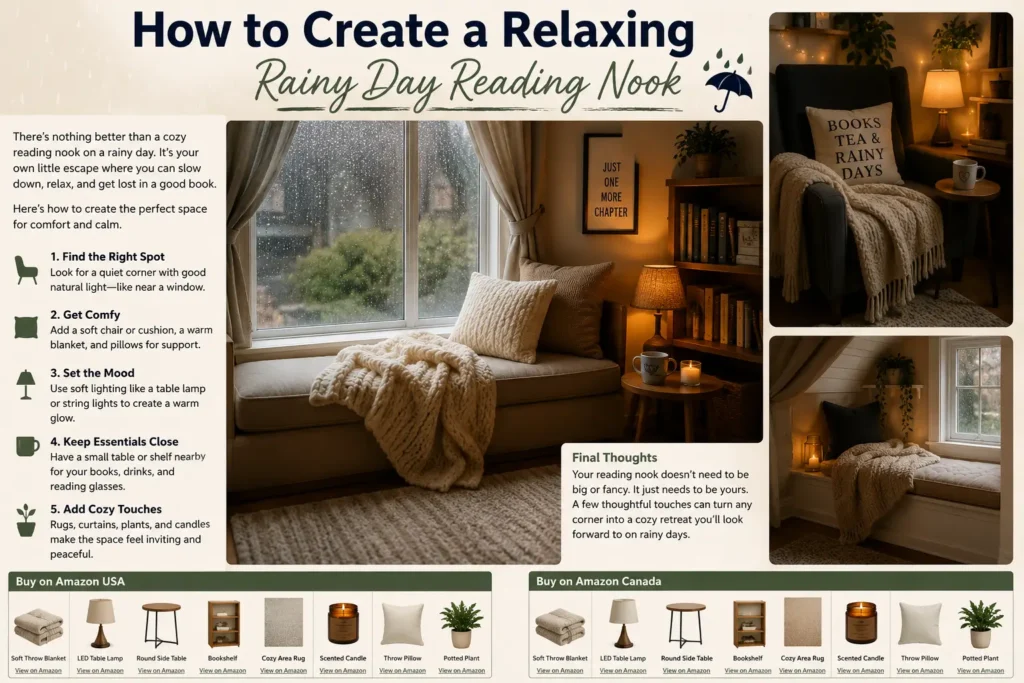
There’s something special about curling up with a good book while listening to the sound of rain outside. You don’t need a large room or expensive furniture to create the perfect reading nookβ€”just a comfortable space where you can relax and escape for a while.

Here are a few simple ideas to build your own cozy retreat.

Pick the Right Spot

Look for a quiet corner of your home with natural light if possible. A spot near a window is ideal, especially on rainy days when you can enjoy the peaceful view while you read.

Don’t have a window? A warm floor lamp works just as well.

Choose Comfortable Seating

Your chair is the heart of your reading nook. Whether it’s an oversized armchair, a recliner, or a cushioned accent chair, comfort should come first.

Add a soft throw blanket and a supportive cushion so you can settle in for hours.

Add Warm Lighting

Good lighting makes reading easier and creates a cozy atmosphere.

A floor lamp or adjustable reading lamp provides plenty of light without being too harsh. Warm-toned LED bulbs help create a relaxing mood.

Include a Small Table

A small side table gives you a place to set your coffee, tea, reading glasses, or bookmark.

Keeping everything within reach means you can relax without constantly getting up.

Finish with Personal Touches

Complete your reading nook with a few items that make it feel like your own.

Consider adding:

  • A soft throw blanket
  • Decorative pillows
  • A small bookshelf
  • An indoor plant
  • A scented candle or diffuser
  • Your favorite mug

These little details help create a space you’ll look forward to using whenever the weather turns gloomy.


πŸ›’ Buy on Amazon USA

Everything you need to build a cozy reading nook:


Final Thoughts

Rainy days don’t have to feel dull. With a comfortable chair, warm lighting, and a few cozy touches, you can create a reading nook that’s perfect for relaxing any time of year. Sometimes the best place to escape is simply a quiet corner of your own home.


🍁 Buy on Amazon Canada

Everything you need to build a cozy reading nook:

For focused page light in the nook, compare clip-on and neck reading lights.

Useful furniture and storage in an overlooked corner of a home
Cozy Living, Home Organization

The Forgotten Corners of Your Home That Can Become Useful Spaces

Disclosure: As an Amazon Associate, My Indoor Space may earn from qualifying purchases through links in this article, at no extra cost to you.

Every home has spaces that are often ignored. They collect dust, become clutter magnets, or simply sit empty because we aren’t sure what to do with them. With a little creativity and a few practical additions, these forgotten areas can become some of the most useful parts of your home.

Let’s take a look at four places that deserve a second chance.

Under the Stairs

The space beneath a staircase is one of the biggest missed opportunities in many homes. Instead of storing random boxes, turn it into organized storage with shelving, baskets, or cabinets.

It’s a great place for shoes, books, pet supplies, seasonal decorations, or even a small reading nook if you have enough room.

Empty Hallway Ends

That blank wall at the end of your hallway doesn’t have to stay empty.

A narrow bookshelf, floating shelves, or a slim console table can add both storage and style without taking up much space. Add a lamp or a framed photo to make the area feel warm and inviting.

Wide Landings

If your staircase has a large landing, think of it as an extra room.

A comfortable chair, a small side table, and a corner lamp can create a quiet reading space. You could also add a bookshelf or a few indoor plants to give the area more personality.

Awkward Corners

Every home seems to have one corner that’s difficult to decorate.

A corner shelving unit, floor lamp, or storage bench can completely change the look of the space while making it more functional. Even a decorative basket can help organize blankets, magazines, or children’s toys.

You’ll be surprised how much bigger and more organized your home feels when every corner has a purpose.


πŸ›’ Buy on Amazon USA

Looking to transform those forgotten spaces? These products can help:


Final Thoughts

You don’t always need to renovate your home to make it feel bigger or more functional. Sometimes the best improvements come from simply looking at your space with fresh eyes. Those forgotten corners you’ve been walking past every day could become your favorite and most useful spots in the house.


🍁 Buy on Amazon Canada

Looking to transform those forgotten spaces? These products can help:

If the unused corner is inside a closet, the renter-friendly closet organizer guide helps with fit.

Bright living room filled with natural daylight
Cozy Living, DIY & Decorating

Why I Started Using More Natural Light During the Day

Disclosure: As an Amazon Associate, My Indoor Space may earn from qualifying purchases through links in this article, at no extra cost to you.

For years, I automatically turned on lights the moment I entered a room. It was simply a habit. But recently, I started opening the blinds more often and relying on natural daylight whenever possible. The change was surprisingly simple, yet it made my home feel brighter, more inviting, and even a little more spacious.

Natural light is one of the easiest and most affordable ways to improve the feel of a home.

The Difference I Noticed

After making an effort to let more sunlight into my living space, I noticed several benefits:

  • Rooms felt larger and more open
  • My home looked cleaner and brighter
  • I used less artificial lighting during the day
  • Indoor plants seemed healthier
  • The space felt more welcoming and comfortable

It’s amazing how much a room can change simply by pulling back the curtains.

Buy on Amazon USA

NICETOWN Blackout Curtains

Great for controlling light when needed while still allowing flexibility during the day.

Command Curtain Rod Hooks

An easy solution for hanging lightweight curtains without major installation.

Brightech Sky LED Floor Lamp

Perfect for maintaining a warm atmosphere when the sun goes down.

Simple Ways to Maximize Natural Light

You don’t need to remodel your home to get more daylight.

Try these simple ideas:

  • Open blinds and curtains first thing in the morning
  • Keep windows clean
  • Use mirrors to reflect sunlight around the room
  • Choose lighter-colored dΓ©cor when possible
  • Avoid blocking windows with large furniture

Even small adjustments can make a noticeable difference.

Natural Light and Comfort

Natural light can help create a more pleasant indoor environment throughout the day. Bright spaces often feel more cheerful and welcoming than rooms that rely entirely on artificial lighting.

Many homeowners spend money trying to make rooms feel bigger and brighter when the solution may already be sitting just outside the window.

Final Thoughts

One of the simplest changes I’ve made at home was using more natural light during the day. It didn’t cost anything, took almost no effort, and immediately improved how my living space felt.

Before buying new furniture or redecorating a room, try opening the blinds and letting the sunshine in. You might be surprised by how much of a difference it makes.

Buy on Amazon Canada

NICETOWN Blackout Curtains

Provide flexibility for controlling daylight and privacy throughout the day.

Command Curtain Rod Hooks

A simple way to update window treatments without complicated installation.

LED Floor Lamp

Helps maintain a cozy atmosphere after sunset.

Natural light is free, abundant, and one of the easiest ways to make your home feel brighter, warmer, and more inviting. β˜€οΈπŸ‘βœ¨

For window light control, see the blackout curtain guide before measuring.

Scroll to Top