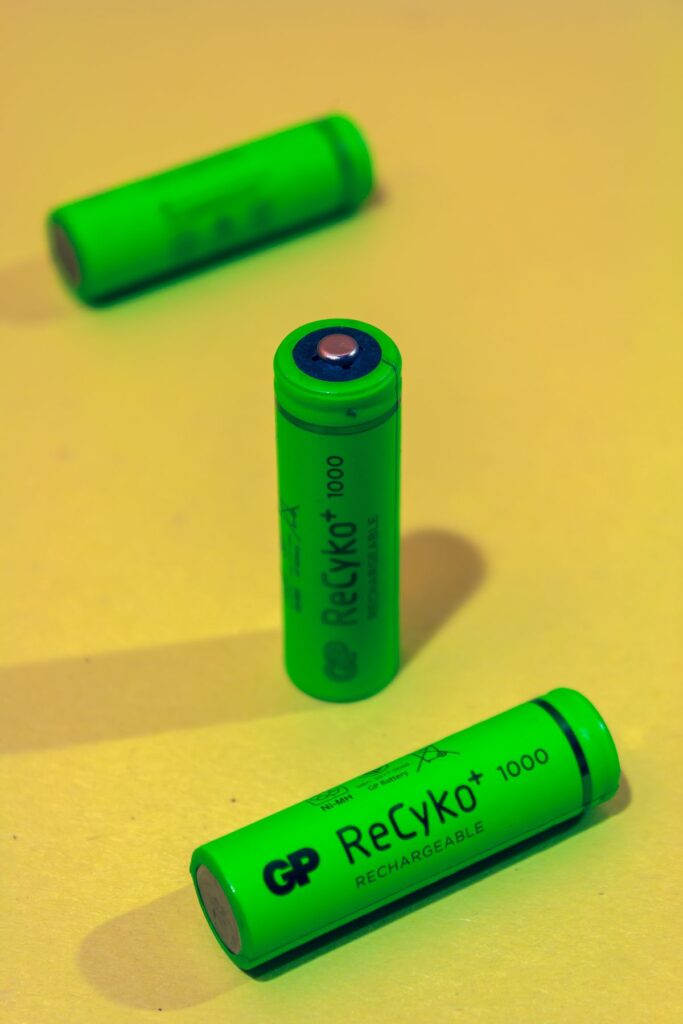
Green cylindrical batteries in a close view
Smart Home

Eneloop vs Eneloop Pro AA: Is the Higher-Capacity Upgrade Worth It?

Disclosure: As an Amazon Associate, My Indoor Space earns from qualifying purchases through links in this article, at no extra cost to you.

Quick verdict

Choose standard eneloop for a general reusable AA routine when its capacity is sufficient. Consider eneloop pro when longer use between charges matters enough to justify the price and recharge-life trade-off. First confirm that the device accepts the specified NiMH rechargeable cells.

Research-based buying guide. Information checked October 16, 2026. We have not tested these products hands-on; published specifications and our buying judgments are identified separately.

eneloop AA batteries

eneloop pro AA batteries
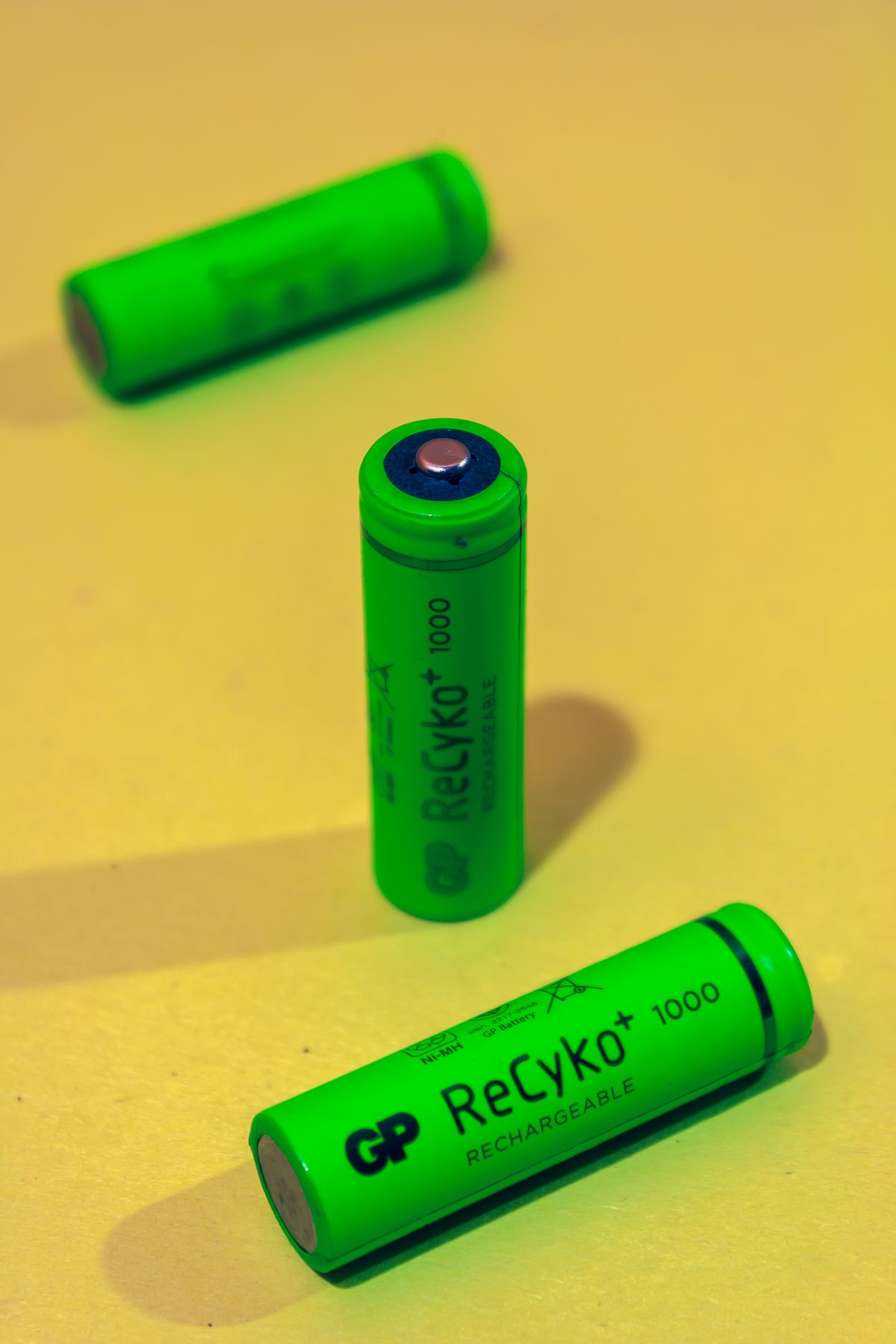
Green cylindrical batteries in a close view
Illustrative batteries; these are not verified eneloop cells or capacity-test results. Photo: Pexels.

Higher capacity means a battery can offer more stored charge under the specified conditions. It does not mean it is the best value for every remote, mouse or frequently used device. Compare the time between charges with how often you expect to recharge the cells.

The buying differences

Priority Standard eneloop Eneloop pro
General direction Everyday reusable-cell routine Higher per-charge capacity
Recharge-life claims Higher cycle claim in Panasonic’s comparison Lower cycle claim; read the same test basis
Compatibility Check device and charger instructions Check device and charger instructions

When standard eneloop is enough

If swapping or recharging occasionally is not a problem, the standard cell can be a sensible default. Panasonic’s capacity figures vary by region and product generation, so read the minimum rating on the actual package rather than copying the largest number from another market.

Think about the household workflow. A charged spare set can remove the inconvenience of waiting for a device to recharge. For a modest load, that arrangement may be more useful than paying for maximum capacity in a single set. Include the price of the needed number of cells, not just one pack.

When pro earns the extra cost

Pro can be attractive when a suitable device uses enough power that charging interruptions are frequent. Panasonic’s Canadian page identifies higher-capacity NiMH cells and qualifies its runtime examples by equipment and operating conditions. Those examples are not a promise for an unlisted device.

The gain is not necessarily proportional to the purchase-price difference. Compare how often you actually run out during a task. A premium battery that spends most of its life in a lightly used device may offer little practical advantage.

Read cycle claims on the same basis

Panasonic publishes different recharge figures under different IEC test methods and explains that conditions affect results. Compare claims using the same stated method. A headline cycle number is not a guarantee that a particular household will complete exactly that many useful charges.

Capacity, storage retention and recharge life describe different things. Do not substitute one for another when comparing packages. Buy current, correctly identified stock from a seller with clear product details rather than relying on a generic photograph of white or black cells.

Device and charger compatibility come first

Panasonic identifies eneloop as approximately 1.2 V NiMH technology. Some devices specify particular battery types or have limitations for rechargeables, so read the device manual before changing its power source. Physical AA size alone does not establish electrical suitability.

Use a charger approved for the cells and follow its instructions. Do not assume a charger intended for another chemistry is interchangeable. Check whether a bundle includes the charger you need and whether its mains supply suits your country.

The value decision

Choose standard when it comfortably covers the job. Pay for pro when fewer swaps during a repeated task justify the added cost. Keep suitable rechargeable cells that still perform the required work; replacing them for a different wrapper is not an upgrade by itself.

Compare listings in your country

These buttons open matching Amazon search results, rather than a guaranteed in-stock offer. Confirm the exact model, seller, included parts, delivered price and return terms. Prices and availability can differ between the United States and Canada.

eneloop AA batteries

eneloop pro AA batteries

Related guides on My Indoor Space

Sources and research

Shelves holding organized household and craft supplies
Home Organization

DYMO LetraTag 200B vs Brother P-touch CUBE: Which Label System Fits?

Disclosure: As an Amazon Associate, My Indoor Space earns from qualifying purchases through links in this article, at no extra cost to you.

Quick verdict

Choose by the tape you need and the app your phone can run. LetraTag 200B uses the LetraTag family; the original P-touch CUBE uses Brother TZe tapes up to 12 mm. Compare the exact bundle, because Canadian PTP300BTAD packaging and power accessories can differ from other listings.

Research-based buying guide. Information checked October 16, 2026. We have not tested these products hands-on; published specifications and our buying judgments are identified separately.

DYMO LetraTag 200B makers

Brother P-touch CUBE makers

Shelves holding organized household and craft supplies
Illustrative storage photo; no label-maker result or durability test is implied. Photo: Pexels.

A label maker is a small printer tied to a supply system. The best purchase depends on the surfaces you label, the tape options you can obtain and the phone you will use. A discounted machine is less useful if you discover afterward that your existing tape does not fit.

Compare the systems before the machines

Question LetraTag 200B Original P-touch CUBE
Tape family DYMO LetraTag Brother TZe, up to 12 mm
Phone workflow LetraTag Connect app Brother’s supported design app
Bundle detail Check supplied tape and power requirements Canadian AD package includes an AC adapter; verify the listing

Choose tape for the surface

Paper, plastic and specialized label types suit different tasks. Check the particular tape’s intended use on a container, cable, folder or textile. Do not assume the printer’s whole tape family has identical water, heat or cleaning resistance.

Brother describes laminated TZe tapes for the cited CUBE. That is a specific supply system, not permission to put a labeled item through any dishwasher cycle. The tape instructions and the item being labeled still govern the use. DYMO’s LetraTag cassettes are a different format and cannot be treated as interchangeable spares.

Check the phone before ordering

Both choices rely on a mobile workflow rather than a built-in keyboard for ordinary label design. Check the current app listing for your phone’s operating system and confirm that the app is available in your country. A compact printer can become inconvenient if the household expects anyone to print without a phone.

DYMO’s setup guide describes Bluetooth and relevant mobile permissions. Follow the instructions for connecting through the app rather than guessing from the phone’s Bluetooth settings alone. If you prefer a standalone keyboard device, compare that category before buying either app-based model.

Compare the exact CUBE and package

P-touch CUBE, CUBE Plus and other similarly named models can support different capabilities. This guide addresses the original PTP300BT family, with Brother Canada’s PTP300BTAD as the cited bundle. Its page lists an included AC adapter and starter tape.

Marketplace listings may identify another region or offer the machine without the same accessories. Check the model suffix, adapter suitability and starter contents. Do not pay for a second adapter based only on a photograph of a different package, or assume one is included without checking.

Work out the supply cost

Compare usable tape length and type, not only cassette price. Allow for margins and the way you plan to print batches. Buying multiple colors can be fun but adds cost if most labels will be ordinary black on white. Start with the tape needed for one actual organizing job.

When is either worth it?

Choose the system whose labels and app fit your routine, then buy the least expensive complete bundle that meets it. Keep an existing label maker with available supplies when it already does the task. A handwritten label can also be enough for temporary storage where durability and repeatable formatting are not important.

Compare listings in your country

These buttons open matching Amazon search results, rather than a guaranteed in-stock offer. Confirm the exact model, seller, included parts, delivered price and return terms. Prices and availability can differ between the United States and Canada.

DYMO LetraTag 200B makers

Brother P-touch CUBE makers

Related guides on My Indoor Space

Sources and research

Printer on a cabinet in an office
Smart Home

Brother HL-L2460DW vs DCP-L2640DW: Print Only or All-in-One?

Disclosure: As an Amazon Associate, My Indoor Space earns from qualifying purchases through links in this article, at no extra cost to you.

Quick verdict

Choose HL-L2460DW if you mainly need black-and-white printing and already have a satisfactory way to scan. Choose DCP-L2640DW when regular copying and document scanning justify the larger all-in-one. Both are monochrome laser printers, so neither is the answer for color prints.

Research-based buying guide. Information checked October 16, 2026. We have not tested these products hands-on; published specifications and our buying judgments are identified separately.

Brother HL-L2460DW printers

Brother DCP-L2640DW printers

Printer on a cabinet in an office
Illustrative printer; neither compared Brother model is identified. Photo: Pexels.

A multifunction printer is good value when the scanner will actually be used. For occasional printing, the extra hardware can occupy space without changing the job. These Brother models provide a clear example of choosing the function first and comparing consumables afterward.

Compare the main jobs

Need HL-L2460DW DCP-L2640DW
Black-and-white printing Yes Yes
Copying and document scanning Not a built-in function Built-in multifunction capability
Automatic two-sided printing Supported Supported
Best reason to choose Printing is the whole task Recurring scan and copy work

When print-only is enough

If most output is labels on paper, letters, forms or reading copies, a print-only device can be the simpler purchase. Check the paper types and sizes allowed for the intended job; a household laser printer is not automatically suitable for every adhesive sheet or specialty material.

A phone’s document-capture feature may be enough for an occasional short form. Assess that honestly before buying a scanner you will rarely open. If you already have a separate scanner that works well, duplicating it in a new printer may add little practical value.

When DCP-L2640DW earns the upgrade

For repeated copying and scanning, having those functions at the desk can simplify the routine. Check the flatbed and document-feeding capabilities against the types of originals you handle. Loose sheets, bound pages and fragile items can need different handling.

Automatic duplex printing is not the same as automatic two-sided scanning. Confirm the scan workflow if two-sided originals are common. A printer listing can prominently advertise duplex while referring only to how it prints paper, so read the function-specific specifications.

Include access space and network setup

Measure the machine with the paper path, trays and scanner lid usable, not just its closed body. Allow access for loading and consumable replacement. An all-in-one that barely fits under a shelf can be inconvenient when you need to lift the lid.

Brother’s Canadian pages describe USB and network connection options. Match the setup to your home equipment and computer permissions. For a shared household printer, decide whether it will join the network or connect directly to one computer; those arrangements affect how other devices can reach it.

Compare the ownership cost

Look up the correct toner and drum supplies, their stated yields and the starter contents of the exact package. Yield figures use defined test conditions and do not predict every person’s page count. A low purchase price can be offset by replacement-supply costs or a bundle you do not need.

A consumable subscription offer is a separate decision from choosing the hardware. Read its current terms and compare it with buying supplies normally. Do not assume an advertised delivery service is necessary simply because it appears beside the printer.

Our buying judgment

Buy HL-L2460DW for a clear print-only need. Pay for DCP-L2640DW when scanning and copying remove recurring work. Skip both if color output is essential, and keep an existing printer if it already covers the actual workload without an expensive or inconvenient maintenance routine.

Compare listings in your country

These buttons open matching Amazon search results, rather than a guaranteed in-stock offer. Confirm the exact model, seller, included parts, delivered price and return terms. Prices and availability can differ between the United States and Canada.

Brother HL-L2460DW printers

Brother DCP-L2640DW printers

Related guides on My Indoor Space

Sources and research

Computer and speakers arranged on a desk
Smart Home

Creative Pebble V3 vs Logitech Z207: Which Desk Speakers Fit?

Disclosure: As an Amazon Associate, My Indoor Space earns from qualifying purchases through links in this article, at no extra cost to you.

Quick verdict

Choose Pebble V3 when USB audio and a compact desk arrangement suit the computer. Choose Z207 when its Bluetooth switching and accessible headphone connection match your routine. Both require power even when playing wirelessly; neither should be treated as a portable battery speaker.

Research-based buying guide. Information checked October 16, 2026. We have not tested these products hands-on; published specifications and our buying judgments are identified separately.

Creative Pebble V3 speakers

Logitech Z207 speakers

Computer and speakers arranged on a desk
Illustrative audio setup; neither compared speaker model is identified. Photo: Pexels.

For a home computer, the easiest speaker setup is the one that accepts your audio source without extra adapters and fits around the display. Pebble V3 and Z207 both offer Bluetooth, but their wired connections and power arrangements deserve a closer look.

Compare the connections

Question Pebble V3 Z207
USB computer audio Supported USB audio input Use its documented Bluetooth or analog inputs
Bluetooth Supported; still needs USB power Supported, including switching between paired sources
Headphone use Plan around your computer’s output Check its accessible headphone socket

When Pebble V3 is the better fit

Creative describes USB-C as providing both audio and power for Pebble V3. That can be convenient on a compatible computer because a separate analog audio cable is not required for that mode. Check the operating-system and USB requirements, plus any included adapter, against the actual laptop.

Power still matters. Creative specifies an appropriate USB power supply and explains that Bluetooth operation does not remove that requirement. A low-power socket or an unsuitable adapter can make the setup different from the listing’s preferred conditions. Do not assume every USB port supplies the same usable power.

When Z207 makes sense

Logitech describes Z207 switching between connected Bluetooth sources and providing conventional audio connections. That can suit a desk where both a computer and phone supply sound. Verify how the controls behave with your sources rather than assuming automatic switching will always choose the device you want.

A convenient headphone socket can matter more than a small claimed power difference if you regularly move between speakers and private listening. Check where the control speaker will sit and whether the cable layout reaches it. Keep access to the volume control clear.

Measure the pair, not one speaker

Allow room for both speakers beside the display, with their required connecting cable and the route to power. Check the supplied cable lengths before placing the computer under a desk or on the opposite side. A small cabinet does not necessarily mean a flexible cable arrangement.

Also compare the listening position. A desktop pair is normally used close to the listener, and placement can affect the result. Avoid buying either as a substitute for a larger room system solely because a product description calls the sound room-filling.

What we can and cannot rank

The manufacturer specifications establish the connections and controls. We have not measured output, bass extension, distortion or Bluetooth delay. Those details matter for music, games and video, so use suitable return terms if the sound itself is the deciding factor.

Where is the best value?

Choose Pebble V3 when its USB workflow removes cable or port inconvenience. Choose Z207 when source switching and headphone access solve a daily need. Keep working speakers if their inputs already fit your equipment. A Bluetooth label alone is not an upgrade over a reliable wired setup you enjoy.

Compare listings in your country

These buttons open matching Amazon search results, rather than a guaranteed in-stock offer. Confirm the exact model, seller, included parts, delivered price and return terms. Prices and availability can differ between the United States and Canada.

Creative Pebble V3 speakers

Logitech Z207 speakers

Related guides on My Indoor Space

Sources and research

Network switch with Ethernet ports and indicators
Smart Home

Ethernet Switch vs Wi-Fi Extender: Which Fixes a Home-Office Connection?

Disclosure: As an Amazon Associate, My Indoor Space earns from qualifying purchases through links in this article, at no extra cost to you.

Quick verdict

Buy a switch when you already have a working Ethernet connection and need more wired ports. Buy an extender when the problem is wireless reach and its placement can provide a useful link. A basic Ethernet switch does not broadcast Wi-Fi or create an internet connection on its own.

Research-based buying guide. Information checked October 16, 2026. We have not tested these products hands-on; published specifications and our buying judgments are identified separately.

Gigabit Ethernet switches

Wi-Fi extenders

Network switch with Ethernet ports and indicators
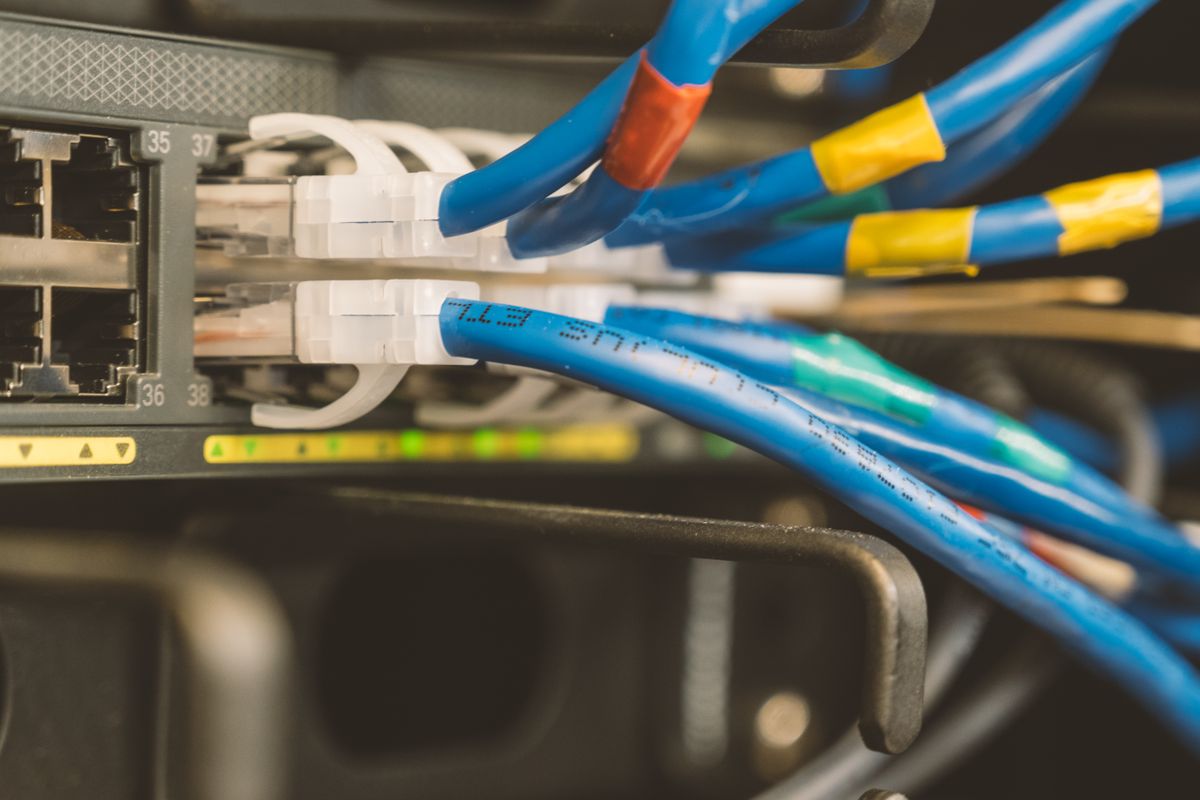
Illustrative switch; not a verified NETGEAR GS305 model. Photo: Pexels.

The useful buying question is where the connection stops working. If one Ethernet cable reaches the desk but several devices need it, a switch may solve the problem. If a laptop cannot get a useful wireless signal in the room, adding a basic switch will not change that.

Choose by the missing connection

Situation Useful starting point What it needs
One wired outlet, several devices Ethernet switch Working upstream network cable and power
Weak wireless reach Suitable extender or access-point plan A workable link to the existing network
Slow internet everywhere Diagnose service and router first Tests before buying accessories

When a small switch is enough

NETGEAR’s GS305 is an example of a five-port Gigabit unmanaged switch. One port normally connects upstream to the router or network outlet, leaving the others for local devices. Include that upstream connection in the count rather than expecting all five ports to add five new destinations.

An unmanaged design can suit a straightforward home desk without the configuration features of a managed switch. It still requires an appropriate network arrangement. Do not assume the box provides routing, a modem or Power over Ethernet unless those functions are explicitly specified.

When an extender makes more sense

An extender can serve devices that need wireless coverage beyond the existing router’s useful area. Place it where it can still connect adequately to the source network. A socket at the farthest dead spot may be convenient physically but poor for the wireless link.

Some extenders, including the documented RE315, support access-point operation using a wired connection. That is a different setup from repeating Wi-Fi. Confirm the intended mode and port limitations before buying; an Ethernet socket does not guarantee that all networking products perform the same job.

Plan the cable route before ordering

For a stationary desktop, printer or console, a suitable wired route may avoid a coverage accessory altogether. Check the available ports on both ends and whether an adapter is needed for the computer. A laptop without Ethernet cannot use the cable directly merely because a switch has spare ports.

Keep the route practical around doors and walkways, and check the building’s rules before making permanent changes. The complete cost includes the necessary cables and adapters. A cheap switch can be poor value if you have no permitted or convenient path back to the network.

How much performance should you expect?

A switch’s rated link speed is not a promise of your internet speed. The service, upstream equipment and other links can remain the bottleneck. An extender similarly cannot remove every interference or distance problem. Compare the same device near the router and at the desk to identify what is changing.

The value decision

Choose the basic switch when port count is the real gap. Choose an appropriate coverage solution when wireless reach is the gap. Keep the equipment you own if a usable direct connection or a better position already solves the job.

Compare listings in your country

These buttons open matching Amazon search results, rather than a guaranteed in-stock offer. Confirm the exact model, seller, included parts, delivered price and return terms. Prices and availability can differ between the United States and Canada.

Gigabit Ethernet switches

Wi-Fi extenders

Related guides on My Indoor Space

Sources and research

Ethernet cable connected to networking equipment
Smart Home

TP-Link RE315 vs Deco X20: Extender or Mesh for Your Home?

Disclosure: As an Amazon Associate, My Indoor Space earns from qualifying purchases through links in this article, at no extra cost to you.

Quick verdict

Consider RE315 for a modest coverage gap while keeping your existing router. Consider a suitable Deco X20 kit when you need a coordinated multi-unit network and can place its units well. Diagnose the weak spot first: neither purchase can make a slow internet service faster than its connection allows.

Research-based buying guide. Information checked October 16, 2026. We have not tested these products hands-on; published specifications and our buying judgments are identified separately.

TP-Link RE315 extenders

Deco X20 systems

Ethernet cable connected to networking equipment
Illustrative network photo; no RE315 or Deco X20 is identified. Photo: Pexels.

A single weak room and an unreliable whole-home network are different buying problems. An extender can be a modest addition to what you own. A mesh kit is a broader change with more hardware to place and configure. Avoid buying the larger system before identifying which problem you have.

Compare the intended jobs

Decision RE315 Deco X20 kit
Typical purpose Extend an existing wireless setup Build a coordinated multi-unit network
Technology class AC1200 extender AX1800 Wi-Fi 6 system
Installation choice Check extender or supported AP use Router or access-point mode

When RE315 is enough

If the current router works well nearby and one room is the problem, a suitable extender may be enough. Placement matters: it needs an adequate link to the existing network, not merely a socket in the dead area. Test possible positions between the router and the weak room.

Check the exact hardware version, region and supported integration with the router. An extender marketed with mesh features should not be assumed to join every mesh family. Confirm compatibility in TP-Link’s documentation rather than expecting a RE-series extender to become another Deco unit.

When Deco X20 earns its cost

A Deco kit can suit a broader coverage problem where several units have useful locations. Compare the number of units in the package, power-socket access and the path between them. A larger advertised coverage area is not a guarantee through your walls and floors.

Deco X20 supports router and access-point modes. Decide how it will work with an existing internet-provider gateway before setup. TP-Link documents differences between the modes, so a feature available when Deco routes the network may not work identically when it only provides wireless access.

Wired connections can change the plan

TP-Link supports Ethernet backhaul for suitable Deco arrangements. An existing cable route can make a multi-unit plan more attractive, but it should follow the documented network layout. Check where the main unit connects and how satellite units may be wired in the chosen operating mode.

Also inspect port speeds if you expect to connect a computer through the equipment. A wireless speed class on the box is not a promise of the speed through an Ethernet socket, or the internet speed at the far end. Compare actual hardware specifications rather than adding the advertised wireless bands together.

What should you buy first?

First compare a speed test near the router with one in the problem room using the same device. If performance is poor everywhere, investigate the service or router before adding coverage hardware. Choose RE315 for a verified small gap; choose Deco when the wider layout justifies the system. Keep the existing network if better router placement solves the issue.

Compare listings in your country

These buttons open matching Amazon search results, rather than a guaranteed in-stock offer. Confirm the exact model, seller, included parts, delivered price and return terms. Prices and availability can differ between the United States and Canada.

TP-Link RE315 extenders

Deco X20 systems

Related guides on My Indoor Space

Sources and research

Microphone mounted in a recording setup
Smart Home

Microphone Boom Arm vs Desktop Stand: Is the Upgrade Worth It?

Disclosure: As an Amazon Associate, My Indoor Space earns from qualifying purchases through links in this article, at no extra cost to you.

Quick verdict

Keep or buy a desktop stand when it puts the microphone where you need it without blocking the work. Choose a boom arm when frequent repositioning or recovering desk space justifies the cost. Check the microphone load and desk-mount requirements before buying an arm.

Research-based buying guide. Information checked October 16, 2026. We have not tested these products hands-on; published specifications and our buying judgments are identified separately.

microphone boom arms

desktop microphone stands

Microphone mounted in a recording setup
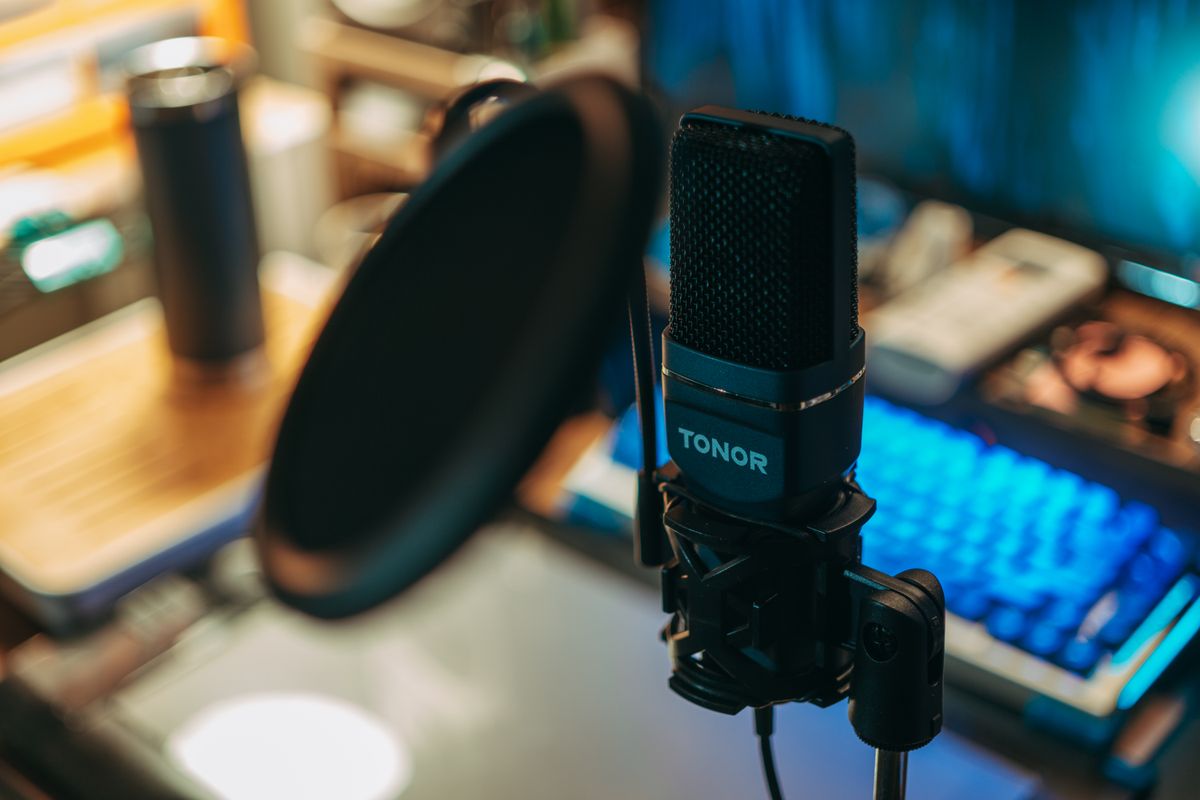
Illustrative microphone setup; stand compatibility is not established by the photo. Photo: Pexels.

A support upgrade is worthwhile when it improves the microphone’s position, not merely the appearance of the desk. A heavy base can be perfectly useful, while a poorly matched arm can sag, obstruct the display or attach awkwardly to the desktop. Start with the position your microphone actually needs.

Compare the working space

Priority Desktop stand Boom arm
Frequent movement Reposition the base or height adjustment Suitable arms move the mic through an arc
Desk surface Base occupies usable space Mount needs a compatible edge or fixing
Compatibility Thread, height and stability Thread, load range, reach and desk mount

When the desktop stand is enough

A suitable weighted stand can be the simplest solution when the microphone stays in one place. RØDE’s DS1 is one example of this category. Compare the adjustment range and base footprint with your keyboard and the position from which you speak.

A small tripod supplied with a microphone can also be enough, provided its height and placement work. Do not replace it only because a larger arm looks more professional. If you must lean forward to use the microphone, however, the support may be limiting the setup more than the microphone itself.

When an arm solves a repeated problem

An arm can bring the microphone into position for recording and move it aside afterward. That is useful if the same desk handles writing, video calls and other work. Check both the forward reach and the space needed behind or above the display as the arm moves.

RØDE’s PSA1+ illustrates a purpose-built studio arm with specific supported loads and mounting options. Do not assume its capabilities apply to a cheaper generic arm. Some arms need a minimum load as well as having a maximum; a very light microphone can be a poor match too.

Count the whole assembly

Include the microphone, shock mount, adapter and any accessories when checking support limits. Confirm the thread and whether an adapter is supplied. Similar-looking microphone mounts are not necessarily interchangeable, especially when the microphone uses a particular proprietary clamp.

Check desk thickness, underside clearance and surface construction against the mount’s instructions. A clamp that physically opens wide enough is not proof that the desktop can support the arrangement. Glass, hollow-core surfaces and decorative edges may need a different permitted solution.

Cables and vibration still matter

Leave the cable movement recommended by the equipment makers and avoid tension at the microphone connector. Built-in cable management is useful only if it accommodates the cable and moving joints properly. A support change does not guarantee that desk bumps or typing will become inaudible.

The value decision

Pay for an arm when better reach and quick repositioning will be used daily. Choose a stable desktop stand when the position is already convenient. Keep the support you own if it works; the most expensive arm will not repair a microphone technique or room-noise problem by itself.

Compare listings in your country

These buttons open matching Amazon search results, rather than a guaranteed in-stock offer. Confirm the exact model, seller, included parts, delivered price and return terms. Prices and availability can differ between the United States and Canada.

microphone boom arms

desktop microphone stands

Related guides on My Indoor Space

Sources and research

Microphone beside a laptop on a desk
Smart Home

Samson Q2U vs Audio-Technica AT2040USB: Do You Need XLR?

Disclosure: As an Amazon Associate, My Indoor Space earns from qualifying purchases through links in this article, at no extra cost to you.

Quick verdict

Choose Q2U when you want USB now, XLR flexibility later, and a starter recording bundle. Choose AT2040USB when its USB-only workflow and onboard monitoring controls suit you, with a suitable stand budgeted. Higher digital specifications alone are not a reason to expect a better voice recording.

Research-based buying guide. Information checked October 16, 2026. We have not tested these products hands-on; published specifications and our buying judgments are identified separately.

Samson Q2U microphones

AT2040USB microphones

Microphone beside a laptop on a desk
Illustrative recording setup; neither compared microphone is identified. Photo: Pexels.

A USB microphone can simplify voice recording on a home computer, but the microphone price is only part of the setup. You also need a position close enough to use, a stable mount and a way to hear the recording. These two dynamic microphones provide different routes to that complete arrangement.

Compare the features you will use

Question Samson Q2U AT2040USB
Connection path USB and XLR outputs USB output
Headphone monitoring Headphone output with level control Headphone level and mix controls
Mounting budget Check the supplied tripod bundle Mounting clamp included; budget a suitable stand or arm
Other controls On/off control Mute and low-cut controls

When Q2U is the better starting point

Samson lists a tripod stand, clip, windscreen and connection cables in its Q2U pack. Verify the actual seller’s package and hardware version. A used microphone, a regional bundle and a current retail kit may not include identical accessories or cable connectors.

XLR gives a route to a compatible interface or mixer later. It is not required for basic USB recording, and it adds little value if you never plan to use it. Do not buy an interface simply because the socket exists; first identify a recording task the computer connection cannot handle.

When AT2040USB makes sense

Audio-Technica specifies headphone level and mix controls, mute, a low-cut function and an integrated shock-mount design. These can be useful workflow features for a regular desk setup. They do not establish that every room noise disappears or that a shock mount prevents all keyboard vibration.

The published accessory list includes a mounting clamp and thread adapter, rather than a complete desk stand. Include a compatible stand or arm in the purchase total. A microphone advertised at a discount can still be the more expensive complete setup once support and cable routing are included.

Position is part of the purchase

Both models need the appropriate speaking orientation and placement described in their manuals. A dynamic microphone is not a substitute for using the correct distance or reducing avoidable noise. Test speech, keyboard use and normal movement in your actual room before judging the equipment.

Use the headphone output and controls as the instructions specify. Direct monitoring and hearing the computer’s playback are different tasks; check that your preferred recording app and audio routing suit the microphone. A voice call may also apply its own processing, which can change what other people hear.

Is the more elaborate option worth it?

Choose the lower-cost complete Q2U package when its features cover your work. Pay for AT2040USB when its controls and mounting plan improve a routine you use often. Keep an existing suitable microphone if a better position solves the main issue. We have not conducted a listening comparison and do not rank the sound quality from specification numbers alone.

Compare listings in your country

These buttons open matching Amazon search results, rather than a guaranteed in-stock offer. Confirm the exact model, seller, included parts, delivered price and return terms. Prices and availability can differ between the United States and Canada.

Samson Q2U microphones

AT2040USB microphones

Related guides on My Indoor Space

Sources and research

Laptop and monitor in a home workspace
Smart Home

Logitech C920s vs Brio 100: Which Webcam Fits Home Video Calls?

Disclosure: As an Amazon Associate, My Indoor Space earns from qualifying purchases through links in this article, at no extra cost to you.

Quick verdict

Choose Brio 100 for straightforward seated calls when its narrower view fits your desk. Choose C920s when autofocus and a wider frame are useful. Both support 1080p at 30 fps; paying more does not guarantee that a calling app or a poorly lit room will show more detail.

Research-based buying guide. Information checked October 16, 2026. We have not tested these products hands-on; published specifications and our buying judgments are identified separately.

Logitech C920s webcams

Logitech Brio 100 webcams

Laptop and monitor in a home workspace
Illustrative workspace; webcam model and video quality are not established. Photo: Pexels.

A webcam upgrade should fix a specific problem: poor framing, a weak built-in camera or a need to focus at different distances. Start by looking at your current video-call preview. If your face is dark because a bright window sits behind you, changing the camera alone may leave the main problem untouched.

Compare the published camera features

Feature C920s Brio 100
Full HD mode 1080p at 30 fps 1080p at 30 fps
Focus Autofocus Fixed focus
Diagonal field of view 78 degrees 58 degrees
Privacy cover Included shutter Integrated shutter

When Brio 100 is enough

A narrower view can be helpful when you want a head-and-shoulders frame and less of the room behind you. At a fixed desk position, Brio 100’s simple arrangement may cover the job. Measure how far the display sits from your chair before choosing; a narrow view can feel too tight when the camera is close.

Fixed focus does not mean every object at every distance will look sharp. Check the manufacturer’s guidance and try your normal seating position during the return period. If you regularly show a small object near the lens, choose around that task rather than assuming the 1080p label settles it.

When C920s earns the upgrade

Autofocus can be useful when the subject distance changes, and the wider view provides more space for movement or a second person. That also shows more background. Decide whether you actually want the extra room rather than treating a wider angle as inherently better.

We have not tested focus tracking, low-light performance or image processing side by side. The feature comparison establishes what each product offers; it does not prove which looks better under your lamp or in your meeting software. For that, compare your own preview with the actual app and lighting you use.

Microphones and software can change the result

Both webcams include audio capture, but an existing headset or separate microphone may make that feature unimportant. Select the intended camera and microphone in the calling application. Otherwise, a new webcam can be installed while the app continues using the laptop’s built-in camera or another audio device.

Check the USB connection, display-top mounting and cable route. A webcam may compete with a monitor light bar for space. Also check the app’s supported resolution and account settings: the camera’s maximum is not a promise of the resolution delivered to everyone in a call.

Who should buy or skip?

Buy Brio 100 when you need a basic external camera and its framing works. Pay for C920s when autofocus or the wider field addresses a real task. Keep a working webcam when moving the lamp or adjusting its height solves the problem. A model name containing “Pro” does not, by itself, establish the better purchase for your room.

Compare listings in your country

These buttons open matching Amazon search results, rather than a guaranteed in-stock offer. Confirm the exact model, seller, included parts, delivered price and return terms. Prices and availability can differ between the United States and Canada.

Logitech C920s webcams

Logitech Brio 100 webcams

Related guides on My Indoor Space

Sources and research

Wireless mouse beside a laptop on a wooden desk
Smart Home

Logitech M650 vs M720: Quiet Clicks or Multi-Device Switching?

Disclosure: As an Amazon Associate, My Indoor Space earns from qualifying purchases through links in this article, at no extra cost to you.

Quick verdict

Choose M650 for a one-computer setup when its quiet-click design and available size suit your hand. Choose M720 when switching among up to three devices or its extra controls will be used regularly. Receiver compatibility and hand fit come before a discount.

Research-based buying guide. Information checked October 16, 2026. We have not tested these products hands-on; published specifications and our buying judgments are identified separately.

Logitech M650 mice

Logitech M720 mice

Wireless mouse beside a laptop on a wooden desk
Illustrative mouse photo; neither compared model is identified. Photo: Pexels.

The choice is simpler than comparing every number on the box: do you need a quiet everyday mouse for one computer, or a mouse that can move between several devices? M650 and M720 solve those jobs differently. Neither replaces the need to check its shape against your hand and grip.

The differences that change the purchase

Priority Signature M650 M720 Triathlon
Device connections One connection channel Pair with up to three devices and switch
Receiver family Logi Bolt Logitech Unifying
Useful reason to choose Quiet clicks and suitable size Multi-device routine and extra controls

Buy M650 when one computer is the whole job

Logitech specifies silent main-click switches and a SmartWheel on M650. For a shared room or evening browsing, quieter clicks can be a practical feature. We have not measured noise ourselves, and quiet does not mean every button or wheel action is inaudible.

Check the size and handedness of the actual listing. The M650 family includes different versions; a photograph of one should not establish the dimensions of another. If you can try the shape, assess the side-button reach without changing your normal grip. Paying less for the wrong size is not a useful saving.

Buy M720 when switching is part of every day

M720 can pair with up to three devices and switch using its Easy-Switch control. That suits a desk where a personal laptop, another computer and perhaps a compatible tablet all need the same mouse. The feature adds less value if you only move between applications on one computer.

Its dual-mode scrolling and extra controls can also help with long pages or repeated actions. Logitech’s Flow software functions are separate from basic device switching and have operating-system and software requirements. Verify those requirements if moving content between computers is the feature you actually want.

Do not buy the wrong receiver

Bolt and Unifying are different systems. A receiver from one family is not a universal spare for the other. Check the included receiver, available USB port and Bluetooth support on the computer. A USB-C-only laptop may need an appropriate adapter for a supplied USB-A receiver.

Software-based customization also needs a compatibility check. A mouse can support basic pointing on an operating system while offering fewer configurable features there. An employer-managed computer may restrict software installation, so base the purchase on what you can use on that machine.

When is the upgrade worth it?

Choose the lower-cost suitable M650 if your work stays on one device and its feel is comfortable. Pay for M720 when switching or its controls remove a repeated inconvenience. Keep an existing mouse if it already does those jobs reliably. A larger feature list is not a reason to accept a shape that makes your grip awkward.

Compare listings in your country

These buttons open matching Amazon search results, rather than a guaranteed in-stock offer. Confirm the exact model, seller, included parts, delivered price and return terms. Prices and availability can differ between the United States and Canada.

Logitech M650 mice

Logitech M720 mice

Related guides on My Indoor Space

Sources and research

Scroll to Top